IPTV on a Samsung Smart TV: Tizen Setup Without the Hassle
A Samsung-specific guide to licensed IPTV on Tizen: exact-name app search, free Samsung TV Plus channels, Freely support, plus when a stick wins.
Contents
- How IPTV on Samsung smart TV actually works
- The Tizen app store and its exact-name search quirk
- Keeping Tizen apps healthy
- Samsung TV Plus: the free channels you already have
- Freely on 2024 and newer Samsung sets
- Older Tizen sets and the slow loss of apps
- Remote tricks and SmartThings shortcuts
- When a streaming stick beats the built-ins
- The sensible first evening with your set
Samsung sells a huge share of the TVs in British living rooms, and every set it has shipped since 2015 runs Tizen, the company’s own operating system. That matters, because getting IPTV on Samsung smart TV hardware working well is a different job from doing it on a Fire TV stick or a Roku. Tizen brings a famously fussy app store search box, plus a preinstalled free channel service most owners have never opened. It also has a habit of quietly dropping app support on older sets. This guide sticks to the Samsung specifics. For the walkthrough that applies to every brand, keep our smart TV IPTV setup guide open alongside it.
How IPTV on Samsung smart TV actually works
Strip away the jargon and IPTV simply means television delivered over your broadband rather than through an aerial or a dish. On a Samsung set that covers the licensed UK services: BBC iPlayer, ITVX, Channel 4, Channel 5, Netflix, Prime Video, Now and free players such as Pluto TV. Each runs as a native Tizen app, built for the platform and updated through the store. Sky’s satellite-free options live here too, since Now runs as a Tizen app on supported sets, while Sky Stream arrives as its own box rather than an app. Samsung TV Plus belongs on the list as well, and it earns its own section below.
Getting those apps onto a Samsung set is mostly about knowing your way around Tizen, Samsung’s own smart-TV system. It behaves a little differently from Android TV or Roku — the app store has a search quirk worth knowing, some older sets lose apps over time, and the built-in free channels are easy to miss. The rest of this guide walks through each of those. It starts in the app store.
The Tizen app store and its exact-name search quirk
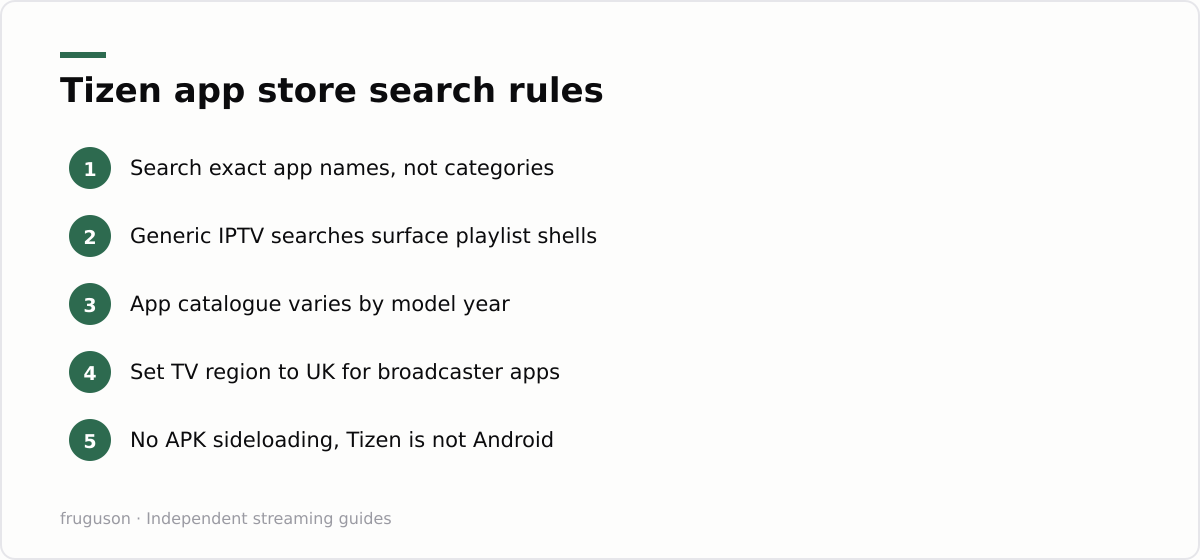
Press the home button and head to Apps: that is the Tizen app store, which Samsung labels simply as Apps on most recent models. Search here behaves nothing like Google. Type part of a name and you often get nothing useful. Type a generic word like “IPTV” and you get a wall of empty playlist players instead of the broadcaster apps you actually want. The fix is dull but dependable: search the exact app name, spelled the way the broadcaster spells it. “ITVX” finds ITVX, while “ITV Hub” now finds nothing at all.
A few more quirks are worth knowing. Results differ between sets, because the catalogue of Samsung TV apps UK owners can install depends on which Tizen version their model runs. Certain apps only appear once the TV region is set to the United Kingdom, so if a mainstream service seems missing, check the region under Settings before blaming the broadcaster. There is no sideloading escape hatch either. Tizen is not Android, it cannot install APK files, and any tutorial claiming otherwise describes a developer workflow that breaks on the next firmware update. The playlist players clogging the search results exist to load M3U playlists sold by subscription sellers; the players are legitimate empty shells, while the playlists people buy for them almost never are.
Keeping Tizen apps healthy
Apps update themselves when Auto Update is enabled in the store, and leaving it on prevents most mystery failures. When a player starts crashing or refuses to load streams, delete it and reinstall it fresh rather than hunting through settings menus. A cold restart helps too: hold the power button until the Samsung logo appears, which reboots the set properly instead of merely putting it to sleep. Broadband hiccups masquerade as app bugs surprisingly often, so rule out the router before blaming Tizen. Those few habits clear up the bulk of everyday complaints.
Samsung TV Plus: the free channels you already have
Open the app Samsung preloads before you install anything else. Samsung TV Plus is a free, ad-supported streaming service with a proper linear guide, and its UK line-up spans news, films, documentaries and themed channels that rotate through the year. It costs nothing. There is no sign-up either; advertising funds the whole thing. On newer models the service gets its own row on the home screen, and its channels can sit inside the main guide beside everything else.
Give it ten minutes, partly because it shows what licensed, free IPTV on Samsung smart TV screens looks like: instant channels with no seller and no monthly fee. The catalogue shifts often, so treat any channel list you find online as a snapshot rather than a promise. Our full Samsung TV Plus guide covers the UK highlights and explains how to hide the channels you never watch.
Freely on 2024 and newer Samsung sets
Freely is the successor to Freeview Play, built by the broadcasters behind Freeview and Freesat. It streams the main public service channels live over broadband with no aerial, then gathers the catch-up players into a single programme guide. Samsung joined the platform after its launch, and sets from the 2024 range onwards have been gaining Freely support. Model lists move around, so confirm yours on the official Freely site before assuming anything.
One practical note follows. Freely ships built into new TVs only; you cannot add it as an app to a 2020 set, which is one of the sharper reasons owners of older Samsungs look at plug-in devices instead.
Older Tizen sets and the slow loss of apps
No smart TV keeps its apps forever. Developers target recent Tizen versions, and when a broadcaster rebuilds its app it will often drop the oldest sets rather than maintain a legacy build. Owners of 2015 and 2016 models have watched apps stop updating, lose features or vanish from the store entirely. Sets from before 2015 run Orsay, Samsung’s earlier system, which modern services no longer target at all. Nothing in a menu brings a withdrawn app back.
This pattern changes the advice. A Samsung from the last four or five years will run everything a UK viewer needs. An eight-year-old set might manage iPlayer yet miss the current ITVX build, or cling to a version that no longer receives fixes. If your set has started shedding services, that is Tizen support winding down rather than a fault you can repair, and the economical cure is usually a cheap streaming device rather than a new television.
Remote tricks and SmartThings shortcuts
Modern Samsung remotes are minimal, which feels elegant right up until you must type an email address into a sign-in screen. The SmartThings app on your phone solves most of that. Pair the TV once and the app becomes a full remote with a real keyboard, so passwords and Wi-Fi keys take seconds instead of minutes of arrow pecking. Several broadcasters also offer code sign-in, where the TV displays a short code you enter on their website from your phone. Prefer that route whenever it appears.
Smaller wins are worth collecting too. You can reorder the home row so your daily apps sit first: highlight an app, then hold select to reveal the Move option. The microphone button drives Bixby, and most recent sets let you swap the assistant to Alexa if you would rather talk to that. SmartThings can also power the set on remotely and turn your phone into a pointer, which proves handier than it sounds inside cluttered app menus. If the physical remote disappears behind a cushion, the phone app is a full substitute rather than a toy.
When a streaming stick beats the built-ins
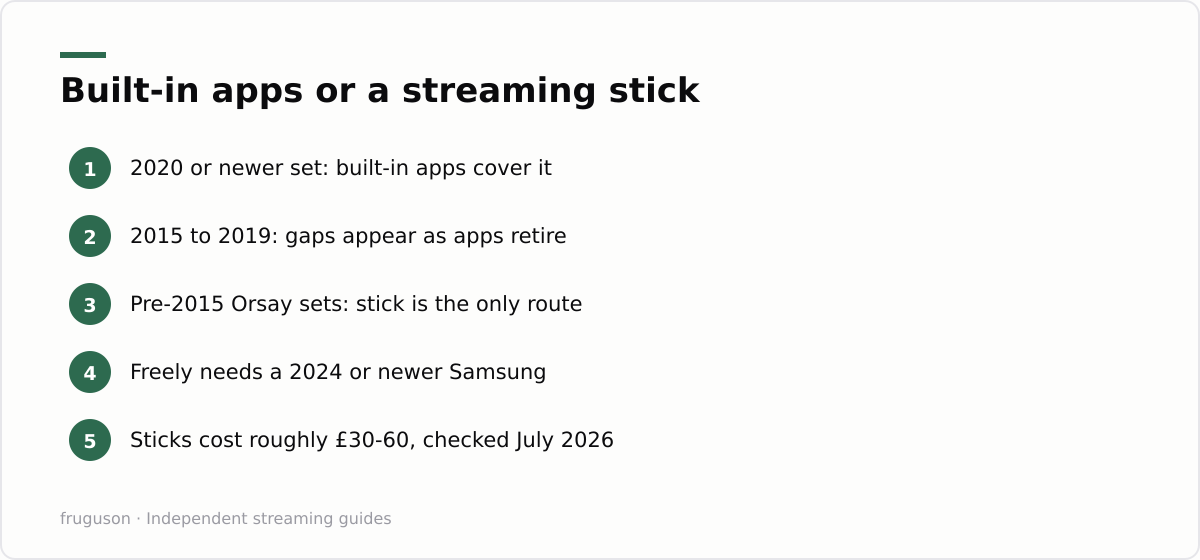
There comes a point where fighting Tizen stops being worth it. Streaming sticks and boxes cost roughly £30-60 (checked July 2026, with sales dipping lower). They plug into any HDMI port and bring their own app store on their own update schedule. The television becomes a plain screen, which sounds like a downgrade and is anything but on an ageing set.
Age splits the decision cleanly. A set from 2020 or later rarely needs help; its built-in apps cover the UK services and keep receiving updates. Between 2015 and 2019 the picture is mixed, and a stick earns its keep the moment an app you rely on disappears or turns sluggish. Anything running Orsay is beyond saving for modern streaming, so external hardware is the only realistic route. Running IPTV on Samsung smart TV silicon from that era means living with whatever the store still offers, and the store offers less every year. One caveat cuts the other way: no stick can add Freely, since it only ships inside new TVs, so buyers who specifically want Freely are shopping for a television. For specific models and what each device does well, our IPTV equipment guide compares the current options.
The sensible first evening with your set
Start with what is already installed. Open Samsung TV Plus and flick through its guide, then note which channels you would genuinely keep. Install the catch-up players you actually use next, typing each exact name into the store search rather than browsing categories. Pair SmartThings before the first sign-in screen appears, not after ten minutes of arrow typing. Check whether your model year still receives current app builds; if a service you need is missing or abandoned, price up a stick before you price up a new television. And should a seller ever offer you the whole of live sport through a playlist, you will recognise the trap before your money leaves your account.
Frequently asked questions
Why can't I find ITVX or other UK apps on my Samsung TV?
Tizen's store search wants the exact app name, so type ITVX rather than ITV or catch-up. Check that the TV region is set to the United Kingdom, since some broadcaster apps stay hidden otherwise. On sets from around 2016 or earlier the app may simply have been withdrawn, and a streaming stick is the usual fix.
Why can't I find an app in the Samsung app store?
Two common reasons. Tizen's search is fussy about exact names, so a generic term often returns empty players instead of the app you want — search the precise service name. And on 2016-or-older sets some apps have been withdrawn entirely as Samsung drops support; there a £30-60 streaming stick restores the full app range.
Is Samsung TV Plus really free, and does it need an account?
Yes and no account is needed. Samsung TV Plus comes preinstalled on modern Samsung sets, is funded entirely by adverts, and asks for no card details. It carries a few hundred themed live channels plus an on-demand shelf, so it is worth opening before you pay for anything else.
Summarize this post with:
Follow How To Watch Streaming on Google News so you never miss a new guide.


Leave a comment