Samsung TV Plus: Every Free Channel Explained (UK 2026)
Samsung TV Plus turns your Samsung telly into free live channels, so here is the full UK line-up, how it makes its money and how it beats Pluto.
Contents
Samsung TV Plus sits on the home screen of nearly every Samsung smart TV, hiding behind an icon most people scroll straight past. It costs nothing to use. You do not sign in, you never enter a card, and live channels start playing the second you open it. That is the whole pitch. For plenty of UK households it has quietly become the thing they leave on when nothing on the main apps appeals, and this TV Plus guide explains what it carries, how it earns money, and how it stacks up against Pluto TV.
What Samsung TV Plus actually is
Think of it as a bundle of streaming channels dressed up to feel like old-fashioned telly. Each channel runs a fixed schedule. You cannot pause a live channel or pick an episode; you drop in wherever the stream happens to be, exactly like tuning into a broadcast. Samsung builds the service into Tizen, the operating system on its TVs, so it arrives preinstalled and quietly updates itself in the background. Nobody hands you a manual, and most owners find it by accident.
The catalogue mixes two kinds of channel. Some are single brands, say a rolling news feed or a channel that plays one franchise around the clock. Others are themed buckets that shuffle through a library of films or old series. If you have searched FAST channels Samsung and hit a wall of jargon, FAST simply means free ad-supported streaming television, and that acronym describes the entire model here.
You will also find the same idea on rival hardware. LG Channels and The Roku Channel run comparable free line-ups, and Pluto TV does the same across almost any device you own. Samsung TV Plus is just the version baked into Samsung sets and a handful of Galaxy phones, which is why it feels less like an app and more like part of the telly.
The channel line-up, by theme
Every few weeks the list of Samsung free channels shifts as deals come and go, so treat any total you read online as a snapshot rather than gospel. Broadly, the grid falls into a few recognisable zones, and knowing them saves a lot of aimless scrolling.
News is the strongest corner. You get rolling coverage from major international broadcasters and a weather channel or two, plus business feeds that work well as a second screen. Many viewers park here and never move, using it the way an older set-top box once handled 24 hour news.
Films come next, though not as a searchable library. Expect themed movie channels instead: one might run action titles back to back while another leans on classics or family films. The prints skew older, because studios licence catalogue content cheaply, so you watch what is scheduled rather than what you fancy. It is browsing, not choosing.
Entertainment and lifestyle fill the biggest band of the grid. Reality formats lead, with cookery and home renovation close behind. Reruns of long-running series pad out the rest. These channels exist because the shows are cheap to license and easy to slot an advert into. If you loved something years ago, a channel here probably still loops it on a quiet afternoon.
Kids and music each get their own cluster, covering cartoons and preschool brands alongside back-to-back music videos. Then the long tail begins, running from fitness and wildlife loops to court shows and channels built around a single game.
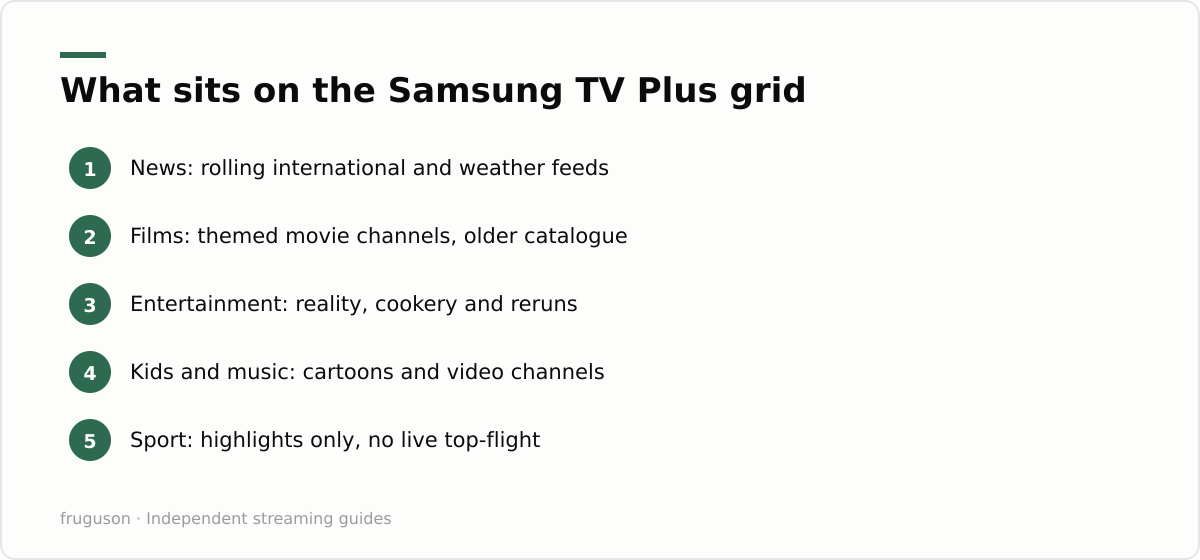
Sport is where free services thin out fast. You will find highlights shows and classic matches, plus extreme sports or darts on rotation, but the big live rights stay firmly behind paid walls. Premier League football is not here, nor live Formula 1 or Test cricket, and no free tier in the UK carries them. For those you still need a paid subscription such as Sky or Now. If free sport is what you are after, our roundup of free licensed IPTV channels in the UK sets sensible expectations about what the no-cost tiers realistically include.
How a free service pays the bills
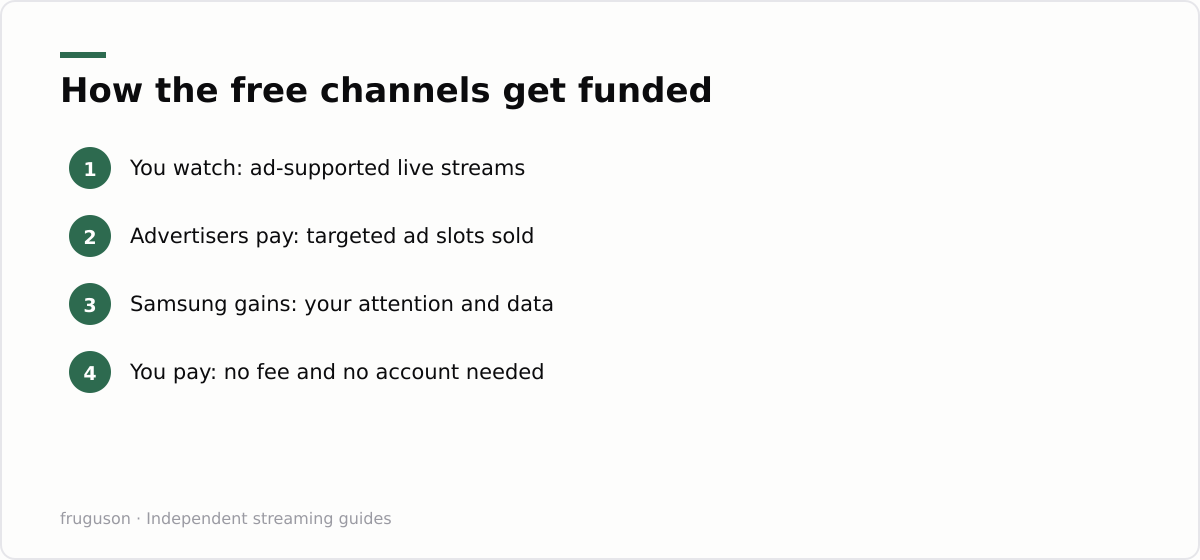
Nothing is truly free, and the currency here is your attention. The service inserts adverts into the streams, much like traditional commercial television, and sells that airtime to advertisers. Because the TV knows what you watch, those ads can be targeted more tightly than a broadcast slot, which is why a channel with no subscription can still fund itself and turn a profit.
There is a second, quieter benefit for Samsung. Every minute you spend inside its own service is a minute you are not inside Netflix or Prime Video, and it keeps you on Samsung’s screen and inside Samsung’s data. The hardware sale happened years ago; the ongoing relationship is the real prize. That context matters when you read Ofcom’s research on how viewing is fragmenting, published in the regulator’s Media Nations report at https://www.ofcom.org.uk/media-use-and-attitudes/media-habits-adults/medianations, which tracks the slow drift from scheduled broadcast toward on-demand and streaming.
It is possible to trim some of the tracking. In the TV settings, look for privacy options covering viewing information services, sometimes labelled around interest based advertising, and switch off whatever you are comfortable losing. The channels keep working. The ads simply become less tailored to you.
Finding Samsung TV Plus on your set
Because it comes baked into Tizen, there is nothing to download and nothing to buy. On most recent Samsung sets it appears as its own icon on the Smart Hub home row, and it usually sits in a channel slot just past your normal Freeview numbers, so pressing channel-up beyond the last broadcast channel can drop you straight into the live grid. If you cannot see it at all, a software update from the TV’s settings normally restores it, since Samsung pushes the service through the same firmware channel as everything else. There is no account step: open it and a channel starts playing within a few seconds. The same service rides along on many Galaxy phones and tablets through the Samsung TV Plus app, so you can carry the identical line-up onto a second screen without any extra setup.
Samsung TV Plus vs Pluto TV
Both are free and both lean on adverts, running the same channel-style format where you join a stream already in progress. The real differences are reach and feel. Pluto TV is a standalone app, so you can install it on a phone, a laptop or a rival brand of television, and its niche line-up often runs deeper on cult series and single franchises. You can browse the full offering on its official UK site at https://pluto.tv/. The Samsung version is not an app you download at all; it is welded into the Tizen home screen, which makes it quicker to reach but locks it to Samsung hardware and a few Galaxy phones.
Convenience decides it for most people. If you already own a Samsung set, the built-in service is one click away with nothing to register for, whereas Pluto TV asks you to find and open an app first. Neither one charges you a penny, so plenty of viewers simply keep both and hop between them depending on what each grid is showing that night. If you want to see where paid options fit around these free tiers, our guide to the best IPTV services in the UK for 2026 explains where legitimate subscriptions earn their fee.
Getting more from it, and the verdict
Start by tidying the grid. The service lets you favourite channels so your handful of regulars sit together, which turns a sprawling list into something usable in seconds. Check the on-screen guide for a rough schedule, and remember the picture quality tops out lower than premium apps, so it suits casual and background viewing more than a marquee film night.
So is it worth the space on your home screen? For most owners, yes, because it asks for nothing and now and then lands on exactly the news feed or old comedy you wanted. It will not replace a proper subscription, and it cannot touch live top-flight sport. Its film selection is a lucky dip. Treat it as a free extra rather than a destination and it earns its keep. If you want to push a Samsung set further with licensed apps and the right kit around it, read our notes on using IPTV on a Samsung smart TV before you spend a penny.
Frequently asked questions
Is Samsung TV Plus really free?
Yes. It carries no subscription and asks for no card details or account. Samsung pays for it by showing adverts inside the channels, much like traditional commercial television does.
Do I need a Samsung account to use Samsung TV Plus?
No. The service plays without any sign-in or card details, which is part of its appeal. A Samsung account is optional and only adds conveniences such as syncing favourite channels across devices. Open the app and a live channel starts within a few seconds, no registration required.
Can I get Samsung TV Plus on a non-Samsung device?
The built-in service is limited to Samsung TVs and some Galaxy phones. On other hardware you cannot install it, but you can use very similar free services such as Pluto TV or The Roku Channel instead.
Summarize this post with:
Follow How To Watch Streaming on Google News so you never miss a new guide.


Leave a comment