Watch Live UK TV in a Browser: No Apps, No Installs
A practical walkthrough of live UK TV in Chrome, Edge or Safari: sign-ins for iPlayer, ITVX, Channel 4, 5 and Now, plus DRM caps and smooth-playback tips.
Contents
- Why watch TV in browser instead of installing apps
- What you need before you start
- Signing in to the five big services
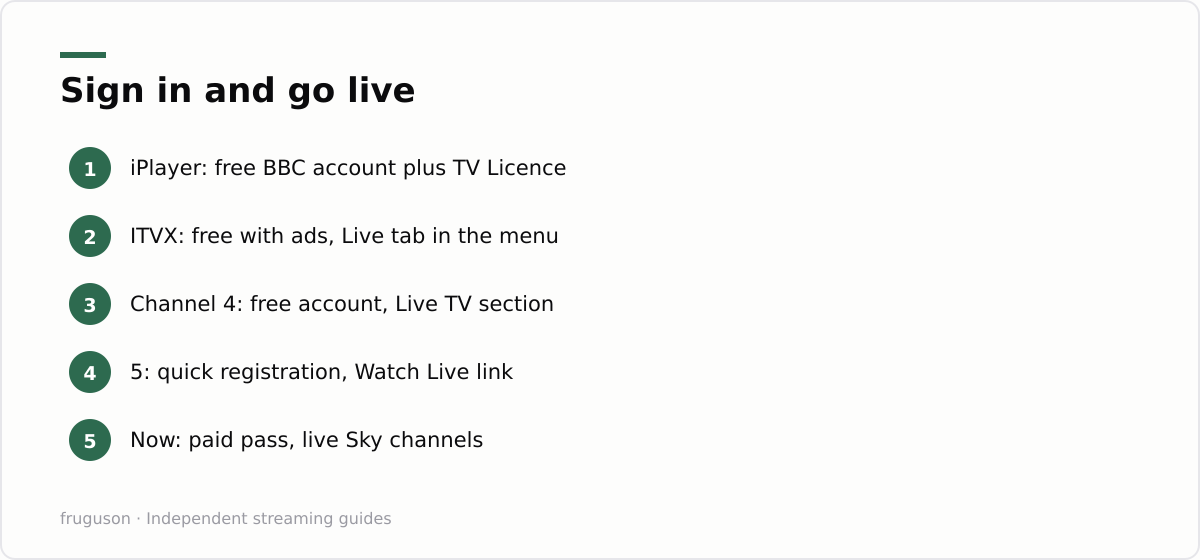
- BBC iPlayer
- ITVX
- Channel 4
- 5
- Now
- Browser streaming and the DRM resolution problem
- Full screen and picture in picture tricks
- Perfect for work laptops and hotel wifi
- Getting smooth playback in the browser
- Where this leaves you
There is a quiet truth the app stores would rather you forgot: you do not need to install anything to stream British telly. Every licensed UK service runs in an ordinary web browser, so you can watch TV in browser tabs on whatever laptop happens to be in front of you. BBC iPlayer, ITVX, Channel 4, 5 and Now all play live channels in Chrome, Edge and Safari. This guide covers the sign-in for each service, where the live sections hide, the DRM caps that decide your picture quality, and the tweaks that keep playback smooth.
Why watch TV in browser instead of installing apps
Native apps earn their keep on televisions, where a browser is clumsy. On a laptop the equation flips completely. A browser tab needs no admin rights, no download, no updates and no storage space. Open the site, sign in, press play. That is the whole workflow. Broadcasters treat their web players as first-class products because millions of students and office workers rely on them every day, so the streams are stable and officially supported rather than a tolerated afterthought. Type live TV Chrome into a search engine and you will also see dodgy extensions promising hundreds of channels; skip them, because the official sites already carry every major UK broadcaster, and most of it costs nothing.
What you need before you start
The shopping list is short. You need a reasonably current browser, meaning Chrome, Edge, Firefox or Safari from the last couple of years. Add a free account with each broadcaster you fancy. Ad blockers cause more playback failures than any other single culprit, so whitelist the broadcaster sites or pause the extension before deciding a player is broken. Corporate VPNs can also trip the geolocation checks, since every service here is UK-only; switch the VPN off or route it through a UK exit point. Check your sound as well. It sounds trivial, yet hotel and office machines are frequently muted at the operating system level, and people blame the website.
Signing in to the five big services
Each account takes under five minutes to create. Work through them once and your laptop becomes a fully stocked telly that follows you to any desk.
BBC iPlayer
Head to the iPlayer site and click Sign in. A BBC account is free; you supply an email address and a date of birth, then a UK postcode. That postcode matters because it sets your local BBC One region, so you get the right regional news and programming rather than another part of the country’s. Once inside, the Channels row on the homepage lists BBC One, BBC Two, the news channels and the rest, each with a Watch Live button.
ITVX
ITV’s streaming home at itv.com offers a free tier with adverts and a Premium tier without them. Registration wants an email and a postcode, nothing more painful. Live channels sit under the Live section in the top navigation: ITV1 through ITV4 plus ITVBe, alongside a shelf of themed FAST channels looping classic shows. The free stream is genuinely free. Premium, around £6 a month checked July 2026, mainly strips the ads and folds in BritBox content, so casual viewers can ignore it without missing any live channel.
Channel 4
Registration comes first at channel4.com, since the site streams nothing without a free account. Sign up with an email, confirm the verification link, pick your ad preferences. The live player sits under Live TV in the main menu, carrying Channel 4, E4, More4, Film4 and 4seven. Streams carry adverts on the free tier; the optional Channel4+ subscription removes them for a few pounds a month, checked July 2026. Web playback behaves well in every major browser, though the player occasionally objects to strict tracking protection, and loosening the browser’s shield for channel4.com usually fixes it.
5
Formerly branded My5, Channel 5’s streaming service now lives under the plain 5 name. Registration mirrors the others: email, postcode, date of birth, done. Live streams for 5, 5STAR, 5USA and 5ACTION sit behind a Watch Live link on the homepage. Picture quality is the weakest of the five broadcasters here, which stings far less on a 14-inch laptop screen than it would on a telly. Its catch-up library runs deep on true crime and daytime drama, all free with ads.
Now
Sky’s streaming arm is the odd one out because it charges for everything. Membership passes start at a few pounds for a single day of sport and run to monthly Entertainment and Cinema plans, roughly £7-10 each checked July 2026. The web player delivers Sky Atlantic and Sky Max live, plus the sports channels once your pass covers them. Sign-up needs a card, though passes cancel online without a phone call. If your only goal is one football match on a work trip, the browser is the fastest official route to it that exists.
Browser streaming and the DRM resolution problem
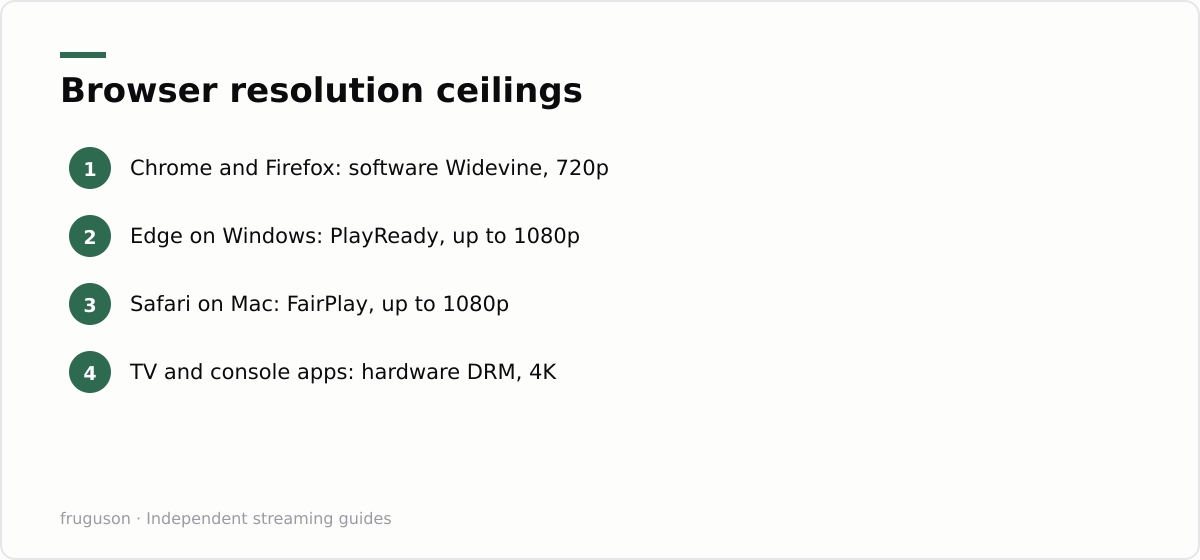
Browser streaming has one genuine weakness, and it is picture quality. Every service wraps its streams in DRM, and the DRM tier your browser supports decides the resolution the server sends you. Chrome and Firefox on a desktop use a software version of Google’s Widevine system, which most UK services trust only up to 720p, sometimes less. Edge on Windows can call on Microsoft’s PlayReady, while Safari on a Mac uses Apple’s FairPlay; both plug deeper into the operating system, so some services hand them 1080p. Netflix illustrates the pattern most clearly, streaming at 720p in Chrome yet 1080p or better in Edge and Safari on supported hardware. Broadcasters rarely publish exact figures and the caps shift without notice, so treat the table below as the typical picture rather than a promise.
These caps are contractual rather than technical spite. Rights holders demand stronger protection for sharper pictures, and a software decoder that any developer can poke at counts as weaker protection than a sealed hardware pipeline inside a TV chip. Your laptop is perfectly capable of decoding full HD; it simply is not trusted with it.
| Browser | DRM system | Typical live stream ceiling |
|---|---|---|
| Chrome (Windows, Mac, Linux) | Widevine, software level | 720p, occasionally lower |
| Firefox | Widevine, software level | 720p, occasionally lower |
| Edge on Windows | PlayReady | Up to 1080p on some services |
| Safari on Mac | FairPlay | Up to 1080p on some services |
| Smart TV or console app | Hardware DRM | Full HD and 4K tiers |
None of this should put you off. People who watch TV in browser tabs every day mostly stop noticing the difference at laptop sizes, because 720p across a 13-inch panel is dense enough for news bulletins and most sport. The gap only becomes obvious if you plug the laptop into a big monitor, and at that point a cheap streaming stick or the smart TV app is the better tool for the job.
Full screen and picture in picture tricks
Every player carries a full screen toggle in its bottom corner, and double clicking the video usually does the same job. The better trick is picture in picture. Right click twice on a playing video in Chrome or Edge; the second click opens the browser’s own menu, which includes a Picture in picture option that pops the stream into a floating window sitting on top while you work in other tabs. Safari triggers it from the audio icon in the address bar or with the same double right click. Some broadcaster players intercept the first right click with their own menu, which is exactly why the second click matters. On keyboards, the space bar pauses most players and F toggles full screen in several.
Multiview is possible too, in a crude but satisfying way. Two browser windows placed side by side will happily run two different live channels, something most smart TV apps still cannot manage. Mute one and size them however you like; the Six Nations then fits neatly next to the news. A floating match in the corner of a spreadsheet is the closest a working day gets to a canteen telly.
Perfect for work laptops and hotel wifi
Locked-down machines are the browser’s home turf. A corporate laptop that refuses every installer will still open the BBC’s website, because blocking a public service broadcaster is a hard policy for any IT department to defend. Chromebooks and library PCs behave the same way: if the machine runs Chrome, it can reach every UK broadcaster. The power to watch TV in browser windows on a device you cannot install anything on is the entire selling point. Hotel wifi strengthens the case further. Captive portals, those sign-in pages hotels love, routinely break app logins on phones and streaming sticks, while a laptop browser sails through because the portal was built for it. Nothing here needs casting hardware either, so you skip the ritual of persuading a hotel TV to pair with anything. One caution deserves plain words: streaming on a work device may breach your employer’s acceptable use policy even though it is entirely aboveboard, so know your office rules before queueing up the cricket. For a deeper setup on your own hardware, our guides to IPTV on a Windows PC and IPTV on a Mac cover dedicated players and multi-screen layouts.
Getting smooth playback in the browser
When a browser stream stutters or drops to a black rectangle, the culprit is almost never your broadband. Ad blockers and strict tracking protection are the usual suspects, so whitelist the broadcaster’s site or pause the extension before deciding a player is broken. Next, make sure hardware acceleration is switched on in the browser’s settings, since it hands video decoding to your graphics chip and takes a real load off the processor on a modest laptop. A pile of open tabs eats memory and can starve the player, so close what you are not using, and a stubborn stream often clears after a refresh or a cache clear for that one site. Keep the browser itself up to date, because the DRM modules that decode protected video are patched quietly in the background and an old build can simply refuse to play. If you are on battery, check that a power-saver mode has not throttled performance mid-episode. Our guide to the rules around streaming live TV in the UK covers where each service stands across different devices.
Where this leaves you
Open a tab tonight and test it. Pick the service you already lean on and create the account, then leave the login saved for the next hotel trip or lunch break. My suggested order: iPlayer first, since one BBC account covers the widest spread of channels, ITVX second for its FAST channel shelf, then Channel 4 and 5 whenever a specific show pulls you in. Now can wait until a sports weekend justifies a day pass. Anyone bothered by the 720p ceiling should switch to Edge or Safari before spending a penny on upgrades. The web player is the cheapest telly setup in Britain, and it is already sitting in your taskbar.
Frequently asked questions
Which browser gives the best picture quality for UK streaming?
On a Mac, Safari; on Windows, Edge. Both plug into stronger, hardware-backed DRM that some services reward with 1080p, while Chrome and Firefox use software Widevine and are usually capped near 720p. If a sharp picture matters more than convenience, a smart TV or console app unlocks the full HD and 4K tiers.
Why does the picture look softer in Chrome than on my TV?
Chrome uses a software version of Widevine DRM, which most services only trust up to about 720p. Edge on Windows and Safari on a Mac plug into stronger protection and can receive 1080p on some services. TV and console apps use hardware DRM, so they get the full HD and 4K tiers.
Can I use these browser players outside the UK?
No, every service here checks for a UK connection and blocks foreign IP addresses. The broadcasters' terms do not permit VPN workarounds and the players frequently detect them anyway. Offline downloads inside the official mobile apps are the legitimate route for travel viewing.
Summarize this post with:
Follow How To Watch Streaming on Google News so you never miss a new guide.



Leave a comment