TV in a Caravan or Motorhome: Streaming Beats the Aerial
A practical guide to TV in a caravan or motorhome: hotspot and router setups, realistic data budgets, downloads, 12V power and weak-signal fixes.

Contents
- What TV in a caravan actually needs
- Step 1: Get online with a hotspot or a 4G router
- Step 2: Set a data budget you can stick to
- Step 3: Download before you leave home
- The honest word about site wifi
- Step 4: Power it all from 12V
- Boosting a weak signal on a remote pitch
- MiFi, dongles and 5G routers compared
- The kit list that earns its keep
Watching TV in a caravan used to mean a telescopic aerial on a pole, twenty minutes of retuning at every new site and a picture that collapsed the moment it rained. Streaming has quietly made all of that optional. If your pitch has a mobile signal, the same apps you use at home will follow you around the country, and they will usually look better than anything a clip-on aerial managed. None of it needs specialist kit either; most of what follows costs less than a decent awning. This guide walks through a complete caravan streaming setup: getting online, setting a data budget, downloading before you leave, powering everything from 12V, plus the signal tricks that rescue an out-of-the-way pitch.
What TV in a caravan actually needs
Strip away the jargon and the shopping list is short. You need an internet connection that works in a field. You need something that runs the apps, which for most people means a streaming stick pushed into an HDMI port. And you need power for both.
Sticks are the easy part. A Fire TV Stick or a Roku costs about £30-60 (checked July 2026) and turns any screen with an HDMI socket into a smart TV. Even an ageing 12V telly from a camping shop will do the job; we covered exactly this in our guide to getting IPTV on an old TV. If your caravan TV already runs apps natively, better still. That is one gadget fewer to power.
Connectivity is where tourers get stuck, so the first two steps deal with it head on.
Step 1: Get online with a hotspot or a 4G router
Most motorhome internet TV setups fall into one of two camps. Camp one is the phone in your pocket. Switch on the personal hotspot and join the stick to it; you are streaming within a minute. It costs nothing extra if your plan has data to spare, which makes it the right way to test whether streaming suits your trips at all.
Hotspots have real limits, though. Your phone leaves the van whenever you do, taking the telly with it. Batteries drain fast while tethering. Some “unlimited” phone plans quietly cap hotspot use at 30GB or so, and a fortnight of evening viewing can burn through that. Read the tethering terms in your plan before you rely on it.
Camp two is a dedicated 4G or 5G router with its own SIM. Prices run roughly £40-150 for capable 4G models (checked July 2026), and unlimited data SIMs cost around £15-25 a month. The router stays in the van and usually runs from 12V over USB. Its antennas outperform a phone’s. On a weak pitch you can add an external antenna on the roof or in a window, which often turns one hopeless bar into a watchable stream. Seasonal tourers should look at 30 day rolling SIMs that pause over winter.
One habit saves a lot of grief: before booking, check the mobile coverage maps for the site’s postcode on each network’s website. Signal varies wildly between networks in rural Britain, and site reviews often mention which one actually works on the pitches. A SIM on the wrong network is worthless in the one valley you visit most.
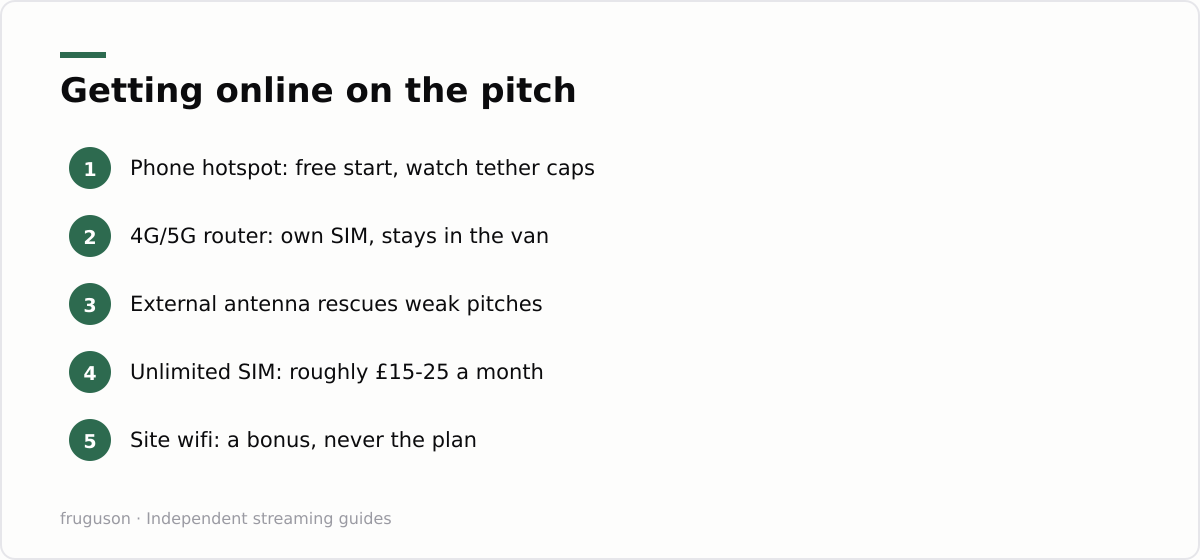
Pick whichever camp matches your habits. A weekend tourer with a generous phone plan can stop at the hotspot. Away for weeks at a time with family in tow? The router pays for itself inside a season.
Step 2: Set a data budget you can stick to
Streaming eats data at a fairly predictable rate, and knowing the rough numbers prevents nasty surprises. Standard definition uses around 0.7GB per hour. HD typically runs between 1.5GB and 3GB per hour depending on the app and how busy the picture is. 4K can swallow up to 7GB per hour, which is why nobody sensible streams 4K on a metered SIM in a field. Live channels through apps sit in the same range as HD on demand.
| Picture quality | Rough data per hour | Evenings from a 50GB plan* |
|---|---|---|
| Standard definition | about 0.7GB | around 35 |
| HD | 1.5-3GB | roughly 8-16 |
| 4K | up to 7GB | about 3 |
*Assuming two hours of viewing per evening. These are rough averages; every app behaves slightly differently.
Two hours a night for a fortnight at HD lands somewhere between 40GB and 85GB. That single sum explains why serious tourers gravitate towards unlimited SIMs rather than juggling allowances. If you would rather measure than guess, our IPTV data usage guide breaks down what the mainstream apps pull and how to cap them.
Quality caps matter more than any other setting. Force the apps down to HD, or even standard definition for daytime background telly. Most sticks bury a data saver or display option in their settings menus. On a 32 inch caravan screen viewed from two metres, the difference between HD and 4K is close to invisible. The difference on your data bill is not.
Step 3: Download before you leave home
The cheapest gigabyte is the one you never stream. BBC iPlayer lets you download programmes to a phone or tablet for offline viewing at no extra cost. Netflix and Prime Video both allow downloads on mobile devices too. ITVX reserves downloads for its paid Premium tier, which is worth knowing before you promise anyone a boxset.
Downloads happen over your home wifi, so they cost nothing against your travel data. Build the habit: the night before departure, load the tablet with a film for the rainy afternoon and enough episodes to outlast a signal blackspot. Most downloads carry expiry windows, typically around 30 days and often 48 hours once you press play, so refresh them shortly before you go rather than weeks ahead.
Note that most streaming stick apps cannot store downloads. Your tablet or phone is the offline machine, and a cheap HDMI adapter will put its screen onto the caravan TV if the family insists on the big picture. This matters double with children aboard. A tablet full of downloaded episodes has rescued more wet Welsh afternoons than any aerial ever did.
The honest word about site wifi
Campsite wifi deserves a plain assessment: usually fine for email, usually useless for telly. One connection gets shared across dozens of pitches, and everyone reaches for a screen at the same hour of the evening. A network that tests fine at 3pm can fall over completely at 8pm. Ofcom’s guidance on broadband speeds at https://www.ofcom.org.uk/phones-and-broadband/broadband-speeds makes the underlying point well: the speed that matters is the one you actually receive at peak time, not the headline figure on the sign. On a full site in August, your share at 8pm may be close to zero.
Paid wifi upgrades vary wildly between parks. A few run genuinely good networks with access points near the pitches; many simply resell one strained line. Ask fellow tourers before paying, or buy a single day pass and test it during the evening peak before committing to a week. Treat site wifi as a pleasant bonus when it appears. Never build the plan around it.
Step 4: Power it all from 12V
A portable TV setup lives or dies on power, especially off grid. Happily, streaming kit sips electricity. A streaming stick draws about 5W and runs from a USB socket. On hookup that is a non-issue, and off grid it barely dents a leisure battery. Feed the stick from a 12V USB adapter rather than an inverter; a mains inverter wastes energy converting 12V up to 230V so the stick’s own plug can convert it straight back down again.
Your TV is the bigger draw. A small 12V caravan set typically pulls somewhere around 20-30W, call it 2.5A at 12V, so a three hour evening costs a 100Ah leisure battery well under a tenth of its capacity. Large mains-only TVs through an inverter are where off grid viewing turns expensive; if you regularly tour without hookup, a native 12V TV is one of the more sensible upgrades available. Routers are frugal too, with most 4G models content on USB power.
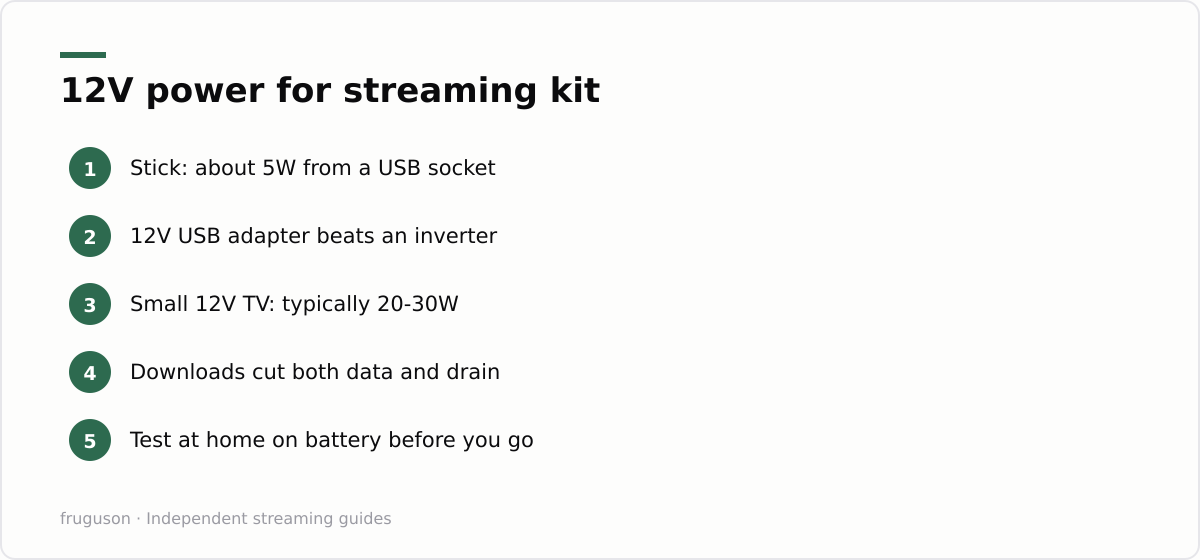
Do a dry run before the first trip. Set everything up at home and stream for an hour on battery power. Watch what the voltmeter says. Ten minutes of testing on the driveway beats discovering a flat battery two days into a week in the Dales.
Boosting a weak signal on a remote pitch
The prettiest pitches tend to sit in the valleys and forests where mobile signal is thinnest, so a little signal know-how earns its keep. The single most effective upgrade is an external antenna feeding your router. A phone or a bare 4G box relies on tiny internal aerials, whereas a roof-mounted or window-mounted MIMO antenna, one with two leads rather than one, grabs a noticeably stronger signal and holds it steady. Height and line of sight matter more than brute gain: raising the antenna a metre or aiming it towards the nearest mast often does more than a bigger unit sitting low behind the van. Use the router’s own signal readout, or a coverage app on your phone, and reposition slowly while you watch the numbers climb. A directional antenna beats an omni-directional one once you know which way the mast lies, and if a pitch is a genuine blackspot, a lead long enough to move the whole router to a sunny corner of the awning can be the difference between a stream and a spinning wheel.
MiFi, dongles and 5G routers compared
The connectivity hardware splits into a few tiers, and matching one to how you travel saves money. A USB dongle is the cheapest option, plugging a data SIM straight into a laptop or some TVs, but it only feeds one device and leaves no room for an external antenna. A pocket MiFi hotspot runs from its own battery and shares a SIM with several devices, which suits weekenders who want something small and portable. A fixed 4G or 5G router is the step up most regular tourers settle on: it stays wired into the van’s 12V supply, takes external antennas, and holds a stronger, steadier connection for the whole family. A 5G model is worth the extra only where 5G coverage actually reaches, which in rural Britain is still patchy, so a good 4G router with a decent antenna often beats a 5G one on a poor signal. Whichever tier you pick, keep the viewing itself on free, licensed apps; our roundup of free IPTV channels in the UK lists more than enough to fill a fortnight of evenings without paying for a thing.
The kit list that earns its keep
Buy in stages. Try the phone hotspot on your next trip and note how much data an evening genuinely uses. If streaming proves its worth, add a 4G router with an unlimited 30 day SIM, then cap every app at HD. Keep a loaded tablet as insurance for blackspots. Total outlay lands near £100 plus the monthly SIM (checked July 2026), which is less than many families feed into one soggy holiday’s arcade machines. Run the full battery test at home on the next clear evening; kit that survives an hour there will cope with a field in Cornwall.
Frequently asked questions
Will an external antenna really improve streaming on a weak pitch?
Often, yes. A phone or a bare 4G router relies on small internal antennas, so adding an external aerial on the roof or in a window, ideally a MIMO type with two leads, can lift a marginal signal into a steady one. Point it towards the nearest mast and watch the router's signal readout as you reposition it.
How much mobile data does an evening of caravan TV use?
Reckon on roughly 1.5GB to 3GB per hour in HD, so a two hour evening costs about 3-6GB. Dropping the apps to standard definition cuts that to under 1GB per hour. On a small caravan screen the quality difference is hard to spot.
Is campsite wifi good enough for streaming?
Rarely. Site wifi is shared across many pitches and tends to collapse at peak viewing time in the evening, even if it tests fine in the afternoon. Treat it as a bonus for email and use your own 4G or 5G connection for telly.
Summarize this post with:
Follow How To Watch Streaming on Google News so you never miss a new guide.

Leave a comment