IPTV on an Old TV: Make Any HDMI Screen Smart Again
Any telly with an HDMI port becomes fully smart with a £30-60 streaming stick: setup steps, one remote via CEC, sound routing and honest SCART limits.
Contents
- What you need for IPTV on old TV hardware
- Step by step: from box to iPlayer in 15 minutes
- One remote instead of three: sorting out CEC
- Getting the sound where you want it
- SCART or component only? The honest answer
- USB power: can the TV run the stick?
- When a screen is genuinely not worth saving
- The verdict, and your next move
Somewhere in most UK homes there is a decent telly doing nothing. Maybe it is a 2012 Samsung in the spare room, or a plasma that got demoted when the living room went 4K. Good news: IPTV on old TV hardware is a solved problem. If the set has one working HDMI port, a £30-60 streaming stick makes it as smart as anything in a shop window today, with every licensed UK app on tap, from BBC iPlayer to Netflix. No new telly required. This guide covers the whole job: choosing the stick, the quarter hour setup, taming the remotes, sorting out the sound, and the honest truth about sets with no HDMI at all.
What you need for IPTV on old TV hardware
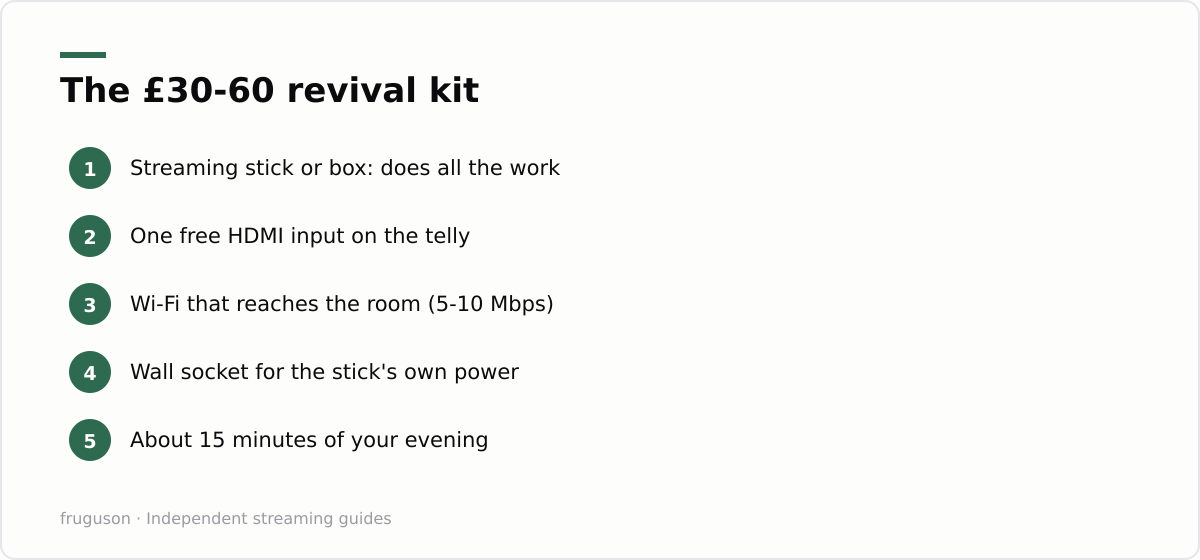
The shopping list is short. You need a streaming stick or small box (Amazon Fire TV Stick, Roku Streaming Stick, Google TV Streamer or a supermarket own brand), one free HDMI input, home broadband that actually reaches that room, and roughly twenty minutes of your evening. That really is it. The streaming stick old TV pairing works because the stick does all the computing; your telly is reduced to a monitor with speakers, a job a ten year old 1080p panel still does perfectly well. This is the entire trick behind every gadget that promises to make dumb TV smart, and it remains the cheapest HDMI TV upgrade you can buy.
Prices (checked July 2026) sit around £30-45 for entry level sticks and £50-70 for 4K models. Buying a 4K stick for a 1080p panel is not wasted money either; the faster processor keeps menus snappy, and the stick moves with you when the panel eventually dies. Our equipment guide for UK viewers compares the current models in detail if you want help choosing.
Step by step: from box to iPlayer in 15 minutes
Push the stick into a free HDMI socket. If the port is recessed or the stick fouls the wall, use the short HDMI extender that ships in most boxes; it also helps Wi-Fi slightly by moving the stick away from the TV’s metal back panel. Connect the USB power lead, switch the TV to that HDMI input with the original remote, and follow the wizard. It will ask for your Wi-Fi password and your Amazon, Roku or Google login, then spend a few minutes updating itself. Make a cup of tea.
Next, install your apps. For UK viewing that means BBC iPlayer, ITVX, Channel 4 and My5, free live channels through Pluto TV or The Roku Channel, plus whatever you already pay for, such as Now for Sky content or discovery+ for TNT Sports. Everything named here lives in the official app store; nothing needs sideloading. If a seller tells you the “real” setup requires downloading an APK from their website or pasting in an M3U playlist link, walk away. Those are the fingerprints of the cheap all-channel subscriptions that tend to vanish overnight with no refund. A revived old telly running legitimate apps will outlast every one of those services.
Buffering is nearly always a broadband or Wi-Fi problem rather than a stick problem. Ofcom’s guide at ofcom.org.uk explains what speeds different activities need and how to test yours properly. As a rough rule, an HD stream is comfortable on 5-10 Mbps, and a back bedroom behind two brick walls may need a cheap Wi-Fi extender to hit that reliably. We also keep a fuller smart TV setup walkthrough and a dedicated Fire TV Stick guide with screenshots for every stage.
One remote instead of three: sorting out CEC
Juggling remotes is where most revived tellies end up abandoned, so fix it on day one. HDMI CEC is a control channel built into HDMI itself; it lets the stick’s own remote wake the TV and adjust the volume, while the set hops to the correct input automatically. Manufacturers hid it behind silly brand names for years. Look in your TV’s settings for Anynet+ (Samsung), Simplink (LG), Bravia Sync (Sony), Viera Link (Panasonic) or EasyLink (Philips) and switch it on. Most HDMI sets from about 2009 onwards support it, even cheap ones.
Sets older than that sometimes carry HDMI without usable CEC. All is not lost. Fire TV and Roku remotes include an infrared emitter and can learn your TV’s volume and power codes during setup, which achieves the same one remote result by a different route. Worst case, you keep the original remote on the shelf purely for the power button. Test CEC by pressing the home button on the stick remote while the TV is off; if the telly wakes and jumps to the right input, you are done with remotes for good.
Getting the sound where you want it
By default, audio travels up the HDMI cable and out of the TV’s own speakers, which is fine for news and quiz shows. Old flat panels were never famous for sound, though, and you have options. The simplest upgrade is a pair of powered speakers or an old hi-fi fed from the TV’s headphone socket. Many sets of that era also carry an optical (S/PDIF) output, which feeds a soundbar cleanly and keeps volume control working normally.
Bluetooth is the third route, and it comes from the stick rather than the TV. Fire TV, Roku and Google devices all pair directly with Bluetooth speakers or headphones, which is brilliant for late night viewing in a shared house. Cheap Bluetooth speakers can add lip sync lag, so use the stick’s audio delay setting if mouths stop matching words. One thing you will almost certainly not have is HDMI ARC; that arrived on most sets after this era, so plan around the headphone or optical sockets instead.
SCART or component only? The honest answer
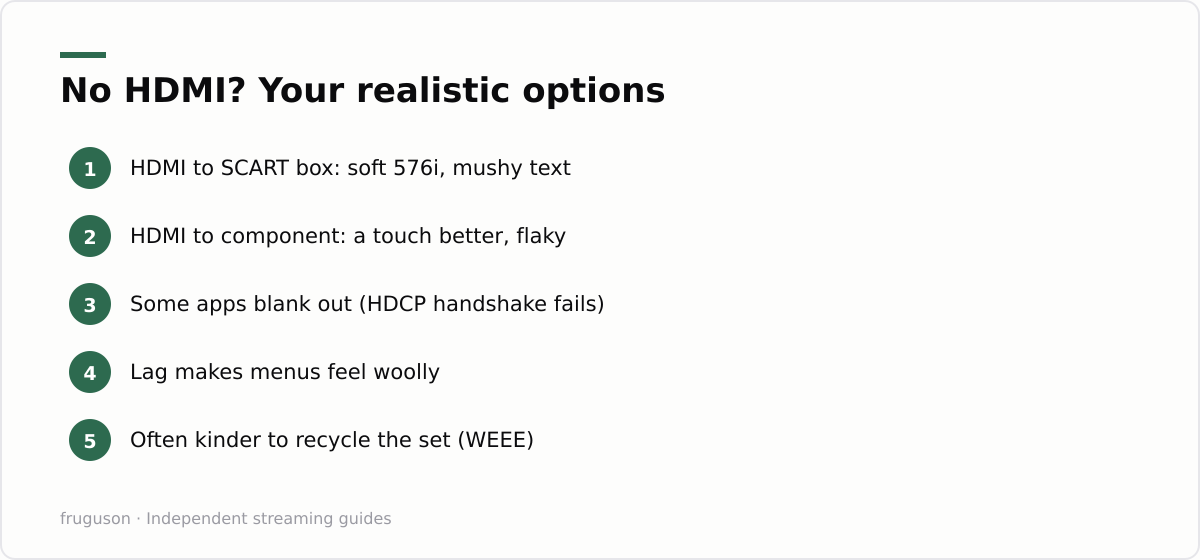
Plenty of loved sets predate HDMI entirely. Converters exist: an HDMI to SCART box costs roughly £10-25 (checked July 2026), and HDMI to component converters sit in similar territory. They do work, in the narrow sense that a picture appears. Expect compromises. SCART carries standard definition only, so the converter squashes a 1080p interface down to 576i; app menus designed for HD become soft, and small text turns to mush. Component can manage higher resolutions on paper, but the cheap converters that dominate the market are inconsistent, and some streaming apps refuse to play through them at all because the copy protection handshake (HDCP) fails without a proper HDMI display on the end.
Lag is the other tax. Conversion adds processing delay, which makes menu navigation feel woolly and rules these setups out for anything interactive. Here is the honest comparison:
| Connection | Realistic picture | Feel in use | Worth it? |
|---|---|---|---|
| HDMI direct | Up to the panel’s native HD | Instant, reliable | Always |
| Component via converter | Watchable, sometimes 1080i | Occasional app failures | Rarely |
| SCART via converter | Soft 576i, mushy text | Laggy menus | Almost never |
For background telly in a garage or workshop, a SCART conversion can still earn its keep. As the main screen anyone actually watches, it will disappoint, and the £20 spent on adapters is already halfway to a basic stick paired with a screen that can show HD properly.
USB power: can the TV run the stick?
Sticks ship with a mains adapter for a reason. The USB socket on an older TV was designed for photo slideshows and firmware updates, and it often supplies only 500mA, while modern sticks want 1A or more under load. An underpowered stick misbehaves in maddening ways: random reboots mid programme, plus Wi-Fi that drops whenever the picture gets busy. Many models also cut USB power completely in standby, which forces the stick through a full cold boot every single time you sit down.
A wall socket solves all of it, and the plug is already in the box. Power draw is tiny, typically a couple of watts, so leaving the stick on the mains around the clock costs pennies per month. The weak point of IPTV on old TV setups is nearly always this power shortcut, and it is the first thing to check when a stick that worked fine for weeks suddenly starts acting up.
When a screen is genuinely not worth saving
Sentiment keeps a lot of dead weight in service. A few hard tests help. If the set has no HDMI and no component input, it is a standard definition display from before roughly 2005, and no adapter will make modern apps pleasant on it. If it is a big plasma, think about electricity: plasmas can draw several times what a modern LED panel does at the same size, and at current UK unit rates a daily viewing habit adds up across a year. Dying backlights or an HDMI port that only works with the cable held at an angle are also bad signs, because repairs on sets this age usually cost more than replacement.
Run the arithmetic before committing. A brand new 32 inch smart set with Freely built in cost around £130-170 when we checked in July 2026, and it arrives with a warranty and far lower power draw. When an old set fails these tests, retire it properly: council recycling centres take TVs free of charge under WEEE rules, and most large retailers will remove the old unit when delivering a replacement. There is no shame in letting a 2004 lounge relic go.
The verdict, and your next move
Simple decision rule. HDMI present and the panel healthy: revive it, because a stick hands that screen the same apps as a 2026 flagship for less than a family takeaway. HDMI absent: let it go with a clear conscience, or demote it to garage duty behind a cheap converter with expectations set low. Either way, two quick actions tonight will settle it. Stand exactly where the screen sits and run a speed test on your phone to confirm the Wi-Fi reaches, then pick a stick from our equipment guide and order it. The back bedroom cinema can be up and running by the weekend.
Frequently asked questions
Can I use a streaming stick on a TV without HDMI?
Technically yes, through an HDMI to SCART or HDMI to component converter costing roughly £10-25. Picture quality drops to soft standard definition, menus lag, and some apps refuse to play because the HDCP copy protection handshake fails. It suits background telly in a workshop but disappoints as a main screen.
Will a 4K streaming stick work on an old 1080p TV?
Yes. A 4K stick happily outputs 1080p to an older panel, and it is not wasted money: the faster processor keeps menus responsive, and the stick moves across to a 4K set when the old telly finally dies. Match it to your broadband too, since an HD stream only needs roughly 5-10 Mbps to play smoothly.
Why does my streaming stick keep restarting on my old TV?
The usual culprit is powering the stick from the TV's USB socket, which often supplies only 500mA when the stick wants 1A or more. Symptoms include random reboots, Wi-Fi dropouts and insufficient power warnings. Plug the stick into a wall socket with its supplied adapter and the problem normally disappears.
Summarize this post with:
Follow How To Watch Streaming on Google News so you never miss a new guide.


Leave a comment