What Is IPTV? A Plain English Guide for UK Viewers (2026)
A plain English guide to IPTV for UK viewers, covering the technology every broadcaster uses plus the licensed services worth having in 2026.
Contents
Ask ten people what is IPTV and you will get ten different answers. Your broadband provider might mean its own TV box, your TV manufacturer means the streaming apps on your home screen, and a friend might just say it is “telly over the internet”. They are all circling the same idea. IPTV stands for Internet Protocol Television: any TV delivered through your broadband connection rather than an aerial or a satellite dish. That definition covers BBC iPlayer, ITVX, Sky Stream and Netflix alike, and this guide explains exactly how the technology works and which services are worth having in 2026.
What Is IPTV? The Actual IPTV Meaning
Strip away the reputation and the IPTV meaning is almost boring. Internet Protocol Television describes television delivered as data packets over a network instead of radio waves caught by an aerial or a dish. Freeview arrives by a broadcast standard called DVB-T2. Satellite uses DVB-S2. IPTV skips both of those and rides the same broadband line that carries your email and your online shopping.
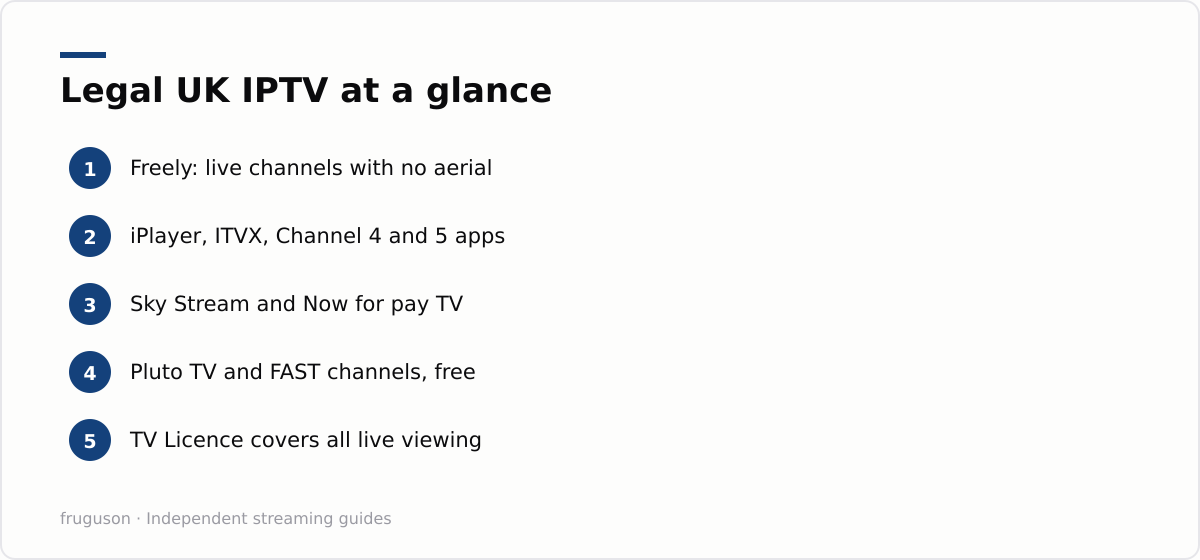
Every major UK broadcaster now leans on this technology. Open BBC iPlayer and you are watching IPTV. Stream the football on ITVX and that is IPTV too. Sky Stream is an entire pay TV platform built on nothing but a broadband connection and a small box. Freely, launched by the public service broadcasters as the long term successor to Freeview, delivers live BBC, ITV, Channel 4 and Channel 5 channels over the internet with no aerial on the roof.
Purists draw a line between “true” IPTV, which runs on a managed network that the provider controls, and OTT streaming, which travels over the open internet. The distinction mattered back in 2012, when BT TV needed dedicated capacity on its own network to guarantee picture quality. For a viewer in 2026 it is trivia. Your smart TV treats iPlayer and Sky Stream as the same kind of thing, and so should you. That is the whole answer to what is IPTV at the technical level; the rest is branding and reputation.
How IPTV Works: Internet TV Explained
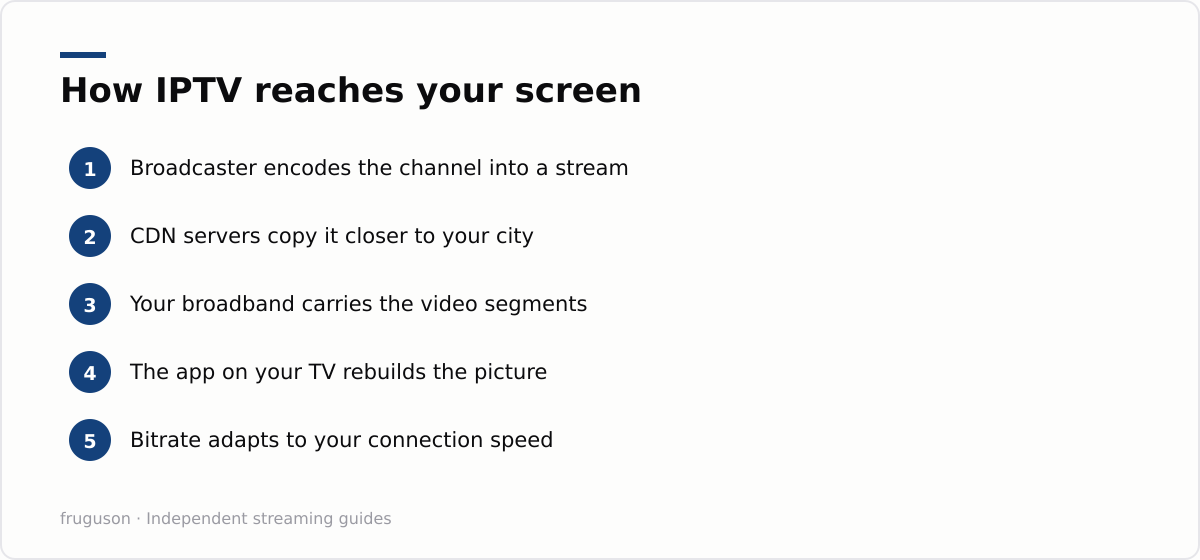
You do not need a networking degree to follow how IPTV works, but a rough mental model helps you diagnose buffering and judge services sensibly. The broadcaster encodes each channel or programme into a compressed digital stream. That stream is chopped into small segments, usually a few seconds long, and copied onto content delivery network servers dotted around the country. When you press play, the app on your TV requests those segments one after another and stitches them back into a moving picture.
Two clever tricks sit on top. Adaptive bitrate streaming means the app constantly measures your connection and switches between quality levels on the fly, which is why a stream sometimes softens for a moment rather than stopping dead. Buffering, the second trick, keeps a few seconds of video in reserve so that brief network wobbles pass unnoticed. The price of all this cleverness is delay. A live IPTV stream typically runs anywhere from a few seconds to around a minute behind the aerial broadcast, which is why a neighbour sometimes cheers a goal before you have even seen the cross come in.
Speed requirements are lower than most people assume. A single HD stream is comfortable on around 5 Mbps, while 4K wants roughly 25 Mbps, so even a modest fibre connection copes with a family watching different things in three rooms at once. That is internet TV explained in a single sentence, really: your telly downloads the programme in tiny pieces, slightly ahead of the moment you actually watch each one.
The Main Types of IPTV Service in the UK
Britain’s streaming market splits into three broad tiers, and knowing which is which makes choosing far simpler. At the free end, Freely and the individual broadcaster apps cover live channels plus enormous catch-up libraries. In the middle sit ad funded FAST services such as Pluto TV and Samsung TV Plus, which pump out themed linear channels at no cost; LG Channels does the same job on LG sets, while The Roku Channel and Rakuten TV cover their own platforms. At the paid end, Sky Stream and Now deliver premium sport and cinema without a dish, while Prime Video and Netflix handle on demand box sets.
Here is how the main options stack up:
| Service | What you get | Cost (checked July 2026) |
|---|---|---|
| Freely | Live PSB channels with catch-up, no aerial needed | Free, no subscription |
| BBC iPlayer | Live BBC channels plus full catch-up | Free |
| ITVX / Channel 4 / 5 | Live streams plus catch-up, ad funded | Free, optional ad free tiers |
| Sky Stream | Full pay TV over broadband | Subscription, roughly £20-50 a month |
| Now | Sky entertainment or sport without a contract | Memberships from around £7-35 a month |
| Pluto TV / Samsung TV Plus / LG Channels | Themed linear channels | Free, ad supported |
| discovery+ | TNT Sports plus factual box sets | Subscription tiers |
Getting at these services rarely needs new hardware. Any smart TV from the last six or seven years carries the big apps, newer sets ship with Freely built in, and a £30-60 streaming stick upgrades an older telly in minutes. Pay TV has followed the same path. Sky Stream needs no dish and no engineer visit, just its puck plugged in near your router.
None of this is niche behaviour any more. Ofcom’s Media Nations research has tracked the same story for years: traditional broadcast viewing keeps declining while streamed viewing keeps rising, across every age group. Those reports are a large part of why the industry built Freely at all. The aerial is slowly becoming optional equipment.
What separates a service worth keeping from a forgettable one comes down to a few practical things. Check the picture quality first, since the broadcaster apps and Sky Stream push full HD and increasingly 4K, while some FAST channels top out lower. Look at device support, because a service is only useful if it runs on the telly, stick or phone you already own. Weigh the library against how you actually watch, as a deep box-set archive matters little to a household that mostly wants live news. And favour services that let you leave month to month over anything that locks you into a long contract for hardware you never end up owning.
How IPTV Compares to Aerial and Satellite
For decades, British homes received television one of two ways: a rooftop aerial pulling in Freeview, or a satellite dish bolted to the wall for Sky. IPTV replaces that physical delivery path with the broadband line you already pay for, and that single change removes most of the hardware. There is no aerial to align, no dish to mount and no coaxial cable to route through the house. A smart TV from the last few years or a small streaming box plugged into the router is all the equipment most homes need, which is why moving to IPTV so rarely means calling out an installer or drilling a hole in the wall.
The trade-offs run in both directions, and it is worth being honest about them. Aerial and satellite broadcasts are gloriously simple: they never buffer, reception does not care how many neighbours are streaming at once, and a basic set keeps working through a broadband outage. IPTV asks for a steady connection in return for far more flexibility. You gain catch-up, the ability to pause and rewind live channels, a single on-screen guide that can span every broadcaster, and the freedom to carry on watching on a phone or tablet in another room. For the vast majority of households that convenience wins comfortably, provided the broadband is reliable, which is exactly why Freely was built as the natural successor to Freeview rather than a niche add-on.
The Verdict: Where to Start
Keep the definition in perspective. IPTV is simply the delivery system behind practically all modern British television, from BBC iPlayer to Sky Stream. Build your setup around the established broadcaster and subscription apps and it keeps working season after season, with real customer support behind it and picture quality that quietly improves as your broadband does.
Your next move depends on budget and kit. Start with our roundup of the best IPTV services in the UK for 2026 to pick a mix of free apps and paid subscriptions that matches what you genuinely watch, then follow our walkthrough on setting up IPTV on a smart TV to get everything installed in an evening. If your current telly predates smart apps, the IPTV equipment guide explains which streaming sticks and boxes earn their keep for under £60. Give the free services a full week before spending a penny. Most households discover that the broadcaster apps plus the FAST channels already cover most of what they watch, officially and at no cost.
Frequently asked questions
What is the difference between IPTV and normal streaming?
For a viewer in 2026 there is almost none. IPTV means television delivered over your broadband connection, which is exactly what BBC iPlayer, ITVX, Sky Stream and Netflix all do. Purists reserve the term for services that run on a provider's own managed network, but your smart TV treats them all the same way, so the distinction rarely matters in practice.
What devices can I watch IPTV on?
Almost anything with a screen and an internet connection. Any smart TV from the last six or seven years carries the main apps, and a streaming stick from around £30 to £60 adds them to an older set in minutes. Phones, tablets, games consoles and web browsers all run the broadcaster and FAST apps too, so most households already own everything they need.
What internet speed do I need for IPTV?
A single HD stream runs comfortably on around 5 Mbps, and 4K typically wants about 25 Mbps. Most UK fibre connections handle several simultaneous streams without trouble, so broadband speed is rarely the limiting factor for a normal household.
Summarize this post with:
Follow How To Watch Streaming on Google News so you never miss a new guide.
Leave a comment