The Best IPTV Apps in the UK: 12 Worth Installing (2026)
A plain spoken tour of twelve streaming apps for UK viewers, from BBC iPlayer and ITVX to Freely and Pluto TV, and how to pick between them.
Contents
- How we picked the best IPTV apps UK viewers can trust
- The four catch up TV apps every UK telly needs
- Freely, the new home of live TV apps UK broadcasters built
- The paid apps that earn their subscription
- Free ad-supported apps you already own
- Twelve apps side by side
- Match the apps to what you actually watch
- Where to start tonight
Ask ten people what IPTV means and you will get ten different answers. Strip away the jargon and it simply means telly delivered over your broadband instead of an aerial or a dish. The best IPTV apps UK viewers can install sit in the official app store of every smart TV and streaming stick sold here, licensed and ready to go. This roundup walks through twelve of them: what each one carries, what it costs and where it runs. It also helps you match each app to what you actually watch, so you can build the right shortlist quickly.
How we picked the best IPTV apps UK viewers can trust
Three tests, applied without mercy. An app had to hold a proper UK licence for everything it streams. It had to install from an official store, with no sideloading and no APK files involved. And its pricing had to be public, printed on its own website rather than quoted in a private chat.
Every service below passes all three. That includes the free licensed streaming apps funded by advertising; Pluto TV and Samsung TV Plus cost nothing yet hold real licences for every channel they carry.
The four catch up TV apps every UK telly needs
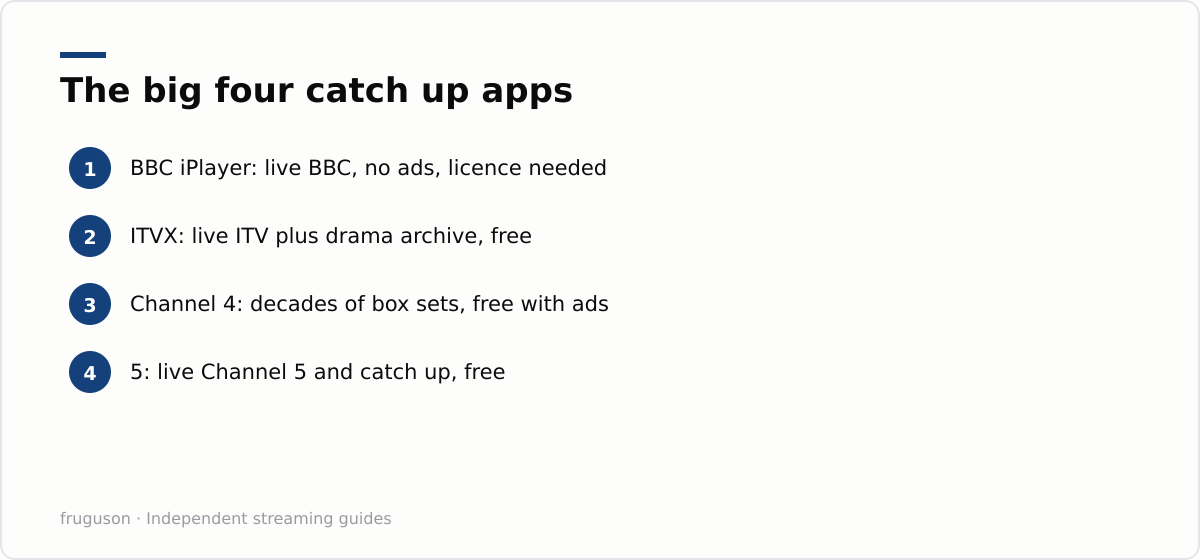
Begin with the broadcasters, because they cover most of what Britain actually watches. BBC iPlayer remains the benchmark. It streams every BBC channel live and keeps a deep box set archive, with no advertising anywhere in the app.
ITVX replaced ITV Hub in 2022 and is a far better app than its predecessor. You get the live ITV channels plus a large archive of dramas and exclusives, free with ads. ITVX Premium strips the ads out and folds in extra content for around £6 a month, checked July 2026.
Channel 4’s app is arguably the most generous of the four. Its back catalogue stretches back decades, all free with ads, and live streams of its channels are included. An optional ad-free tier exists for a few pounds a month if the breaks annoy you.
5, the app formerly known as My5, rounds out the group. It offers live Channel 5 viewing alongside a catch up library heavy on drama and documentaries. It costs nothing and runs on advertising. You will find it on practically any device with a screen.
Freely, the new home of live TV apps UK broadcasters built
Freely is the most interesting arrival in years. It is a joint venture from the same four broadcasters, and it streams their live channels over broadband with no aerial required. Think of it as Freeview rebuilt for a broadband connection.
There is one big caveat. Freely is not a downloadable app; it ships inside newer televisions from brands such as Hisense and Sharp as well as Panasonic and Toshiba, and it is arriving on recent Amazon Fire TV sets too. If you are buying a new telly in 2026, checking for the Freely badge is worth thirty seconds of your time. The service itself is free.
The paid apps that earn their subscription
Now is Sky without the dish or the eighteen month contract. Its Entertainment membership carries Sky channels and box sets, while the Cinema tier adds a large film library; each sat in the £7 to £15 a month range when checked July 2026. Sports passes cost more, with a month of Now Sports landing in the £30-40 bracket. The app runs on almost everything with a screen, from smart TVs and sticks to consoles and phones.
discovery+ matters mainly because it is the streaming home of TNT Sports. Football fans wanting UEFA club competitions or the Premier League fixtures TNT holds will end up here sooner or later. The tier that includes TNT Sports cost around £30 a month when checked July 2026, with much cheaper entertainment tiers underneath it.
Prime Video comes bundled with an Amazon Prime subscription and also sells as a standalone service. Its catalogue mixes originals with a huge rental store, and a cheaper ad-supported tier is now the default. Live sport appears from time to time as well, though rights come and go with each cycle.
Netflix hardly needs describing, yet its place in an IPTV roundup is earned, because it now runs occasional live events alongside the catalogue. Prices stretched from roughly £6 for the ad-supported plan to around £19 for premium, checked July 2026.
Free ad-supported apps you already own
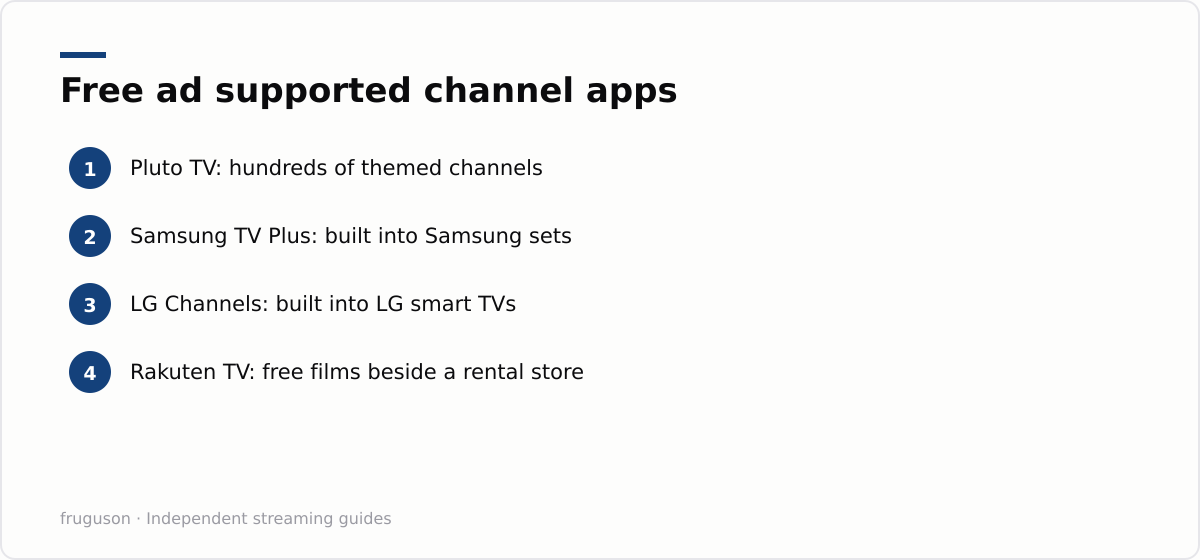
Plenty of licensed telly costs nothing at all. Pluto TV offers hundreds of themed linear channels, from classic cop shows to round the clock films, free with ads on nearly every platform. Samsung TV Plus and LG Channels do the same job but come baked into their makers’ sets; anyone with a recent Samsung or LG television already has dozens of free live channels waiting on it.
Rakuten TV rounds things off with free ad-supported films sitting beside a paid rental store, preinstalled on many European sets. None of these demand an account before you start watching, though registering smooths a few edges. Our guide to free IPTV channels in the UK covers this end of the market in far more depth.
Twelve apps side by side
Comparisons get slippery when half the services are free and half are not, so here is the whole field in one place. This is how the best IPTV apps UK stores currently offer stack up against each other.
| App | Free or paid | What it carries | Where it runs |
|---|---|---|---|
| BBC iPlayer | Free, no ads | Live BBC and box sets | Nearly everywhere |
| ITVX | Free with ads, Premium option | Live ITV and drama archive | Nearly everywhere |
| Channel 4 | Free with ads | Live C4 and a deep archive | Nearly everywhere |
| 5 | Free with ads | Live Channel 5 and catch up | Nearly everywhere |
| Freely | Free | Live UK channels via broadband | Built into newer TVs |
| Now | Paid memberships | Sky channels and sport | Most devices |
| discovery+ | Paid tiers | TNT Sports and factual | Most devices |
| Prime Video | Paid, bundled with Prime | Originals and rentals | Nearly everywhere |
| Netflix | Paid tiers | Originals and licensed shows | Nearly everywhere |
| Pluto TV | Free with ads | Themed linear channels | Most devices |
| Samsung TV Plus / LG Channels | Free with ads | Free live channels | Their own brands’ TVs |
| Rakuten TV | Free films, paid rentals | Ad-supported films and a store | Many smart TVs |
Two things jump out of that table. Free covers far more ground than most people assume, and almost nothing on the list demands a long contract. The paid column only really matters for sport and for big budget drama.
Match the apps to what you actually watch
The right shortlist depends on your household rather than a ranking. A few patterns cover most people. If you mainly watch mainstream British telly, the four broadcaster apps plus Freely or Pluto TV genuinely are enough, and cost nothing. If films and box sets are the priority, one paid service at a time — Netflix, Disney+ or Prime Video — rotated month by month keeps the bill down while still giving you the big releases.
Sport is the decider for most budgets. Premier League and the biggest matches sit across Now and discovery+ (for TNT Sports), so a sport household usually ends up pairing one of those with the free apps, and paying only in the months a competition is actually on. Everything else is a matter of taste: a music-video app here, a documentary service there.
If you want the field ranked on price, catalogue depth and reliability rather than sorted by what you watch, our comparison of the best IPTV services in the UK for 2026 lays them out side by side.
Where to start tonight
My advice runs in a straight line. Install iPlayer, ITVX, Channel 4 and 5 first, since together they cost nothing. Add Pluto TV if you enjoy channel surfing without a bill attached. Sport decides the rest: pick Now for Sky’s football or discovery+ for TNT’s, and only pay in the months you actually watch. Anyone buying a new television this year should shortlist sets with Freely built in, because it settles the aerial question for good. Once everything is on your remote, our walkthrough on setting up IPTV on a smart TV shows how to arrange it all properly. The best IPTV apps UK homes need are rarely exotic; every one of them is a routine download away.
Frequently asked questions
Do these apps work on any smart TV or streaming stick?
Almost always. Every app in this list has versions for the major platforms — Fire TV, Roku, Google TV, Samsung Tizen, LG webOS, plus phones and consoles. The occasional gap appears on older or niche devices, so if one app matters to you, check its listing in your device's own store before relying on it.
Which of these apps are completely free?
BBC iPlayer, ITVX, Channel 4 and 5 are free, as are Freely and the ad-funded services such as Pluto TV, Samsung TV Plus and The Roku Channel. Netflix, Disney+, Prime Video and Now are the paid ones, though several offer cheaper ad-supported tiers.
Which app should I try first if I refuse to pay anything?
Start with the broadcaster apps, since iPlayer, ITVX, Channel 4 and 5 hold most mainstream British programming between them. Then add Pluto TV or your TV maker's built in channel service for free live channels, which add hundreds of channels at no cost.
Summarize this post with:
Follow How To Watch Streaming on Google News so you never miss a new guide.
Leave a comment