How Much Data Does IPTV Use? Real Numbers for UK Homes
Real per-hour streaming data figures from SD up to 4K, with worked monthly totals showing why caps only bite on mobile hotspots.
Contents
Ask a broadband provider how much data streaming telly actually burns and you will usually get a shrug. IPTV data usage sounds like a technical mystery, yet it is really just arithmetic: the resolution you watch at, multiplied by the hours the screen stays on. This guide sets out the widely accepted per-hour figures, turns them into realistic monthly totals for UK households, and explains why the answer barely matters on home fibre while mattering enormously on a mobile SIM. Every number here is an approximation, because each app compresses video a little differently, but the figures are close enough to plan around with confidence.
IPTV data usage per hour: the real numbers
A stream is just a file arriving in pieces. Bigger pictures need bigger files. Across licensed UK services, from BBC iPlayer and ITVX to Netflix and Sky Stream, the per-hour figures cluster around the same rough marks, and they have held steady for years now.
Standard definition sits around 1 GB per hour. High definition at 1080p lands near 3 GB per hour, with 720p streams closer to 1.5 GB. Full 4K UHD is the hungry one at roughly 7 GB per hour, sometimes more once high dynamic range and premium sport bitrates get involved. Live channels also tend to run a touch above on-demand programmes at the same resolution, because live encoders have less time to compress each frame efficiently.
| Quality | Typical resolution | Data per hour (approx) | 30 days at 4 hours a day |
|---|---|---|---|
| SD | 480p to 576p | about 1 GB | roughly 120 GB |
| HD | 720p to 1080p | about 1.5 to 3 GB | roughly 180 to 360 GB |
| 4K UHD | 2160p | about 7 GB | roughly 840 GB |
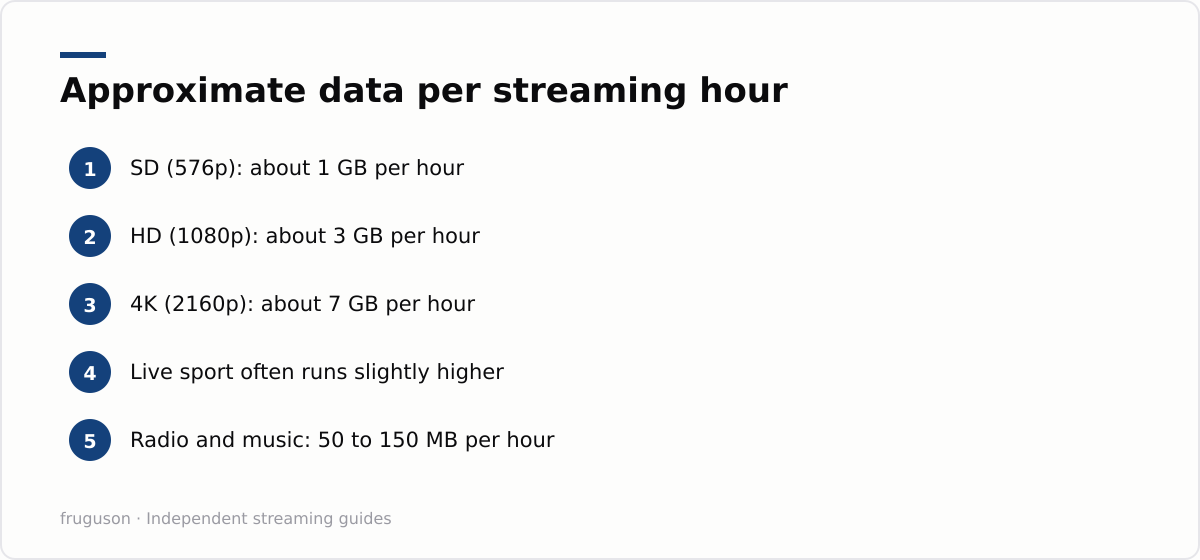
Your streaming data per hour depends almost entirely on resolution, not on which app you open. BBC iPlayer in HD and Netflix in HD pull broadly similar amounts. The app matters far less than the quality setting buried inside it, which is why capping resolution is the single most effective lever if you ever need to cut back.
Audio barely registers by comparison. Music and radio streams use somewhere between 50 and 150 MB per hour, so a whole day of background radio costs less than twenty minutes of 4K drama.
Working out a realistic monthly total
Start with honest viewing hours, not aspirational ones. The average UK household keeps a screen going for several hours a day once you add news over breakfast, kids’ programmes after school and the evening’s main viewing. Write your own figure down before you do the sums, because most people guess low.
One person watching two hours of HD each evening uses about 6 GB a day, or around 180 GB a month. That sounds large until you see what a family produces. Two screens running four combined hours of HD daily works out near 360 GB a month. Upgrade the main set to 4K, add a couple of film nights each week, and the total can push past 500 GB without anyone trying.
Sport shifts the numbers further. A full Saturday of 4K football, say six hours across two matches plus the build-up, swallows roughly 40 GB on its own. Follow a team through a season on TNT Sports via discovery+ and match days alone can account for 150 GB a month.
None of these are measurements from a lab. They are worked estimates built on the accepted per-hour figures above, and your own totals will drift with app settings and screen counts. The point is the scale: a normal streaming household sits somewhere between 150 GB and 600 GB a month, and a 4K-heavy one can double that.
What quietly inflates the total
Streaming is not the only thing on the meter. Downloads for offline viewing use roughly the same data as watching the programme once, so filling a tablet with a box set before a holiday still counts in full. Smart TVs fetch firmware and app updates in the background too, usually a few hundred megabytes at a time. Free ad-supported channels are another slow drip: leave Pluto TV or Samsung TV Plus running as background noise for an afternoon and you have spent several gigabytes on wallpaper.
Multi-room setups multiply everything. Each active screen is its own stream, so three family members watching different HD programmes pull around 9 GB per hour between them, slightly more than a single 4K stream. Cloud recordings behave the same way, since playing one back streams it to you at full rate. None of this should worry a fibre household. It matters only where a cap exists, and it explains why phone bills surprise people who thought they only watched an hour a day.
Why home fibre shrugs all of this off
Here is the good news: on fixed broadband, IPTV data usage is close to a solved problem. Data caps effectively vanished from the mainstream UK fixed-line market years ago. Full fibre, part-fibre and cable packages from the major providers are sold as unlimited by default, so unlimited broadband streaming is simply the norm rather than a premium extra. A capped home broadband deal is now rare enough that you would have to hunt for one.
What still varies is speed. A 4K stream wants a steady 25 Mbps or so per screen, and Ofcom’s ongoing research into real-world connection performance, published at https://www.ofcom.org.uk/phones-and-broadband/broadband-speeds, shows typical UK fibre lines comfortably clearing that bar. In practice the broadband usage TV streaming generates costs nothing extra on an unlimited line; the real question is whether your connection can carry several simultaneous streams during the evening peak without buffering.
Check your router before blaming the line. Wi-Fi loses far more evenings than data allowances do, especially through thick walls. Our IPTV equipment guide covers wired connections plus the streaming boxes that handle 4K without stuttering.
The mobile hotspot trap
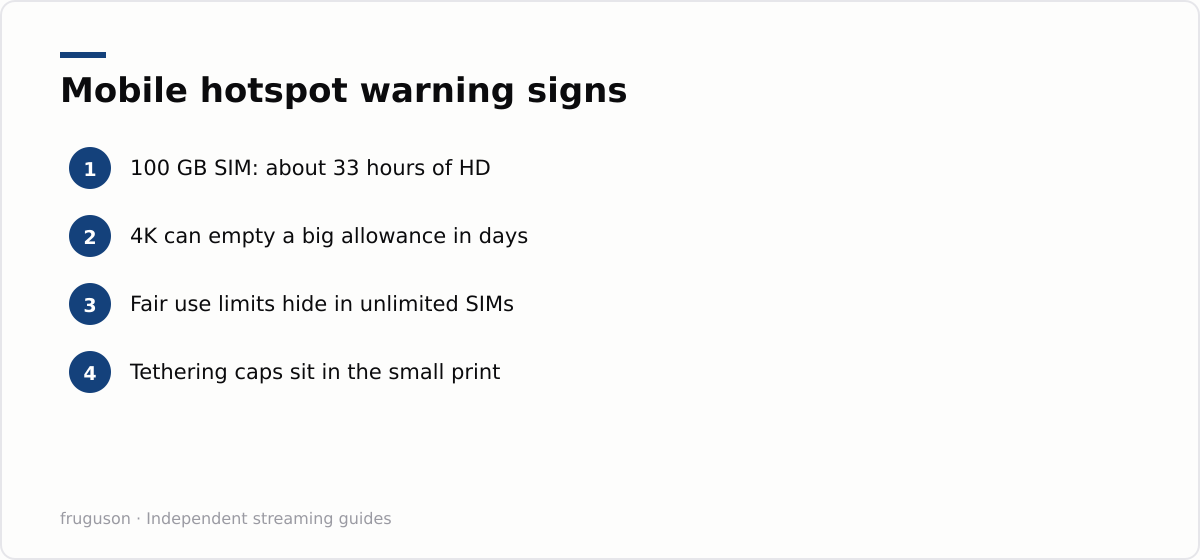
Everything changes the moment your telly runs off a phone or a 4G router with a capped SIM. This is where IPTV data usage genuinely hurts. A 100 GB monthly allowance sounds enormous until you divide it by 3 GB an hour: that is about 33 hours of HD viewing, or barely an hour a day. Watch in 4K and the same SIM is empty inside a fortnight of normal use.
“Unlimited” mobile plans deserve a sceptical read as well. Many carry fair use thresholds, and some deprioritise or slow traffic once you pass a set volume in a month. Tethering is the other catch: a plan can be unlimited on the handset while capping hotspot use at 30 GB or 50 GB. The limit hides in the small print, so read it before you build a caravan or student TV setup around a SIM. 5G home broadband is the friendlier option here, since most big-name 5G home plans are sold unlimited and behave like fibre for data purposes, though the fair use clause still deserves a look.
Whichever service you use, the data maths is the same: resolution drives usage far more than the app does, so dropping from 4K to HD is the single biggest saving on a metered connection. If you are choosing a service to run on a data-limited setup, our roundup of the best IPTV services in the UK for 2026 lists the options and what they cost, checked July 2026, so you can weigh the ones with the most flexible quality controls.
Settings that trim the numbers
You rarely need to ration viewing; you need to stop apps deciding for you. Most streaming apps default to the highest quality your connection allows, and most let you set playback quality per profile or per device. Dropping a bedroom TV from 4K to HD cuts its usage by more than half, and on a smaller screen the difference is genuinely hard to spot from normal viewing distance.
Autoplay is the quiet offender. Episodes that roll into the next one keep the meter running long after everyone has stopped paying attention. Turning autoplay off, and letting the box power down properly rather than idle with a stream open, saves real gigabytes over a month on a capped connection. On home fibre, honestly, leave the settings alone and enjoy the picture.
Your next step: check the contract, not the meter
Forget counting gigabytes on a fixed line. Read your broadband contract once, confirm the word unlimited appears, then stop thinking about allowances entirely. If your setup relies on a mobile SIM, do the opposite: divide the allowance by three to get your HD viewing hours, and choose plans by their tethering terms rather than the headline number. Either way, run a quick speed test on a weekday evening, because congestion at 8pm tells you more about how your TV will behave than any calculator can. Sort the connection first and the gigabytes look after themselves.
Frequently asked questions
How much data does IPTV use per hour?
As a rough figure, standard definition uses about 1 GB per hour. HD sits near 3 GB and 4K around 7 GB. Exact numbers vary by app and codec, but every licensed UK service lands close to these marks, and resolution rather than app choice is what moves them.
Do I need unlimited broadband for IPTV?
On fixed lines you almost certainly have it already, because mainstream UK fibre and cable packages are sold as unlimited by default. Check your contract once to confirm. Speed matters more than allowance: budget a steady 25 Mbps per 4K screen.
Can I run IPTV from a mobile hotspot?
You can, but allowances vanish quickly: a 100 GB SIM gives roughly 33 hours of HD viewing a month. Many unlimited mobile plans also cap tethering at 30 GB or 50 GB in the small print. Read the fair use policy before building a TV setup around a SIM.
Summarize this post with:
Follow How To Watch Streaming on Google News so you never miss a new guide.

Leave a comment