What Is an M3U Playlist? The Format Explained
An M3U playlist is only a text file of stream links, yet nearly every version works, how players read it and how to build and organise your own.

Contents
Type “M3U playlist” into a search engine and the results pull in two directions. Some explain a humble text file that hobbyists use to organise internet radio and home media libraries. Others simply try to sell you a monthly subscription. This guide sticks firmly to the first: what the file actually is, how players read it, how it differs from an Xtream Codes login, and how to build and troubleshoot one yourself. The format is simple, useful and completely harmless in its own right.
One point up front, because it clears up most of the confusion. An M3U file is not a service, and it holds no video of its own. It is a list of addresses, and everything about whether it works depends on what those addresses point at and which app you open it in. Keep that separation in mind and the rest of this guide falls neatly into place.
What is an M3U playlist? Just a text file
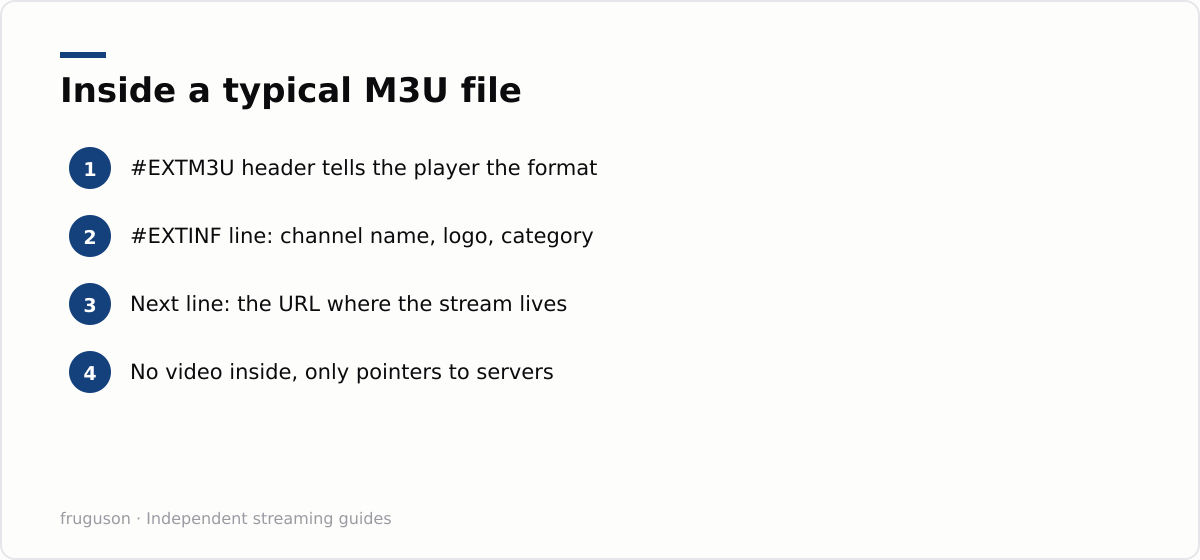
Open one in Notepad and the mystery evaporates. An M3U file is a plain text document. It begins with a header line, #EXTM3U, which tells a media player what it is reading. Each entry then takes a pair of lines. The first, starting #EXTINF, carries a display name, often with a channel logo and a category tag bolted on. The second line holds a web address, the actual location of the stream. A player reads the list from top to bottom and shows you the names. Pick one and it fetches that address.
Winamp popularised the format in the late 1990s as a way to queue MP3 files, and it stuck because it is trivially easy to read and write. Extended tags arrived over the years, and television apps adopted it because a channel line-up is, at heart, just a list of addresses.
Here is the point everything else hangs on. The file contains no video. It carries no rights and no permission. An M3U playlist is a list of pointers, the streaming world’s phone book, and whether following those pointers is lawful depends entirely on who runs the servers they point at.
Where the format earns an honest living
Plenty of legitimate software leans on this file type every day. Internet radio is the classic case. Stations publish their stream addresses openly and want listeners to load them into any player they fancy. Nobody is harmed and nothing is infringed, because the broadcaster put the address there deliberately.
Home media is the second big use. Server software such as Jellyfin can present your own recordings and personal video library as a playlist, so every screen in the house can browse the same collection. Enthusiasts with HDHomeRun tuners do something similar with the Freeview channels they already receive lawfully through an aerial.
Properly licensed free streaming exists in the UK too. Pluto TV, Samsung TV Plus and The Roku Channel all run linear channels paid for by advertising, with the rights fully cleared, and you reach them through official apps rather than by handling files yourself. That is precisely how the rights holders want it. The thread running through every legitimate case is consent: the person who owns the stream chose to publish the address.
M3U, M3U8 and the HLS connection
The file you load usually ends in one of two extensions, and the difference is worth knowing. A plain .m3u file is saved in a legacy text encoding, while an .m3u8 file is the same format saved as UTF-8, which is why accented channel names and non-Latin scripts survive intact in the latter and sometimes turn to garbled characters in the former. If you are writing your own list, .m3u8 saved as UTF-8 is the safer choice.
The extension also hints at what sits behind each address. Modern live streams are usually delivered with HLS, short for HTTP Live Streaming, and an HLS stream is itself described by an .m3u8 file: a rolling manifest that lists the next few seconds of video in small chunks. So a channel entry in your playlist frequently points at another .m3u8 file on the server, which the player fetches over and over as you watch. That nesting is why a link that plays one moment can fail the next. If the server stops refreshing its manifest, the player runs out of chunks and the channel stalls, even though the playlist file in your hands is perfectly valid.
Xtream Codes versus a plain M3U file
Many services hand you an Xtream Codes login rather than a static file, and it helps to know how the two differ under the bonnet. Xtream Codes describes a style of API login: instead of a fixed list, you enter a server address with a username and password, and a compatible player queries the server for the channel list, categories and programme guide, refreshing them automatically when the source changes. A plain M3U file, by contrast, is a fixed snapshot. Whatever it contained when you downloaded it is what you get until you fetch a fresh copy.
Under the bonnet the two are closely related. An Xtream panel can export an ordinary M3U file on demand, and most player apps accept either input, so the practical choice comes down to convenience. A login that updates itself is tidier for a large, changing line-up, while a static file is simpler and easier to inspect in a text editor. If you would rather skip file-wrangling entirely and let a provider handle all of this for you, our guide to the best IPTV provider in the UK walks through what to look for in a ready-made service.
Player apps and EPG matching
A playlist is only half the picture; the app that reads it supplies the interface, and the two have to speak the same dialect. Desktop players such as VLC will happily open a plain .m3u file and play through it, but they treat it as a flat list with no guide. Dedicated IPTV players are what turn a raw list into something that behaves like a channel grid, reading the extended tags in each #EXTINF line to build categories, show logos and attach a programme guide.
Those extended tags do the organising. A group-title attribute drops each channel into a named category, so news, sport and films sort themselves instead of forming one endless column. A tvg-logo attribute points at an image for the channel icon. Most importantly, a tvg-id attribute gives each channel a stable identifier, and that identifier is what lets an app line the playlist up against an electronic programme guide.
The guide itself is a separate file in XMLTV format, usually referenced with a url-tvg line in the header or added in the app’s settings. The app matches each channel’s tvg-id to the matching entry in the XMLTV data and paints the now-and-next information across the grid. Get the identifiers right and the guide fills in by itself; get them wrong and you see channels with no programme data beside them, which is the single most common reason a tidy-looking playlist feels broken.
Building and organising your own playlist
You can assemble a perfectly good playlist by hand from sources that publish their own addresses. Internet radio stations, many overseas free-to-air broadcasters and your own home media server through software such as Jellyfin all expose stream URLs designed to be loaded into any player. An HDHomeRun tuner does the same for the Freeview channels an aerial already receives. Collect those addresses and you have the raw material for a list nobody has to sell you.
Structure is what keeps it usable. Each entry is a pair of lines: an #EXTINF line carrying the channel’s display name and its attributes, then the stream URL on the line below. A worked example looks like this:
| Line | What it does |
|---|---|
| #EXTM3U url-tvg=“http://example/epg.xml” | Header; points every channel at one EPG file |
| #EXTINF:-1 tvg-id=“bbcnews” group-title=“News”,BBC News | Display name, category and guide id |
| https://stream.example/bbcnews.m3u8 | The actual stream address |
Keep the file in a sensible order, use consistent group-title names so categories do not fragment, and save it as UTF-8 so channel names with accents survive. Host it somewhere the player can reach, even a local file on the device, and any compatible app renders it the same way. If your aim is simply a broad, reliable channel line-up rather than a DIY project, our comparison of the best IPTV services for 2026 covers ready-made options that need no file-wrangling at all.
Troubleshooting a playlist that will not play
When a list refuses to load, work from the outside in. A playlist that opens but shows no channels usually has a malformed header or the wrong file encoding, so confirm the first line reads #EXTM3U and that the file saved as plain UTF-8 text. If the channels appear but none play, the stream addresses themselves are the suspect: a single dead URL only breaks its own channel, whereas an expired token on a whole list breaks everything at once.
Buffering that only strikes at busy times points at the source server rather than your setup, while buffering across every channel points at your own connection, where a wired link or a router closer to the box usually settles it. Missing programme data almost always traces back to mismatched tvg-id values or a guide address the app cannot reach. And if channels play but sit in the wrong categories, the fix is in the group-title tags rather than the app. Treat the playlist as plain text you can open and read, and most faults reveal themselves in a minute or two.
Frequently asked questions
What app do I need to open an M3U playlist?
Any media player that understands the format. VLC opens one on a computer and plays straight through the list, while dedicated IPTV player apps read the extended tags to build categories, show channel logos and attach a programme guide. The file is plain text, so it loads the same way on a phone, a streaming stick or a smart TV.
Why does my playlist have channels but no programme guide?
The guide comes from a separate EPG file in XMLTV format, not from the playlist itself. Each channel needs a tvg-id value that matches an entry in that EPG data, and the app needs a working link to the guide file. If the identifiers do not match, or the guide address cannot be reached, channels play but sit with no now-and-next information beside them.
What is the difference between an M3U file and Xtream Codes?
Both deliver the same thing in different wrappers. An M3U file is a static list of channels you load in one go. Xtream Codes hands the app a server address plus a username and password, and the app fetches the channel list and guide automatically, updating when the source changes. Under the bonnet a panel can still export an ordinary M3U file, so many apps accept either.
Summarize this post with:
Follow How To Watch Streaming on Google News so you never miss a new guide.




Leave a comment