IPTV on Xbox: Turn Your Console into a UK TV Box
A hands-on guide to turning an Xbox Series X, Series S or Xbox One into a UK TV box with licensed streaming apps and sensible settings.
Contents
- What IPTV on Xbox actually means
- The Xbox streaming apps worth installing
- Installing everything, step by step
- Quick Resume does not like live TV
- Controller or media remote?
- Give HDR two minutes in settings
- Sleep or shutdown: pick your standby mode
- Edge covers whatever the store misses
- Getting live sport and 4K to hold up
- Where the console fits in a sensible setup
Your Xbox is probably the most capable streaming device in the house, yet plenty of owners never use it for anything beyond games. Setting up IPTV on Xbox takes around twenty minutes and costs nothing beyond the subscriptions you already pay for. No extra stick, no second HDMI socket taken up. This guide walks through the Microsoft Store apps worth installing and the settings that make the console behave like a proper set-top box, from Quick Resume oddities to standby modes. It applies to the Series X and Series S as well as the older Xbox One, with the odd exception flagged along the way.
What IPTV on Xbox actually means
Internet protocol television, IPTV for short, just means TV delivered over your broadband rather than through an aerial or a dish. On a console that means the official apps. BBC iPlayer streams the live BBC channels. ITVX carries ITV1 through to ITVBe. Channel 4 covers its own family of channels, while Now pipes Sky programming down your internet connection for a monthly fee. On a console this is refreshingly simple: because the Microsoft Store is curated and the hardware cannot sideload outside software, every TV app you can install is an official one, so there is no menu of dubious players to wade through. That turns out to be a genuine convenience rather than a restriction.
One thing worth knowing before the app list: none of the broadcaster apps cost anything to install, and the free UK services alone cover a huge amount of viewing before you add a single subscription. The console handles them exactly as a smart TV would, so anything you already watch elsewhere behaves the same way here, right down to your saved logins and watchlists.
The Xbox streaming apps worth installing
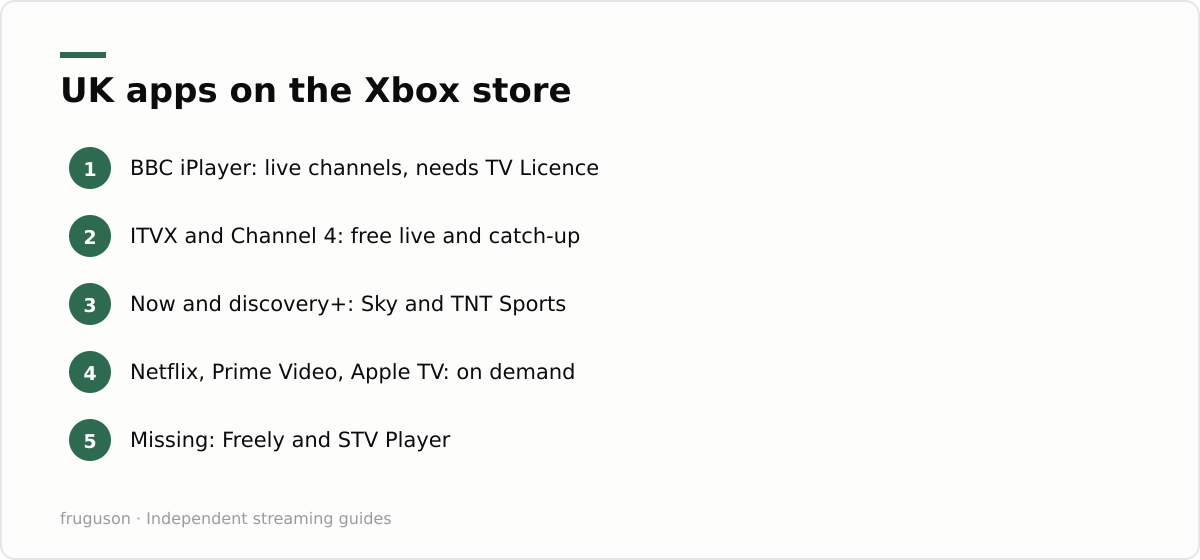
Microsoft’s store carries nearly every major UK service, which surprises people who assume consoles get second-rate treatment. Start with the free broadcasters. BBC iPlayer and ITVX both offer live channels alongside deep catch-up libraries. Channel 4’s app includes live streams of E4 and Film4, and the 5 app adds a steadily growing box set range. Move up to the paid tier as your subscriptions dictate. Now brings Sky Atlantic and Sky Sports without a dish or an engineer visit. discovery+ carries TNT Sports for midweek football. Netflix, Prime Video and Apple TV all run natively, while Pluto TV adds free ad-supported linear channels for background viewing.
Gaps exist. Freely, the broadcaster-backed Freeview successor, has no Xbox app and probably never will, since it targets smart TV manufacturers instead. STV Player is missing, which stings for Scottish viewers. Sky Stream is a hardware box rather than an app, so it cannot appear here at all. Our ranking of the best IPTV apps in the UK rates each service on picture quality and catch-up depth if you want help choosing what deserves home screen space.
Xbox Series S apps are identical to their Series X counterparts. The smaller console caps game resolution, yet video apps stream full 4K HDR on both machines, so a Series S makes a genuinely capable television box for the money.
| Service | Xbox app | Live channels | Verdict |
|---|---|---|---|
| BBC iPlayer | Yes | Yes | Essential, free to install |
| ITVX | Yes | Yes | Essential |
| Channel 4 | Yes | Yes | Essential |
| 5 | Yes | Limited | Good for box sets |
| Now | Yes | Yes | If you want Sky content |
| discovery+ | Yes | Yes | For TNT Sports |
| Pluto TV | Yes | Yes | Free, worth a look |
| Freely | No | n/a | Smart TVs only |
Installing everything, step by step
Actual installation is painless. The whole IPTV on Xbox routine runs quicker than most smart TV setups, because the store search genuinely works.
- Open the Microsoft Store from the dashboard and sign in with your Microsoft account.
- Search for each app by name and select Get. Every UK broadcaster app is free to install.
- Launch each app and sign in. Most UK services now show a short code you enter on a website using your phone, which beats typing passwords with a thumbstick.
- Highlight each installed app and press the Menu button, then pin it to the home screen so your TV apps sit together in one row.
- Test a live stream in iPlayer or ITVX to confirm your broadband copes. Live HD channels want roughly 5Mbps, and 4K events want considerably more headroom.
Nothing here requires a payment card apart from the subscription services themselves, and those accounts usually exist already on your phone or laptop. Budget a single evening and the job is done.
Quick Resume does not like live TV
Series consoles suspend games and apps in the background so they reopen instantly. Brilliant for games. Less brilliant for live television. A suspended streaming app freezes its buffer, and when you jump back in hours later you can land on a stale frame or an error screen. iPlayer usually recovers and skips forward to the live point. Now and discovery+ tend to be more temperamental, and occasionally a live stream refuses to start until the app restarts properly.
The fix takes two seconds. Highlight the misbehaving app on the dashboard, then press Menu and choose Quit to force a genuine cold start. Video apps launch quickly anyway, so quitting fully after each session costs you almost nothing. Treat Quick Resume as a games feature and your live channels will behave far better.
Controller or media remote?
A controller handles menus perfectly well, though it switches itself off after a quarter of an hour of idle viewing and needs a button press to wake. Playback carries on regardless, but there is an awkward beat whenever you want to pause in a hurry. If you regularly watch TV on Xbox, a dedicated media remote at £15-25 (checked July 2026, prices shift) is the single best upgrade available. PDP and 8BitDo both make officially licensed models with proper playback keys, and either pairs in under a minute.
There is a third option many people miss. The console supports HDMI-CEC, found in Settings under TV & display options on the Device control page. Switch it on and your television’s own remote handles volume and power, and on many sets the directional pad steers the Xbox dashboard too. Between CEC and a cheap media remote, the console stops feeling like a games machine the moment you settle in for an evening.
Give HDR two minutes in settings
HDR on these consoles works well once configured, and inconsistently when left on defaults. Head to TV & display options and open Video modes. Tick the boxes for 4K and HDR10, plus Dolby Vision if your set supports it; Netflix and Disney+ on Series consoles can use Dolby Vision for a noticeably richer picture on compatible screens. The HDR game calibration tool only affects games, so skip it for now. Video apps carry their own mastering data and your TV handles the rest without your involvement.
Watch for one TV-side quirk as well. Many televisions jump into game mode automatically whenever a console is detected, and game mode strips out the motion processing that films can benefit from. If your set allows per-input picture modes, give the Xbox input a cinema preset for evening viewing. Alternatively, disable auto low latency mode in the same Video modes menu on nights you are watching telly rather than playing.
Sleep or shutdown: pick your standby mode
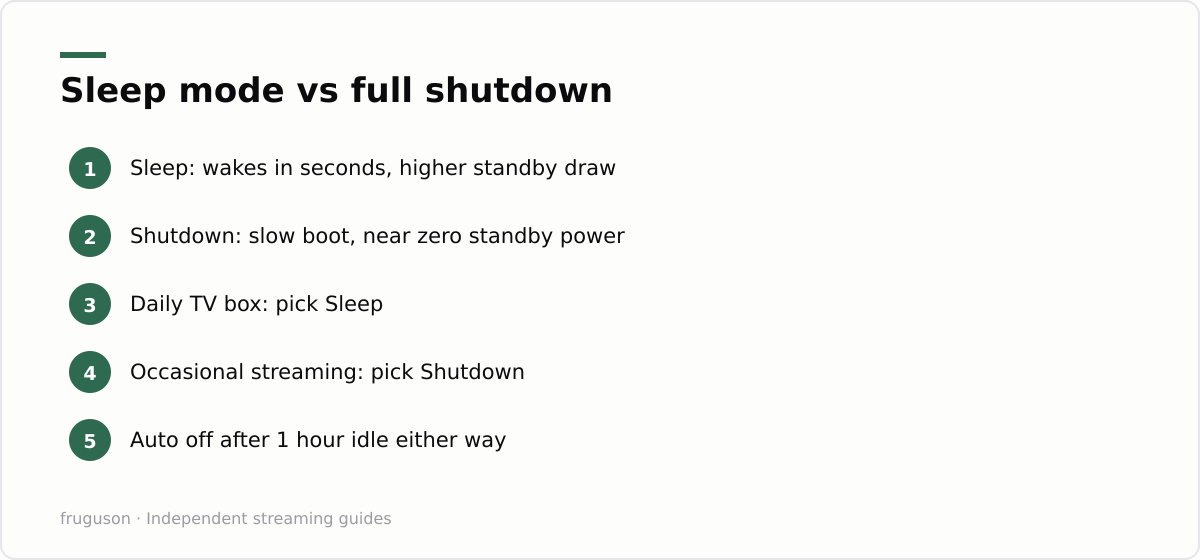
Standby behaviour matters more for a console that doubles as the household TV box. Sleep, the mode formerly called instant-on, resumes the console in a couple of seconds and allows remote wake from the mobile app. The cost is a higher standby power draw around the clock. Shutdown, the energy saver choice, cuts standby consumption to almost nothing but adds a boot wait of roughly half a minute on Series hardware, and noticeably longer on an Xbox One.
My honest steer runs like this. If the console gets switched on daily for viewing, Sleep is worth the extra pennies because it makes the machine feel like an appliance rather than a computer. If it mostly plays games and only occasionally streams, choose Shutdown and accept the boot screen. Whichever you pick, set the console to turn itself off after an hour of inactivity, since a forgotten dashboard glowing all night wastes more energy than either standby mode ever will. All of it lives under Settings in the Power options menu.
Edge covers whatever the store misses
Anything absent from the store is usually a web player away. The console ships with a full desktop-class version of Microsoft Edge, and it plays protected video from the mainstream UK broadcaster sites without much fuss. Freely has no app, but the individual broadcaster web players fill that hole well enough. Pair a cheap USB keyboard if you plan to lean on the browser often, because typing addresses with a thumbstick gets old within a day. We keep a full walkthrough of watching IPTV in a browser, including which web players behave on big screens, if you want the detail. Treat Edge as the safety net rather than the main event; native apps stream more reliably and handle HDR correctly.
Getting live sport and 4K to hold up
Live sport is where a streaming setup earns its money, and the console’s network connection decides whether it holds together. A wired ethernet cable into the back of the Xbox is the single most reliable choice; where that is impractical, sit the console within clear range of a 5GHz router rather than leaning on a congested 2.4GHz band. Standard HD channels cope on a few megabits, but a 4K feed of a big match wants far more headroom, so run the network test under Settings if a stream keeps dropping to a softer picture at kickoff.
Memory and storage play their part too. Because Series consoles keep games and apps suspended in the background, a long gaming session before the match can leave a streaming app short of resources, so a quick Quit and relaunch clears the decks. If you install a lot of apps the internal drive fills faster than owners expect; media apps are small, but moving rarely used games to an external USB drive keeps space free without deleting anything. A freshly launched app on a wired connection is about as dependable as home streaming gets.
Where the console fits in a sensible setup
Any games console already sitting under the main television removes the case for buying a separate streamer for that room. App coverage beats most older smart TV platforms, picture quality holds up against a decent stick, and Edge patches the remaining holes.
Running cost is the catch. A console draws considerably more power while streaming than a £30-60 stick, so a bedroom or kitchen screen is better served by dedicated hardware. Our IPTV equipment guide compares the sensible options for every budget and room. As a next step, install the free broadcaster apps this evening and try a full night of viewing with device control switched on. If the console earns its place as the family TV box, a media remote is the only purchase left to make.
Frequently asked questions
Does the Xbox need a media remote, or is the controller enough?
The controller works fine, but it powers down after about fifteen minutes of idle viewing and needs a button press to wake. A licensed media remote from PDP or 8BitDo (around £15-25) adds proper playback keys, and turning on HDMI-CEC lets your TV's own remote handle volume and power for nothing.
Can I install IPTV playlist apps on an Xbox?
No. The Microsoft Store is curated and the console cannot sideload software, so standalone M3U playlist players never reach it. If a service you want has no Xbox app, the built-in Edge browser is the way to reach its web player instead.
Does the Xbox Series S stream in 4K even though games run at lower resolution?
It does. The resolution cap applies to games rather than media playback, so streaming apps output full 4K with HDR on the Series S. For television viewing, the cheaper console matches the Series X.
Summarize this post with:
Follow How To Watch Streaming on Google News so you never miss a new guide.


Leave a comment