IPTV on an LG Smart TV: webOS Setup the Easy Way
A plain-spoken guide to licensed IPTV on LG smart TVs: finding UK apps in the Content Store, free LG Channels, webOS limits and stick upgrades.
Contents
- What IPTV on LG smart TV actually means
- Finding UK apps in the LG Content Store
- LG Channels: the free tier already on your telly
- Magic Remote tricks that make webOS quicker
- webOS versions and where app support ends
- Freely on newer LG sets
- When a stick beats the built-in apps
- Picture settings worth changing on an LG set
- Your next move tonight
Getting IPTV on LG smart TV sets is mostly a five-minute job once you know where LG hides things. Every LG telly sold in the last decade runs webOS, LG’s own operating system, and it already carries the apps UK viewers actually need: BBC iPlayer, ITVX, Channel 4, Netflix and the rest. The snags are real, though. LG’s app shop takes some navigating, older sets quietly stop receiving new apps, and the word IPTV attracts sellers flogging subscriptions your TV should never touch. This guide covers the honest route: which webOS apps to install, how to drive the Magic Remote properly, and the point at which an ageing set deserves a cheap stick instead.
What IPTV on LG smart TV actually means
IPTV is television delivered over your broadband connection rather than through an aerial or a dish. On an LG set, that translates to apps. BBC iPlayer streaming live BBC One is IPTV. So is ITVX, Channel 4, Pluto TV, Now, Prime Video or Netflix. If it comes down the internet and plays on your telly, it counts. No extra box is required for any of it, because webOS has carried all the major UK services natively for years.
There is a second meaning, and honesty demands covering it. Search “IPTV” on any social platform and you will find sellers offering thousands of channels, all the sports and every film for a few pounds a month. Those services are almost never licensed. The price gives it away: nobody can officially sell every premium sports package plus every studio’s film catalogue for £10 a month. webOS actually does you a favour here. LG’s platform has no consumer sideloading route and no “unknown sources” toggle in the Android sense, so the dodgy apps largely cannot reach it. Treat that as protection rather than a limitation. Every route to IPTV on LG smart TV screens in this guide runs through the official store.
Finding UK apps in the LG Content Store
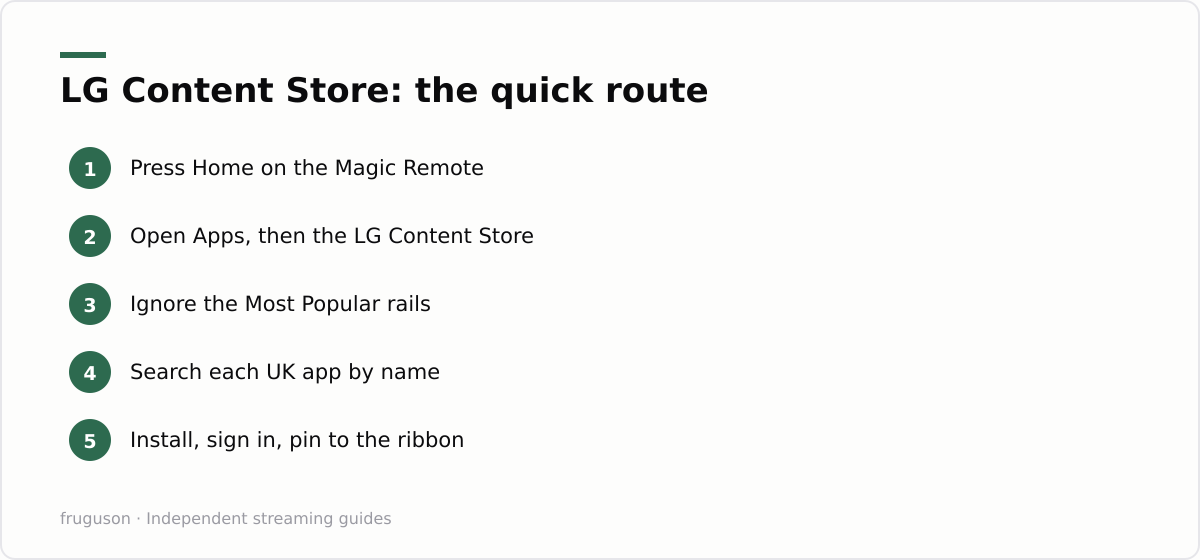
The LG Content Store is where every app lives, and it rewards people who ignore the front page. Press the Home button on the Magic Remote, scroll along the ribbon at the bottom of the screen, and open Apps. On recent sets the store is baked into the home screen itself. The landing page pushes Most Popular and editorial picks, which skew heavily towards global names, so UK catch-up services can sit buried three rows deep or fail to appear on the rails at all.
Skip the browsing entirely. Select the search icon, then type or dictate the app name: iPlayer, ITVX, Channel 4, My5, Pluto TV, Rakuten TV. Each install takes under a minute on a decent connection. Some apps ask you to sign in with an LG account first; creating one is free and needs nothing more than an email address. Once installed, apps update themselves in the background, and you can press and hold any icon on the home ribbon to drag it left so your daily services sit first in the row.
If this is a brand-new telly and you want the full walkthrough, from unboxing to signed-in apps, our step-by-step smart TV setup guide covers the whole process for every major TV brand, LG included.
LG Channels: the free tier already on your telly
Before paying for anything, open LG Channels. It is LG’s own free, ad-supported streaming service, preinstalled on webOS sets from roughly 2018 onward, and it behaves like a normal channel guide: press up or down and you flick through linear channels streamed over the internet. The LG Channels UK lineup runs to well over a hundred channels covering news, films, documentaries, sport highlights and comfort telly, with no sign-up and no card details. The trade is adverts, the same bargain Pluto TV and The Roku Channel offer.
Quality varies, as it does on every free service. You will find genuinely watchable news and film channels sitting next to single-show loops that repeat one series forever. Still, for a service that costs nothing and arrives preinstalled, it is a strong argument for trying the built-in route before spending money on subscriptions. We keep a fuller rundown of free licensed IPTV channels in the UK if you want to see what else costs nothing across every platform.
Magic Remote tricks that make webOS quicker
People fight the Magic Remote, and that is usually why they hate it. It is a pointer, not a d-pad. Wave it and a cursor appears on screen; aim at what you want and click with the wheel. If the cursor drifts or vanishes, give the remote a small shake to recentre it. The scroll wheel is the underrated part: it whips through long app rails, channel guides and on-screen keyboards far faster than pecking at arrow buttons ever will. You can still use the arrows if pointing genuinely annoys you, since webOS accepts both at any time.
Two features earn their keep daily. First is Quick Access: press and hold any number key and webOS lets you pin an app or an input to it, so holding 1 can launch iPlayer while holding 2 jumps straight to LG Channels. Second is the microphone button: say the name of a programme and the TV searches across your installed apps at once, which beats typing on an on-screen keyboard every single time. Set both up once and the remote stops feeling like a gimmick.
webOS versions and where app support ends
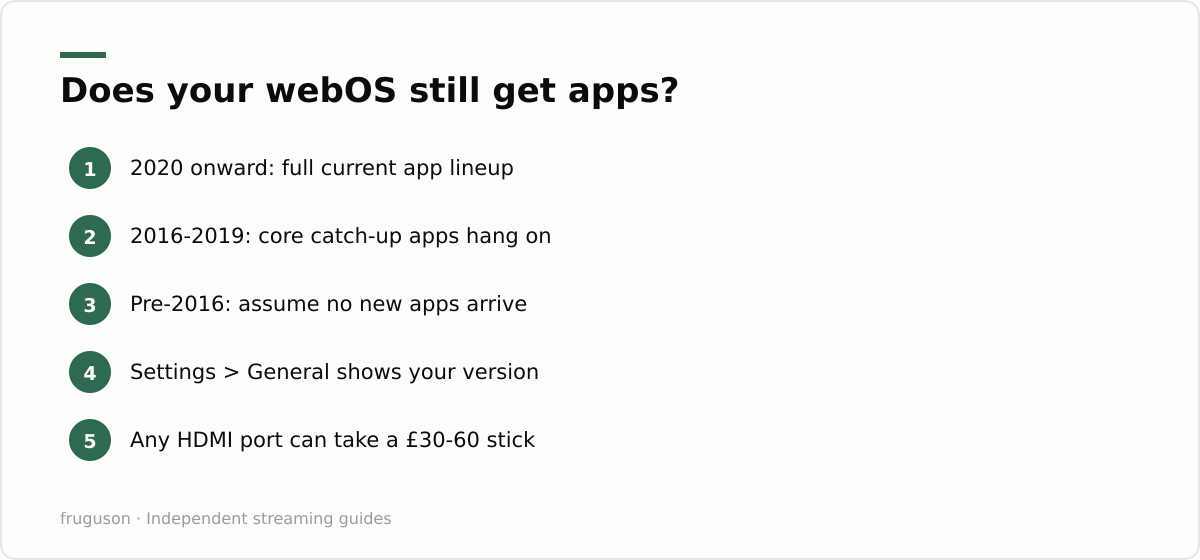
Every LG smart TV runs webOS, but not the same webOS, and this is where owners of older sets get caught out. Broadcasters build their apps for the platform versions most people actually use. As a set ages past roughly seven or eight years, developers stop updating for it, and eventually apps get withdrawn altogether. No fixed public schedule exists; support simply erodes one service at a time. LG has promised longer software support on newer models through its upgrade programme, with some sets from 2022 onward in line for several years of webOS updates, though app availability always remains each broadcaster’s decision rather than LG’s.
Here is a rough guide to expectations. Find your version in Settings, under the General or Support menu, listed as About This TV or TV Information.
| Model years | webOS generation | Realistic expectation |
|---|---|---|
| 2014-2015 | webOS 1.x-2.x | Major apps withdrawn or failing; plan on a stick |
| 2016-2017 | webOS 3.x | Core catch-up apps mostly still work, gaps growing |
| 2018-2019 | webOS 4.x | Good coverage today, first services starting to drop |
| 2020-2023 | webOS 5.0 to 23 | Full current UK lineup |
| 2024 onward | webOS 24 and later | Full lineup, plus Freely arriving on many sets |
This pattern holds across every manufacturer, so it is not an LG failing. A telly’s panel easily outlives its software by half a decade. Budget for that gap rather than resenting it when it arrives.
Freely on newer LG sets
Freely is the newest piece of the puzzle and arguably the most useful one for anyone without an aerial. Built by the UK’s public service broadcasters, the same group behind Freeview, it streams live BBC, ITV, Channel 4 and Channel 5 channels over broadband with a proper programme guide, and it costs nothing beyond your internet bill. LG has brought Freely to its recent ranges, so new LG sets increasingly ship with it woven into the TV guide rather than bolted on as a separate app. Model coverage keeps changing as the rollout continues, so check the current device list at freely.co.uk before assuming your set has it, and certainly before buying a new telly specifically for it.
For older LG sets, Freely is not something you can simply install today; it arrives with the hardware generation. That stings, but the individual broadcaster apps deliver the same live channels separately, just without the unified guide holding them together.
When a stick beats the built-in apps
A point comes where persisting with an old set’s software becomes false economy. If your LG telly predates 2016, if apps crash or buffer while your broadband tests fine, or if a service you care about has vanished from the store, stop fighting it. A streaming stick in an HDMI port gives the panel a whole new brain for the price of a takeaway for two. Amazon’s Fire TV Stick, Roku’s players and Google’s TV Streamer all carry the full UK app roster and typically cost £30-60 depending on the model, prices checked July 2026.
Sticks also sidestep the update lottery entirely, because stick makers support their hardware on their own schedule, and replacing a stick a few years from now costs a fraction of replacing a television. Our IPTV equipment guide compares the current options and explains which spec level makes sense for a 4K panel.
Picture settings worth changing on an LG set
Good apps deserve a good picture, and a couple of webOS settings make more difference than most people realise. The biggest one is motion smoothing, which LG calls TruMotion. It suits live sport but gives films and drama a flat, soap-opera look, so switch it off for cinematic content. The quickest way is Filmmaker Mode, a preset that disables TruMotion and other processing in one move to show the picture the way it was mastered; many recent LG sets switch to it automatically when a title flags for it. Leave a light motion setting on for fast football if you prefer the smoother look, since that is a matter of taste rather than a fault.
Two more settings are worth a glance. Energy Saving, in the picture menu, quietly dims the panel to save power, and dropping it a notch brings brightness back for a dim room. And if you have added a streaming stick, set that HDMI input to the enhanced or 4K deep-colour mode in the input settings, or the stick can be capped below its best picture. On LG’s OLED and QNED ranges these tweaks let IPTV on LG smart TV apps like iPlayer and Netflix look as sharp as the panel allows, whether the source is HD catch-up or a 4K film.
Your next move tonight
Grab the Magic Remote and check two things: your webOS version in Settings, and whether iPlayer and ITVX are installed and signed in. That takes ten minutes. Sets from 2018 or later should get LG Channels pinned to a Quick Access key, and the free tier deserves a fair week of viewing before any subscription money leaves your account. Pre-2016 owners should measure the HDMI gap behind the panel and read the equipment guide, because a modest stick will outperform anything the original software can still manage. Getting IPTV on LG smart TV hardware right costs little; it mostly means matching your expectations to the software’s age.
Frequently asked questions
Can I sideload IPTV apps on an LG smart TV?
No, webOS has no consumer sideloading route and no unknown sources toggle like Android. In practice that is rarely a problem, because everything UK viewers need, from BBC iPlayer to Netflix, installs directly from the LG Content Store. If an app is not in the store, it has not been built or certified for webOS.
Is LG Channels really free in the UK?
Yes, LG Channels is preinstalled on webOS sets from roughly 2018 onward and costs nothing, with no sign-up and no card details. The lineup runs to well over a hundred ad-supported channels covering news, films and documentaries. Adverts fund it, the same model Pluto TV uses.
Should I turn off motion smoothing on an LG TV for streaming?
For films and drama, yes. LG's TruMotion adds a soap-opera look that suits live sport but spoils cinematic content, and Filmmaker Mode switches it off automatically along with other processing. Leave a light motion setting on for fast sport if you prefer, and drop the Energy Saving option a notch if the picture looks dim in a dark room.
Summarize this post with:
Follow How To Watch Streaming on Google News so you never miss a new guide.
Leave a comment