IPTV on Apple TV 4K: The Premium UK Setup
A hands-on UK guide to licensed IPTV on the Apple TV 4K: tvOS app setup, TV audio setup, AirPlay tricks and an honest verdict on the premium price.
Contents
- What IPTV on Apple TV actually means
- Step 1: plug in, pair and sort the single remote
- Step 2: install the Apple TV apps UK viewers actually need
- Step 3: route the sound and switch on Dolby Atmos
- Step 4: check the broadband feeding the box
- Why tvOS live TV feels faster than a stick
- AirPlay from your iPhone, plus the family angle
- Verdict: who should pay premium box money
IPTV on the Apple TV 4K comes down to one thing: every major UK streaming app installed from the tvOS App Store, running on the fastest streaming box sold in Britain. Setup is genuinely just downloading the apps you want, and the box’s speed and stability are what you are paying the premium for. This guide walks through the proper setup, from first plug to a working single-remote living room, then tackles the awkward question: does the dearest streamer in the shop actually earn its price?
What IPTV on Apple TV actually means
IPTV is television delivered over broadband instead of an aerial or a dish. On an Apple TV 4K that means apps, nothing more exotic. BBC iPlayer, ITVX, Channel 4 and My5 carry the main terrestrial broadcasters with live channels plus deep catch-up libraries. Now sells Sky content by subscription without a dish. Pluto TV streams hundreds of free ad-supported channels. Netflix and Prime Video handle the big on-demand catalogues. Everything is licensed and everything installs in under a minute. None of it involves a seller on social media.
One thing worth knowing about the Apple TV 4K is that everything installs cleanly from the tvOS App Store — there is no sideloading and nothing to configure manually, so setup is genuinely just downloading the apps you want. That closed, curated approach is part of why the box feels so stable: apps are vetted, update themselves, and rarely break after a system update, which is the trade-off you are paying the premium price for.
Before we go further, an honest gap. Freely, the broadcaster-built successor to Freeview, ships inside new smart TVs only. No Freely app exists for Apple TV, so you assemble the same channel lineup yourself from the individual broadcaster apps. Five extra minutes of installing, zero extra cost.
Step 1: plug in, pair and sort the single remote
Physical setup is short. Connect the box to the TV with a decent high-speed HDMI cable, which Apple still does not include at this price. Plug in the power lead, then hold the Siri Remote near the screen to pair. An iPhone speeds things up considerably: rest it next to the box during setup and it copies across your Apple ID and Wi-Fi details automatically, which removes nearly all the painful on-screen typing.
Now make the remote situation civilised. Under Settings, in Remotes and Devices, confirm that Control TVs and Receivers is switched on. HDMI-CEC lets the Siri Remote wake the television and switch to the correct input, and it also drives volume on your TV or soundbar. A single remote now runs the whole living room. The old TV zapper goes in a drawer and stays there. Sticks support CEC too, to be fair, but Apple’s implementation behaves unusually reliably, and the remote itself feels like machined jewellery next to the rubbery controllers bundled with cheap streamers.
Two picture settings deserve attention on day one. Under Video and Audio, switch on both Match Dynamic Range and Match Frame Rate so films play at their native 24 frames per second instead of being forced into a single output mode. Leave the base output at 4K SDR with matching enabled rather than forcing HDR permanently, because constant HDR makes ordinary daytime telly look grey and washed out on plenty of sets.
This box quietly moonlights as a smart home hub as well. If you run HomeKit gear, it coordinates automations and remote access with no extra hardware, one more small justification for the price that no stick can match.
Step 2: install the Apple TV apps UK viewers actually need
App coverage is where IPTV on Apple TV earns its keep. Open the App Store on the box and work through the list below; every entry is free to install, and the broadcaster apps only ask for a quick email sign-up. Typing goes far quicker with an iPhone nearby, since a keyboard pops up on the phone whenever a text field appears on the television.
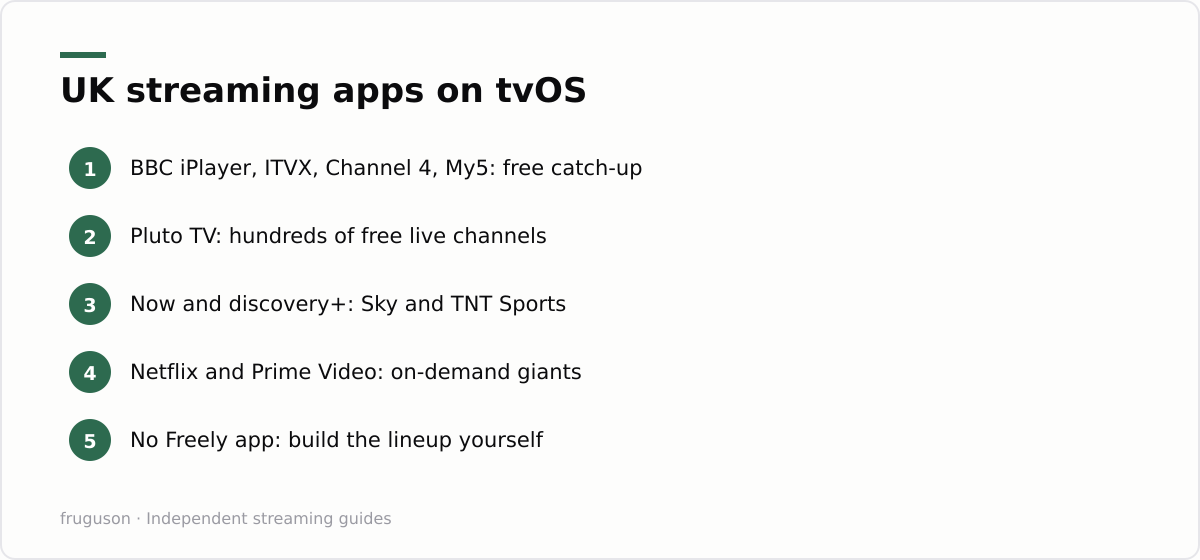
| App | What it gives you | Cost |
|---|---|---|
| BBC iPlayer | Live BBC channels and the full catch-up archive | Free, BBC account needed |
| ITVX | Live ITV channels plus a deep box set library | Free with ads |
| Channel 4 | Live viewing and decades of box sets | Free with ads |
| My5 | Channel 5 live and on demand | Free with ads |
| Pluto TV | Hundreds of free streaming channels | Free with ads |
| Now | Sky entertainment and sport without a dish | Subscription, from roughly £7 a month (checked July 2026) |
| discovery+ | TNT Sports plus factual programming | Subscription |
| Netflix and Prime Video | The big on-demand catalogues | Subscription |
Rakuten TV and YouTube round out the basics, along with Apple’s own TV app for rentals and purchases. Niche sport and film services tend to reach tvOS early too, since it remains a priority platform for developers. For a ranking of which paid services actually earn their monthly fee, our best IPTV services UK guide breaks down the current field.
A tvOS habit worth learning early: unused apps delete in seconds, and with 64GB or 128GB of storage you will never juggle space the way owners of 8GB budget sticks do.
Step 3: route the sound and switch on Dolby Atmos
Picture is only half of a cinema. The Apple TV 4K outputs Dolby Atmos along with Dolby Digital 5.1 and 7.1, so send its audio to a soundbar or AV receiver rather than leaning on the television’s own thin speakers. The tidiest route is HDMI eARC: run the box into the TV, then let the TV pass sound back out to the soundbar over its eARC port. Under Settings, in Video and Audio, leave Audio Format on the automatic setting so an Atmos track passes through untouched whenever an app carries one, and confirm Audio Output points at your speakers rather than defaulting to the TV.
Two Apple-only tricks are worth the extra two minutes. A stereo pair of HomePods can be set as the default output, turning the box into a compact surround system with no receiver at all. And if dialogue ever drifts out of sync through an older amplifier, Wireless Audio Sync uses an iPhone’s microphone to measure and correct the delay automatically. Settle the sound once and IPTV on Apple TV starts to feel like a proper cinema rather than a telly with apps bolted on.
Step 4: check the broadband feeding the box
Any 4K HDR stream generally wants a steady 25Mbps or so per screen, and a busy household running two or three streams at once needs comfortable headroom above that. Most UK connections clear the bar easily these days, though “most” is doing some quiet work in that sentence. Ofcom publishes clear guidance on broadband speeds, including what to do when a line underdelivers against its advertised rate.
Wiring matters more than headline speed. The 128GB model carries a gigabit ethernet port, and a cable run to the router removes nearly every buffering complaint in one move. The Wi-Fi only 64GB model copes fine in most homes on its modern wireless radio, but anyone planning serious live sport viewing should favour the ethernet model and cable it in from day one.
Why tvOS live TV feels faster than a stick
Speed here has two ingredients, and neither shows up in a shop listing. The first is silicon. The current Apple TV 4K runs an A15 Bionic, the same chip family that powered the iPhone 13, and it is absurdly overqualified for menu duty. Apps open instantly. Scrubbing through a live stream feels like flicking through photos. Menus stay smooth years into ownership, which is exactly the point where budget sticks start wheezing.
The second ingredient is calm. Fire TV and Google TV home screens are advertising estates, stuffed with banner ads, sponsored rows and autoplaying trailers nobody asked for. tvOS shows a plain grid of your apps and nothing else. No banner has ever tried to sell you a soap opera while you hunted for the football. That absence of noise reads as speed, because you travel from sofa to programme in fewer presses with nothing grabbing at your attention along the way.
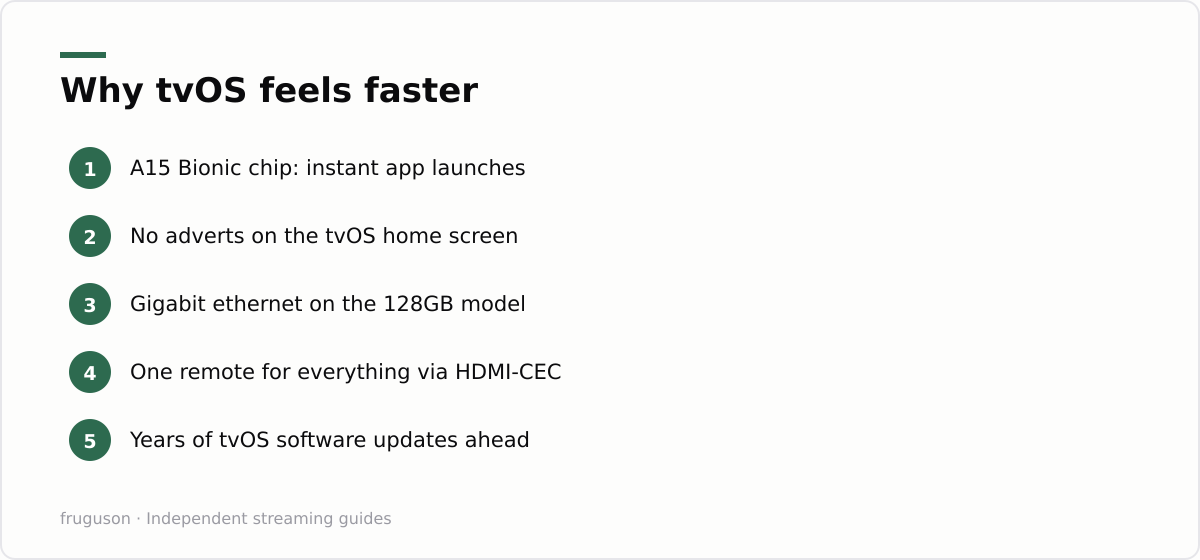
Longevity seals it. Apple has a long record of pushing tvOS updates to old hardware, and boxes from the mid 2010s were still receiving fresh software well into this decade. Budget sticks rarely see support that long, and their cut-price processors age far less gracefully than their spec sheets suggest.
AirPlay from your iPhone, plus the family angle
AirPlay is the quiet bonus stick owners never get. Any video or audio app on an iPhone or iPad can throw its picture straight to the box, which rescues you whenever a service offers an iOS app but no tvOS one. Holiday photos or a broadcaster’s odd little webcast land on the big screen with one tap of the AirPlay icon. We covered the phone side in our guide to IPTV on iPhone and iPad, and the two devices genuinely work better as a pair than either does alone.
Family Sharing pulls a similar trick with money. App purchases and eligible subscriptions extend to up to five other family members, so one payment often covers the whole household. tvOS also supports separate user profiles, meaning your Up Next queue stops being polluted by a teenager’s viewing habits. Hand the box to a family rather than a person and the higher price starts to amortise on its own.
Verdict: who should pay premium box money
So is the Apple TV 4K worth it while capable sticks sell for £40-60 and this box sits at roughly £150-170 (checked July 2026)? For three groups the answer is a firm yes. iPhone owners get the automatic setup and the phone keyboard, with AirPlay on top. Viewers allergic to home screen advertising get the only major streamer without any. Long-term keepers will still own a quick box in five years, by which point a stick bought the same day has often been replaced twice.
Skip it for the spare bedroom telly, or where the budget genuinely stops at stick money; the cheaper options run every licensed UK app that matters, and we rate them honestly in our IPTV equipment guide. What the premium actually buys is the absence of friction: no adverts in the interface, no slowdown by year three and a single controller for everything. Some people notice friction every single day. For them, the extra hundred pounds is cheap.
Frequently asked questions
Does the Apple TV 4K output Dolby Atmos and surround sound?
Yes. The box outputs Dolby Atmos along with Dolby Digital 5.1 and 7.1 to any compatible soundbar or AV receiver over HDMI, and apps that carry an Atmos track pass it through automatically. You can also set a stereo pair of HomePods as the default speakers, or use Wireless Audio Sync to correct lip-sync delay through an iPhone.
Can AirPlay send iPhone apps to the Apple TV when there is no tvOS version?
Yes. Any video or audio app on an iPhone or iPad can AirPlay its picture to the box, which covers services that ship an iOS app but skip tvOS. Tap the AirPlay icon in the player, choose the Apple TV, and the stream plays on the big screen while the phone stays free for calls and messages.
Which Apple TV 4K model is best for live TV streaming?
The 128GB model adds a gigabit ethernet port, the single best upgrade for live sport because a wired connection removes most buffering. The 64GB Wi-Fi model suits on-demand viewers in smaller homes. Both run identical software on the same A15 chip.
Summarize this post with:
Follow How To Watch Streaming on Google News so you never miss a new guide.


Leave a comment