Android TV Boxes in the UK: The Best Buys by Budget (2026)
How to tell certified Google TV streamers from the preloaded boxes sold on UK marketplaces, what the law says, and safe picks for every budget.
Contents
Type “Android TV box” into a UK marketplace and two very different products come back under one name. The first is a certified streamer from a recognised brand, sold with a warranty and Google’s official app store. The second is a no-name box shipped “fully loaded”, often bundled with a cheap subscription that promises every channel on earth. The Android TV box UK market splits cleanly down that line. Knowing which side you are buying from matters, because one is a sensible, supported purchase and the other is a dead end that stops working the moment its supplier vanishes.
This guide covers how the two markets differ, what certification actually buys you, the warning signs that mark out a box worth avoiding, and which boxes are worth your money at each price.
One name, two markets
Android TV is Google’s operating system for televisions and streaming devices, these days usually wearing the newer Google TV interface on top. Legitimate boxes run a certified build. They pass Google’s compatibility testing and ship with the genuine Play Store, carrying Play Protect certification as proof. Brands you will find in UK shops include Google itself, Nvidia, Xiaomi, Thomson and Strong, plus Amazon’s Fire TV range, which runs its own well-supported fork of Android rather than Google TV proper.
No-name boxes look similar in photos and behave nothing like that in practice. Devices with names such as X96 or T95 run the open source version of Android with no certification at all. Sellers on eBay and Facebook Marketplace often go one step further and ship them as a preloaded TV box, meaning apps for live sport and premium channels arrive already installed, with a subscription included or offered over WhatsApp after the sale. That bundle, the hardware plus the apps plus the subscription, is the classic preloaded box, and it is exactly the kind of purchase that leaves you stranded the moment the service behind it stops working.
What Google certification actually buys you
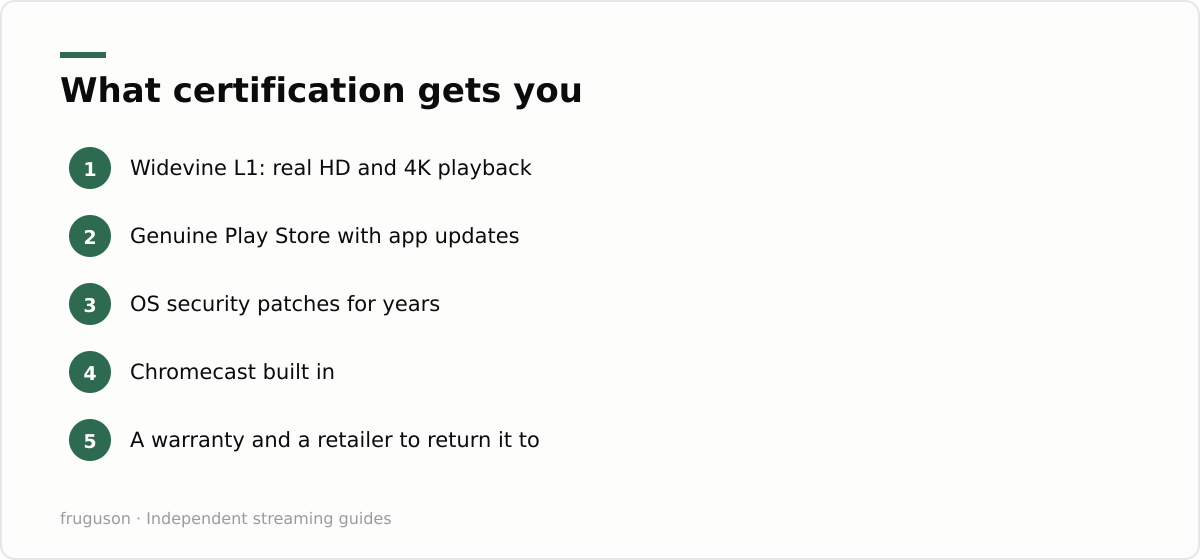
Certification sounds like a marketing sticker. It is not. A Play Protect certified device has passed Google’s security and compatibility testing, and that unlocks things a cheap clone cannot fake.
DRM is the big one. Netflix and Prime Video use Widevine L1 to deliver HD and 4K streams, and only certified hardware gets it. Uncertified boxes sit at the lowest DRM tier, so paid apps either refuse to install or play at fuzzy standard definition on your 4K telly. Certified devices also receive OS and security updates for years, and they belong to a brand you can actually return them to. Chromecast comes built in as well.
Uncertified clones fail on every count. Many ship with fake app stores and an ancient Android version dressed up with a modern skin. Update path? None. Security researchers have repeatedly found cheap unbranded boxes with malware planted in the firmware before the things ever left the factory, quietly joining ad fraud botnets the moment they connect to your wifi.
Checking takes two minutes before you buy any Android TV box UK sellers list online. Look for the words “Google TV” or “Android TV” with Play Protect certification named in the listing. Google publishes a list of certified partner brands, so search it, and be suspicious of any interface screenshot you have never seen in a high street shop. On a device you already own, the certification status sits in Settings under About.
How to spot a preloaded TV box before you pay
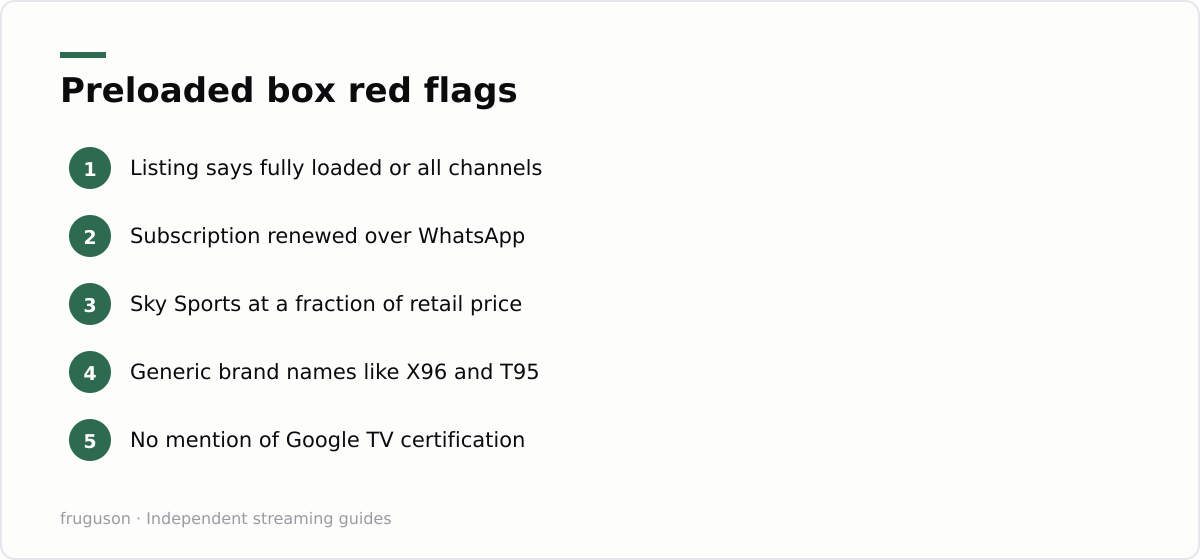
The preloaded trade has a uniform. Listings shout “fully loaded”, “all channels unlocked”, “no monthly fees ever” or “plug and play sport”. Social media sellers offer “IPTV included” with renewals handled through WhatsApp or Telegram, and modified Fire Sticks get sold through exactly the same channels. Every pitch has the same shape: thousands of premium channels, including Sky Sports and TNT Sports, for a fraction of any legitimate price.
Do the arithmetic and the promise collapses. Premium sport and film rights cost broadcasters billions, so a box advertising every channel for a one-off £40 is selling something it cannot keep delivering for long. What you are actually paying for is ordinary hardware running an app pointed at a server someone else controls, with no guarantee it will still work next month. When a listing undercuts every legitimate service by an order of magnitude, treat the price itself as the warning sign.
You also inherit every practical downside. Streams collapse on match day when demand spikes, and the picture stutters exactly when you care most. Sellers go quiet once the warranty question gets awkward, your card details sit with a trader you cannot trace, and there is no consumer protection to fall back on when the service simply stops. The useful takeaway is blunt: a box that depends on someone else’s unofficial server becomes a paperweight the moment that server goes dark, and you will have no way to bring it back.
Setting up a certified box: first-run and everyday tips
A certified box earns its keep in the first ten minutes. Sign in with your Google account and let it pull the latest update before you touch anything else, since a fresh box often ships on older firmware. The Google TV home screen then greets you with a content-first layout that gathers recommendations across your apps into one row, which is either handy or busy depending on taste; you can switch to the simpler Apps-only view in Settings if the suggestions feel cluttered.
Installing is the easy part. Open the Play Store, search each UK service by name and hit install: BBC iPlayer, ITVX, Channel 4 and My5 first, then whatever paid apps you subscribe to. Chromecast is built into every certified box, so you can also fling a video straight from your phone when an app is missing or the on-screen keyboard is too fiddly for a long password. The voice remote handles search across apps, and a quick press opens whichever one you name.
A couple of habits keep the box quick. Reorder the home row so your daily apps sit first, clear an app’s cache if it starts misbehaving, and restart the box every week or two to clear memory. If you are still weighing up which subscriptions to trust alongside the free apps, our guide to whether IPTV is legitimate in the UK lays out the landscape in plain terms.
The best Android TV box UK picks by budget
Here is the cheering part: the certified market is genuinely cheap, and every device below is stocked by mainstream retailers with normal warranties. Prices are approximate, checked July 2026, and Amazon’s sticks in particular drop sharply during sales events.
| Budget | Pick | Rough price | Why it wins |
|---|---|---|---|
| Under £50 | Amazon Fire TV Stick 4K | £40-60 | Every big UK app at the lowest price |
| Around £60 | Xiaomi TV Box S (2nd Gen) | £50-65 | Real Google TV with 4K Dolby Vision for a bargain |
| About £100 | Google TV Streamer | £95-100 | Google’s own flagship with a long update life |
| No limit | Nvidia Shield TV Pro | £175-220 | Still the enthusiast king years after launch |
For most people the Google TV Streamer hits the sweet spot: fast, quiet and certain to be supported for years. Enthusiasts who want raw power and a proper games machine should read our full Nvidia Shield guide, because the Shield remains the best Android TV box you can buy even now. Fire TV earns one small caveat. Amazon runs its own app store rather than Google’s, so a handful of niche apps differ, though every major UK service is present and accounted for.
Whichever tier you choose, the box is only half the decision. All four run the main UK players: BBC iPlayer, ITVX, Channel 4 and Pluto TV are free, Freely covers live channels on supported kit, and the paid options are compared in our best IPTV providers in the UK roundup. A £50 certified box plus the free UK apps already covers a remarkable amount of television, before you spend a penny on subscriptions.
The verdict: spend once, then sort your services
Boring wins. Want years of quiet reliability? Order the Google TV Streamer. If £60 is the ceiling, the Xiaomi does the job nicely, while the Shield suits anyone whose living room doubles as a hobby. Buy from a high street retailer or from Amazon directly, never from a seller who bundles anything to watch. Hardware should arrive empty.
Filling it is the enjoyable bit. Start with the free players, add a single paid service, and see how far that gets you before spending more. Pluto TV and ITVX cost nothing and cover a surprising amount of ground. When a paid app earns its keep, keep it; when it stops, cancel it. That flexibility is the whole reason a certified streaming device beats a cheap no-name box.
Frequently asked questions
What is the difference between Android TV and Google TV?
Google TV is the newer interface that runs on top of Android TV, adding a content-first home screen that pulls recommendations across your apps. Under the surface it is the same platform with the same Play Store, so any app that runs on one runs on the other, and both are certified by Google.
What does a fully loaded or preloaded box actually mean?
It means the seller has already installed apps and a subscription that claim to unlock premium channels, so the box looks ready to go out of the box. In practice those bundles rely on a server the seller does not control, the streams routinely fail, and you have no consumer rights or refund if the supplier disappears. A certified box sold empty, filled with official apps yourself, is the reliable choice.
Does an Android TV box need a wired connection, or is Wi-Fi enough?
Wi-Fi is fine for on-demand viewing and most HD streaming. For 4K, and for live sport where a dropout is unforgivable, a wired ethernet connection is steadier. Certified boxes like the Google TV Streamer and Nvidia Shield have an ethernet port; on a stick you can add one with a powered adapter.
Summarize this post with:
Follow How To Watch Streaming on Google News so you never miss a new guide.
Leave a comment