Multiroom TV Without the Multiroom Bill: A UK Streaming Guide
How to get TV in every room of a UK home from one streaming account: stream caps, profiles per room, Sky Stream whole home and bandwidth maths.

Contents
- How stream limits shape a multiroom TV setup
- One login, separate profiles for every room
- Sky Stream whole home versus the DIY route
- The bandwidth maths when three rooms stream at once
- Buying order for a three room house
- Wiring the house: mesh, powerline and wired backhaul
- Where to spend and where to hold back
A decade ago, TV in every room meant a dish on the wall, a box under every telly and a monthly multiroom charge stacked on top of an already painful subscription. A modern multiroom TV setup needs none of that. One streaming account will usually feed several screens at once, sometimes four, and a cheap stick turns any spare TV into the main one. This guide walks through the stream limits UK services typically apply, how profiles keep each room civilised, where Sky Stream’s whole home option fits in, and the smartest buying order for a three room house.
How stream limits shape a multiroom TV setup
Every paid service caps how many screens can play at the same time. That cap, not your hardware, decides whether one account can cover the whole house. The caps are mostly generous. They also shift whenever a service reshuffles its plans, so treat the figures below as typical tiers rather than gospel and check the current terms before committing to anything.
As of checks in July 2026, the pattern looks like this. Netflix ties simultaneous streams to plan level: the standard tier has usually allowed two at once and the premium tier four. Prime Video has historically permitted up to three streams on one account, though only two of the same title. Now has tended to sit around two or three devices depending on whether the Boost upgrade is added. Sky Stream plays by different rules entirely, since every TV needs its own puck; more on that below. Free catch-up players such as BBC iPlayer and ITVX are far more relaxed, and households routinely run them on several screens without ever hitting a wall. Free ad-supported services such as Pluto TV, Samsung TV Plus and The Roku Channel barely police concurrency at all.
| Service | Typical simultaneous streams (checked July 2026) |
|---|---|
| Netflix Standard | Around 2 |
| Netflix Premium | Around 4 |
| Prime Video | Up to 3, only 2 of the same title |
| Now | 2 or 3, depending on Boost |
| Sky Stream | One puck per TV, plus app devices |
| iPlayer, ITVX, Channel 4, 5 | Several; rarely a problem |
| Pluto TV, Samsung TV Plus | Effectively no cap |

One caveat matters more than any number in that table. Netflix and several rivals now distinguish between streams and households, meaning an account is expected to live at a single address. Within one house this changes nothing. The enforcement is aimed at password sharing across different homes, not at the stick in your back bedroom, so a family under one roof can use its full stream allowance without worry.
One login, separate profiles for every room
Profiles are the second pillar of a shared account. Nearly every paid service lets you create several named profiles under one login, each carrying its own watch history and its own continue watching row. Set one up per person, or per room if that maps better onto your household. Your crime dramas stop polluting the kids’ cartoon recommendations, and nobody loses their place in a series because someone skipped three episodes ahead in the lounge.
Children’s profiles deserve particular care in a bedroom or playroom. Netflix, Prime Video and iPlayer all offer child settings that filter content by age rating, and some services add a PIN before anything stronger will play. A stick in a child’s room without a restricted profile is an unforced error. It takes five minutes to fix and costs nothing.
There is a quieter benefit too. Recommendations improve when each viewer trains their own profile, which makes every service feel better value over time. Sign in once on each device, pick the right profile, and the account behaves almost as if each room had its own subscription. That is the entire trick behind whole home TV on a single bill.
Sky Stream whole home versus the DIY route
Sky Stream is the obvious comparison, because it is the modern successor to those multiroom dishes. Every TV on the Sky system needs its own puck, and Sky offers a whole home option that supplies additional pucks for a monthly fee on top of the main subscription. Pricing and included puck counts change with promotions, so check the current offer at sky.com/tv/stream before signing anything. What you get for the money is a single polished interface in every room and one bill covering the lot, with Sky’s full channel line-up wherever there is a puck. If Sky exclusives and live sport dominate your viewing, that convenience is genuinely worth something. Our Sky Stream puck setup guide covers getting the first room running properly.
Going DIY builds the same outcome from parts. Put a streaming stick in each room, roughly £25-70 per stick depending on model when checked in July 2026, then subscribe only to what you actually watch. Now carries much of Sky’s entertainment and sport on rolling monthly terms. iPlayer and ITVX cost nothing. Freely, built into many newer TVs, delivers live channels over broadband with no extra box at all. You lose the unified Sky interface. You gain flexibility: hardware with no contract attached, plus the freedom to cancel any service in any month.
Weigh it honestly and the split is clear: Sky’s route wins on polish and effortless live channel surfing, while the DIY route wins on lifetime cost. For a household that mostly watches on demand, a stick in each room plus one or two subscriptions usually undercuts a puck everywhere by a wide margin over a year.
The bandwidth maths when three rooms stream at once
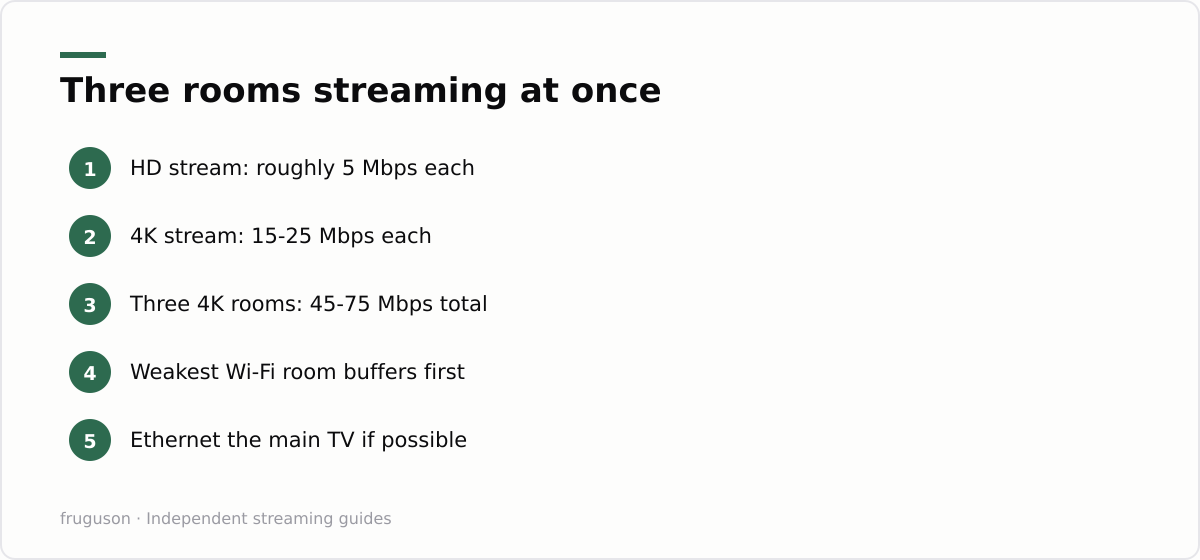
Concurrent streams are where a multiroom TV setup meets your broadband, and the sums are worth doing before buffering does them for you. Commonly published guidance sits around 5 Mbps for a solid HD stream and somewhere between 15 and 25 Mbps for 4K, varying by service and by how aggressively each one compresses. Three HD streams therefore want roughly 15-20 Mbps between them. Three 4K streams could demand 45-75 Mbps, plus headroom for phones and laptops doing their own thing in the background.
Most UK fibre packages clear that bar comfortably on paper. The trouble usually lives inside the house instead. A stick at the far end of the landing, connected over congested 2.4GHz Wi-Fi, might see a small fraction of the headline speed, and the weakest room always buffers first when three screens light up on a Saturday night. Run an ethernet cable to the main TV if the layout allows it. For the remaining rooms, place the router centrally or add a mesh node near the worst spot before blaming your provider.
Monthly data is the quieter consideration. Three rooms streaming every evening can churn through hundreds of gigabytes a month, which matters a great deal on capped packages or on 4G and 5G home broadband. Our guide to streaming data usage in the UK breaks down what typical viewing habits consume, so you can sanity check your own plan before adding a third screen.
Buying order for a three room house
Kit out the rooms in the right order and a full multiroom TV setup can cost less than a single year of an old style multiroom contract.
- Sort the network before buying anything. Test real speeds in each room using a phone, standing where the TV will sit. Reposition the router or add a mesh node if a far bedroom is weak. This step costs little and prevents most future complaints.
- Equip the main room second. The lounge earns the best device: a 4K capable stick or box, or the TV’s own apps if the set is recent and still responsive. Our equipment guide for UK streamers ranks the current options by budget and use case.
- Give the bedroom a mid-range stick. A smaller screen rarely justifies 4K, and an HD stick saves money on the device and on bandwidth every night afterwards. Roughly £25-40 typically covers it, checked July 2026.
- Finish the third room with what is already there. Plenty of kitchen and kids’ room TVs have workable built-in apps for iPlayer and ITVX, and Freely handles live channels on newer sets. Add the cheapest stick only if the built-in software is genuinely painful to use.
- Set up profiles and confirm your plan tiers. Create a profile per person, restrict the children’s profile, then check that your subscriptions actually allow three simultaneous streams. Upgrading one plan by a tier is almost always cheaper than opening a second account.
Follow that order and the spend lands where it changes the picture, quite literally, rather than on a drawer full of gadgets the Wi-Fi cannot feed.
Wiring the house: mesh, powerline and wired backhaul
The network is where a multiroom setup quietly succeeds or fails, so it deserves more thought than the boxes plugged into each telly. A single router in the hallway rarely reaches a back bedroom two floors up with enough headroom for a steady stream, and that weakest room is always the first to buffer on a busy evening. Three fixes are worth knowing. A mesh system replaces the lone router with several nodes that share one wifi name, so a screen roams onto the nearest node without you touching anything; it is the cleanest answer when several rooms are marginal. A powerline adapter is the cheaper spot fix, pushing a near-wired connection through the house’s mains wiring to one distant TV, though results vary with the age and layout of the circuits. Best of all, where you can manage it, is a run of ethernet: wire the main lounge TV directly, and if your mesh nodes support a wired backhaul, cable the nodes to each other so they are not spending half their bandwidth relaying over the air. Put the strongest connection where the heaviest viewing happens, and the rest of the house copes with what is left.
Where to spend and where to hold back
Skip Sky’s whole home add-on unless live channels dominate your evenings; heavy sport viewers are the one group it consistently rewards. Everyone else does better funding a single strong service at the tier with enough simultaneous streams, then filling the gaps with the free players and ad-supported apps. Spend where it shows: the network first, then the lounge hardware. A cheap mesh node often improves more viewing hours than a top end player upgrade ever will. Start tonight by measuring the weakest room’s connection; that single reading tells you whether your next purchase should strengthen the Wi-Fi or sit behind a television. And keep the recurring cost in view as you add rooms: one well-chosen subscription at the right stream tier, plus the free players, almost always works out cheaper over a year than stacking several services or paying for a puck in every room.
Frequently asked questions
How many rooms can stream at once on one account?
It depends on the service and plan tier. As of checks in July 2026, Netflix has typically allowed two simultaneous streams on its standard plan and four on premium, while Prime Video has permitted up to three. Confirm the current cap in your account settings before adding a third screen.
Should I use mesh wifi or powerline adapters for a far bedroom?
Both help, and they solve different problems. A mesh system blankets the house in one wifi name and is the tidiest fix when several rooms are weak, while a powerline adapter sends a near-wired connection through the mains to a single distant TV. For the room you watch most, a proper ethernet run still beats either. Weak wifi in the far room, not your broadband package, is the usual cause of buffering.
What broadband speed do I need for three rooms streaming at once?
Commonly published guidance suggests around 5 Mbps per HD stream and 15-25 Mbps per 4K stream. Three 4K streams could therefore want 45-75 Mbps plus headroom for other devices. In practice weak Wi-Fi in a far room causes buffering more often than the broadband package itself.
Summarize this post with:
Follow How To Watch Streaming on Google News so you never miss a new guide.




Leave a comment