Virgin Media Stream Box: Setup and Honest Verdict
A hands-on guide to Virgin's contract-free Stream box: eligibility, one-off activation, setup steps, the picks and credit model, and an honest verdict.
Contents
The Virgin Media Stream box is the odd one out in Virgin’s telly range. No TV contract. No monthly box rental. You pay a one-off activation fee, plug a small puck into the back of your set, and choose subscriptions month by month with a slice of bill credit handed back to you. That sounds suspiciously reasonable for a big cable company, which is exactly why it deserves a sceptical once-over. This guide explains who can actually get one, how activation and setup work in practice, what the picks model really costs, and where the full Virgin TV 360 service still wins.
Who can get the Virgin Media Stream box
Here is the first catch, and it is a big one. Stream is only sold to Virgin Media broadband customers. You cannot buy it as a standalone gadget the way you would a Fire TV Stick or a Roku, and it will not run on another provider’s connection. The box authenticates against your Virgin account, so if you ever leave Virgin broadband, Stream stops working along with it.
Pricing is where things get unusual for pay TV. There is no ongoing hardware rental and no long TV commitment. Instead you pay a single activation charge, which has sat around the £35 mark since launch; I checked in July 2026, but confirm the current figure in your own account before ordering. After that the Virgin Media Stream box itself costs nothing per month. Everything on top, from the Entertainment channel pick to Netflix, is optional and runs on rolling 30-day terms.
That structure changes the risk calculation completely. With traditional pay TV you commit for 18 months and hope your viewing habits stay put. With Stream you can run the box on free apps alone for half a year, add Sky Cinema for a rainy November, then drop it again before Christmas. Ofcom’s Media Nations research at https://www.ofcom.org.uk/media-use-and-attitudes/media-habits-adults/medianations has tracked UK viewing shifting steadily away from scheduled broadcast towards on demand apps, and Stream is plainly Virgin’s answer to that shift: a cheap doorway into its ecosystem for households that no longer want a channel bundle.
Virgin Stream setup: step by step
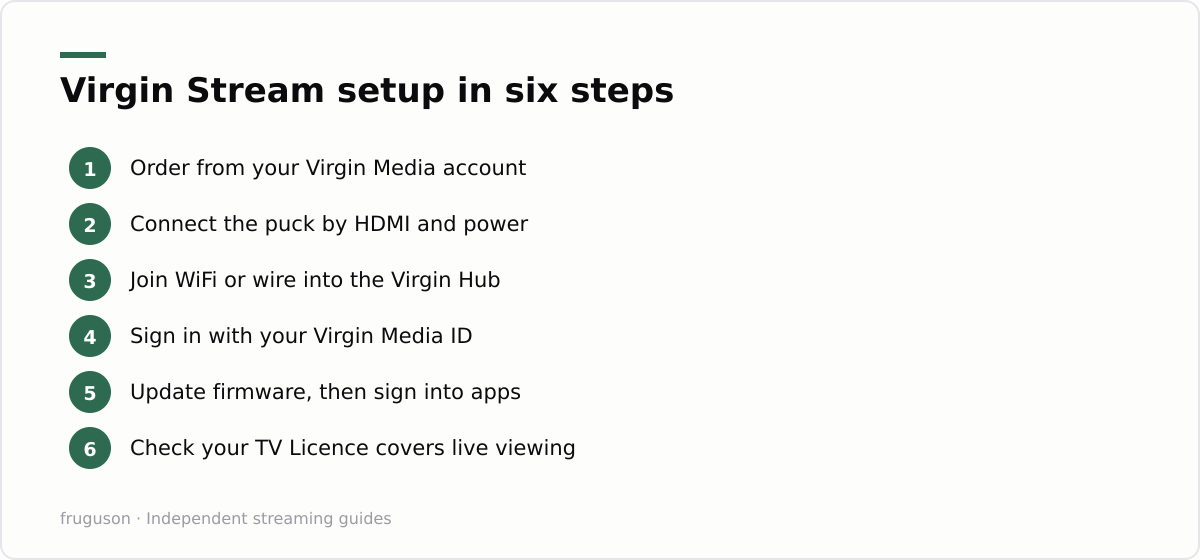
Virgin Stream setup is one of the easier jobs in home telly, and no engineer visit is needed. The box ships to your door. The whole process usually takes fifteen to twenty minutes, and most of that is waiting for software updates.
- Order the box from your online Virgin Media account or the My Virgin Media app. It is listed as an add-on to your broadband package rather than as a separate product.
- Unbox and check the kit. You get the puck itself, a remote with batteries, an HDMI cable and a power adapter. No dish and no drilling.
- Connect it to your TV. Plug the HDMI cable into a spare port on your set and note which input number it uses. Power the box from the mains rather than from a TV USB socket.
- Join your home network. Stream runs over WiFi or ethernet. A wired connection into your Virgin Hub is worth the extra cable if you plan on 4K viewing, since it takes WiFi dropouts out of the equation.
- Sign in with your Virgin Media ID. This step ties the box to your broadband account and switches on your picks. Have your password ready on your phone.
- Let it update, then sign into your apps. First boot normally pulls a firmware update. Once the home screen appears, log into iPlayer, ITVX, Netflix and anything else you use.
If the box misbehaves during setup, the usual fixes apply. Reboot it at the plug. Check that the Hub is actually online, and make sure the HDMI cable is seated at both ends. Virgin’s service status page will tell you whether the fault sits at their end rather than yours, which saves an unnecessary hour of fiddling behind the television.
Picks, pricing and the credit back idea
Stream’s sales pitch lives in its subscription model, so it deserves pulling apart. The box gives you a base layer of free channels and apps at no monthly cost. On top of that sit the picks: optional bundles and streaming services you add and remove from month to month. An Entertainment pick brings a set of pay channels in roughly the £8-12 range. Sky Cinema and Sky Sports arrive as separate picks at noticeably higher prices. Mainstream services such as Netflix and Disney+ can be billed through Virgin instead of paying each firm directly. Treat every figure as approximate; prices moved around even while I was researching this in July 2026, so check your own account for current numbers.
Then comes the credit, which is the genuinely clever bit. Virgin returns 10% of your picks spend as credit on the next bill. Spend £30 a month on subscriptions through the box and roughly £3 comes back. That is not life-changing money. Across a year of moderate spending it amounts to a takeaway or two, and it only applies to subscriptions billed through Stream, not to ones you already pay providers for directly.
My honest reading is that the credit exists to pull your existing subscriptions into Virgin’s billing, where they become easier to forget and harder to move elsewhere. Nothing sinister, but it trades on inertia. Rolling terms are the real value here: cancelling a pick the moment you finish a series is what saves proper money, and that whole strategy gets a full treatment in our guide to the cheapest way to watch TV in the UK.
Stream box apps and channels
App coverage decides whether a streaming device lives in daily use or in a drawer. The Stream box apps line-up covers the essentials well. Every major UK broadcast player is present: BBC iPlayer, ITVX, Channel 4 and My5, alongside free ad-supported services such as Pluto TV and YouTube. Paid coverage includes Netflix, Prime Video, Disney+ and the other big global names, while Sky content arrives through the picks system rather than through a separate Now subscription.
Live viewing is handled sensibly too. A proper programme guide stitches the free linear channels and your subscribed picks into one place, so the experience feels closer to normal telly than a bare streaming stick ever does. Voice search on the remote digs across apps rather than through one at a time, which sounds like a gimmick until you use it for a fortnight.
Gaps exist, and they matter in some households. Smaller sport streamers and a handful of niche apps have historically been absent, and availability shifts over time, so if one specific service is the whole reason you watch television, confirm it is on the platform before you order. A generic £30-60 stick has a wider catalogue overall, a point we unpack properly in our IPTV equipment guide.
A word on how locked-down Stream is, because it works in your favour. There is no sideloading and no unknown-sources menu: you get a curated set of apps that install in a tap and update themselves. Treat that as a feature rather than a limitation. It means the box stays fast, nothing needs maintaining, and there is simply less to go wrong than on an open Android device you have to manage yourself.
Stream or Virgin TV 360: same firm, different products
On a shelf, the Virgin Media Stream box and a full 360 setup look like siblings. In practice they answer different questions. Stream asks how cheaply Virgin can keep a streaming household inside its walls. The 360 service asks how much telly one family can consume, then bills for it on a long contract.
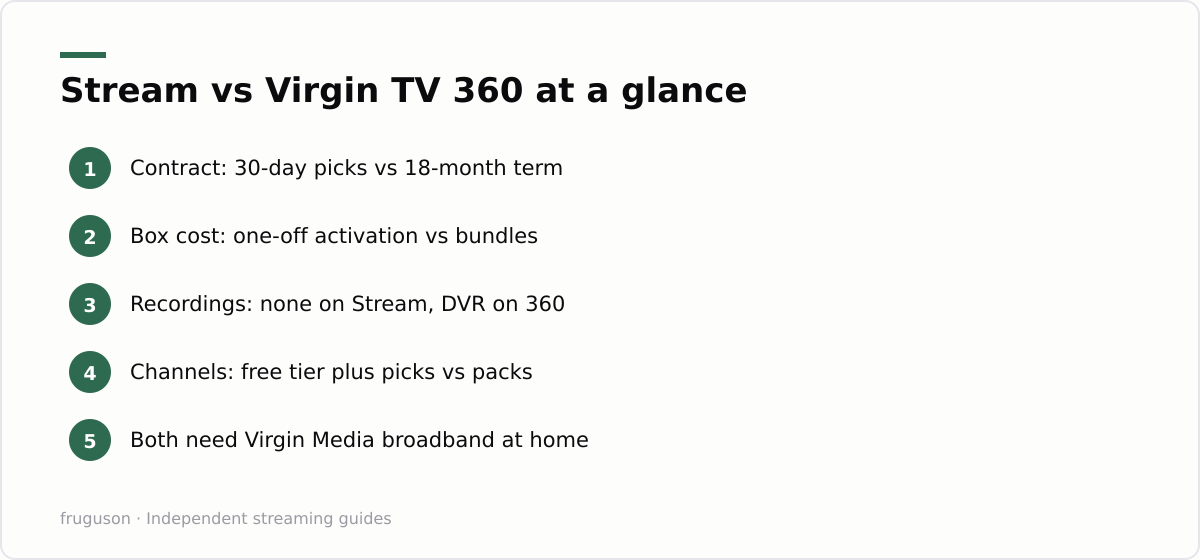
| Feature | Stream | Virgin TV 360 |
|---|---|---|
| Upfront cost | One-off activation, about £35 | Varies by bundle deal |
| Monthly cost | Nothing for the box; picks optional | Bundle price on a fixed term |
| Contract | Rolling 30-day picks | Typically 18 months |
| Recordings | None; catch-up and on demand only | Records live TV to the box |
| Channel range | Free channels plus paid picks | Full pay TV channel packs |
| Best for | App-first, flexible viewers | Big linear TV households |
Recordings are the dividing line for most people. Stream has no recording function at all; you rely on each broadcaster’s catch-up window, and once a programme leaves iPlayer or ITVX, it is gone. Households that hoard boxsets on a hard drive, or that pause and rewind live sport daily, will feel that absence within a week. Channel depth cuts the same way, since the 360 packs carry far more linear channels than any combination of picks can match.
Flexibility runs entirely the other direction. If your search history says Virgin TV without contract, Stream is the product Virgin built for that exact query: the base service costs nothing monthly, and every paid element can be switched off in any given month. A 360 bundle locks its price for the whole term and charges you whether anyone watched or not.
Verdict: who should buy one, and who should walk past
So where does that leave a real household? For Virgin broadband customers whose evenings already run through apps, this little box is close to a no-brainer. Around £35 once, nothing after that unless you choose it, a tidy interface that pulls iPlayer and Netflix into one guide, and 10% back on whatever you do subscribe to. Students and renters, plus anyone allergic to long commitments, finally get an escape hatch that mainstream pay TV never offered.
Walk past if your viewing leans on recordings, obscure channels or heavy live sport; the 360 route, or Sky’s equivalent, will frustrate you less. Anyone not on Virgin broadband has no decision to make here, since the product is simply unavailable, and a generic streamer running the free UK apps does a similar job for £30-60. Our roundup of the best IPTV services in the UK for 2026 ranks the licensed options for every budget and is the sensible next read before you spend a penny.
Frequently asked questions
Can I get the Virgin Media Stream box without Virgin broadband?
No. Stream is only available as an add-on for Virgin Media broadband customers, and the box authenticates against your account. If you leave Virgin broadband the service stops working, so it is not a standalone streamer like a Roku or a Fire TV device.
How much does the Virgin Media Stream box cost?
There is a one-off activation fee of around £35, checked July 2026, and then nothing per month for the box itself. Everything on top runs on rolling 30-day terms: entertainment picks in roughly the £8-12 range, plus optional Sky Cinema, Sky Sports and services such as Netflix. Virgin also returns 10% of your picks spend as credit on the next bill.
Can the Stream box record programmes?
No, there is no recording function on Stream. You rely on each broadcaster's catch-up service instead, so a programme is only watchable while its app keeps it online. If recording matters in your house, Virgin TV 360 is the option to price up.
Summarize this post with:
Follow How To Watch Streaming on Google News so you never miss a new guide.


Leave a comment