What Is an EPG? TV Guides on Streaming Services Explained
A plain-spoken explainer on TV guide grids: where EPG data comes from, how Freely and Sky Stream present it, and how to fix wrong or missing listings.
Contents
Open the guide on any UK telly and the layout is instantly familiar: channels down the left, time across the top, programme names filling the boxes. That grid has a proper name. So what is an EPG? The letters stand for electronic programme guide, and it is the software layer that turns raw broadcast schedules into something a human can browse from the sofa. This explainer covers where the listings data comes from, how the big UK services draw their guides, and how to fix a guide showing wrong or missing programmes.
What Is an EPG and Why Does Every Service Need One?
An EPG is a database plus a display. The database side holds every programme title and start time, plus the synopsis and any flags for subtitles or audio description. The display side arranges that data into the familiar grid, and it also feeds search results and recommendation rails elsewhere in the interface. Ask ten people what is an EPG and most will point at the guide button, which is fair enough; the grid is simply the most visible use of that data.
Paper listings magazines did this job for decades. The Radio Times printed schedules a week ahead and viewers planned their evenings around them. Digital TV moved the same information into the broadcast signal, so the telly could show a week of listings without anyone typing a thing. Streaming services then moved it again, from the signal to the internet, which is why a modern guide can show richer artwork and deeper synopses, with direct links into on-demand players.
Where Guide Data Actually Comes From
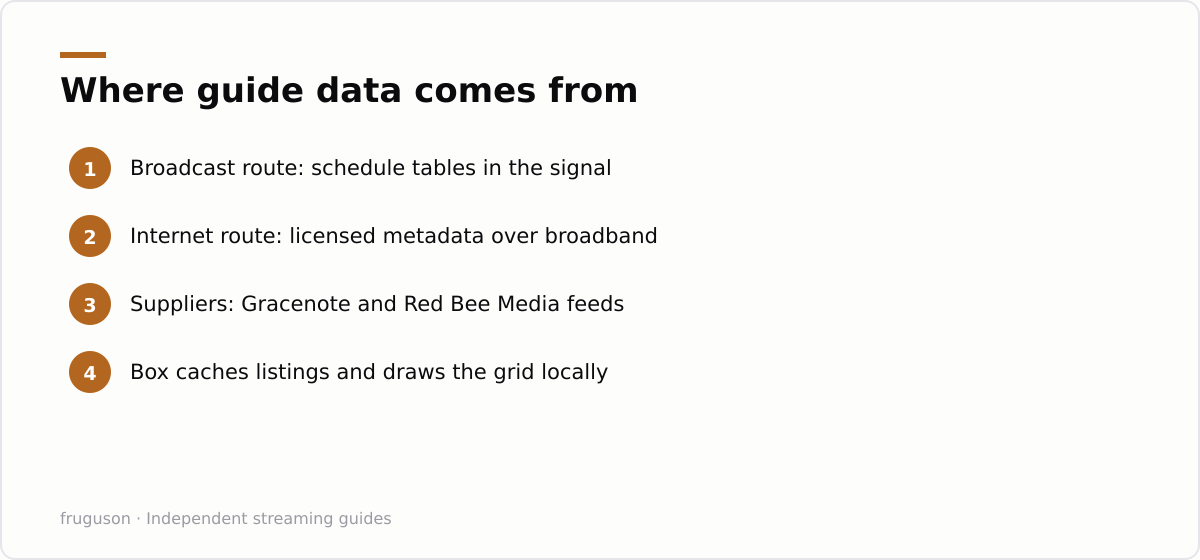
Two delivery routes matter in the UK. Traditional broadcast guides ride inside the aerial or satellite signal itself. Freeview carries schedule information in service tables alongside the video, which is why an old telly with no internet connection still shows several days of listings. The data is compact and covers only what the transmitter sends.
Internet guides work differently. A connected service fetches its listings from a metadata supplier over broadband, so there is no meaningful size limit. Broadcasters and platforms license this data from specialist companies; firms such as Gracenote and Red Bee Media compile schedules and synopses along with artwork and cast details, then sell feeds to whoever runs the guide. Your box downloads a fresh copy on a schedule, then renders the grid locally. That is why a streaming puck can show two weeks of listings with posters while an aerial-only set shows a plain text week.
Accuracy still depends on the source. Late schedule changes, overrunning football and breaking news specials can leave any guide slightly wrong, broadcast or internet alike. The better platforms patch their data several times a day. None of them stay perfect on a chaotic news night.
How UK Streaming Services Present Their Guides
Freely is the clearest example of the hybrid approach. It is the successor to Freeview Play, built into new smart TVs, and it streams live channels over broadband while presenting a completely traditional grid. Supported sets are listed at freely.co.uk if you want to check a model before buying. The clever part is that the Freely guide scrolls backwards as well as forwards on supported channels, so a programme that finished two hours ago becomes a playable catch-up link rather than a greyed-out box. Our Freely explainer covers the platform in full.
Sky Stream takes the pure internet route. Every channel arrives over broadband, so its guide is entirely metadata with no broadcast tables involved. Sky pairs the classic grid with a playlist-led home screen that pushes recommendations ahead of channel numbers, and the current channel line-up sits at sky.com/tv/stream. If you are setting one up, our Sky Stream puck setup guide walks through the guide and accessibility menus step by step.
Catch-up apps sit somewhere in between. BBC iPlayer and ITVX both carry live channels inside the app, with a slim channel list and a schedule page rather than a full multi-channel grid. A third-party TV guide app on your phone can stitch the separate schedules back together for planning, though it cannot tune anything; you still open each broadcaster’s own app to watch.
| Service | Guide delivery | Scroll back into catch-up | Live restart |
|---|---|---|---|
| Freeview on an aerial | Broadcast signal | No | No |
| Freely | Broadband metadata | Yes, on supported channels | Yes, on supported channels |
| Sky Stream | Broadband metadata | Yes | Yes, on most channels |
| Catch-up apps | In-app schedule page | Via the on-demand library | Varies by channel |
Restart and Catch-up from the Guide
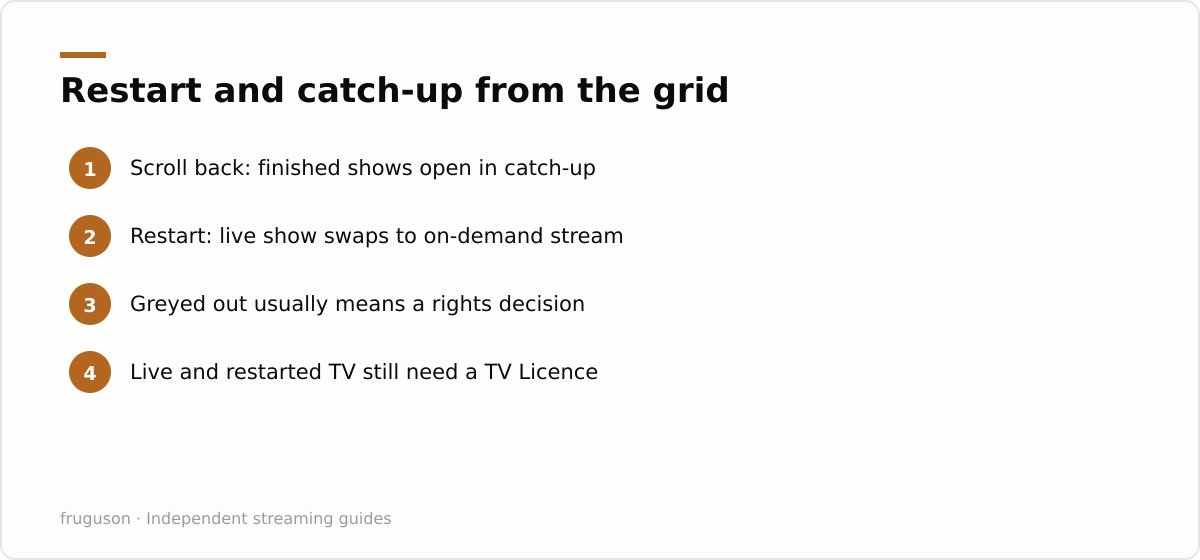
The grid stopped being a read-only timetable years ago. Highlight a programme already halfway through on Freely or Sky Stream and you will usually see a restart option, which quietly swaps the live stream for an on-demand copy that begins at the start. Scroll left past the current time and finished programmes behave the same way, opening in the relevant broadcaster’s player. It feels like time travel inside the guide. In reality the guide is deep-linking into catch-up services you could have opened yourself.
Coverage is the catch. Restart and backwards scrolling only work where the broadcaster provides a catch-up stream and has agreed to expose it, so some channels support the feature and others never will. A greyed-out programme is usually a rights decision rather than a fault. Restart also depends on a decent broadband line, since it swaps a live feed for an on-demand copy the moment you press it, so a weak connection can leave the restarted stream buffering where the live one played fine.
Accessibility Settings Worth Digging Out
Guide screens are dense and the default text size suits nobody over forty. Most platforms now offer real help, though they bury it. Sky Stream includes a screen reader that speaks the guide aloud, plus high contrast options and filters that surface audio described or signed programmes. Freely sets inherit the accessibility features of the TV they run on, so voice guidance, text scaling and subtitle preferences live in the set’s own menus. The catch-up apps flag audio description on individual programmes, and iPlayer carries a large signed and audio described library.
Spend five minutes in these menus even if you have no obvious need today. Turning on subtitle badges in the guide, for instance, saves you starting a programme only to find no subtitles exist for it.
Why a guide shows wrong or missing data, and how to fix it
When an EPG misbehaves, the cause is almost always the link between the stream list and the schedule data — the two are separate files that have to be matched up. On a proper streaming platform this is done for you. In a self-assembled setup, usually built from an M3U playlist plus a separate XMLTV schedule file, the matching is done by text tags, and that is where it breaks.
The three faults you will actually see follow from this. A channel showing the wrong programme means its tvg-id in the playlist does not match the ID the schedule file uses, so the app has paired it with the wrong listing. Listings shifted by an hour, typically after the clocks change, are a time-zone mismatch between the guide data and your device. And channels showing nothing at all simply have no matching entry in the schedule file. The fixes are practical: make sure each channel’s tvg-id exactly matches the schedule source, set the correct time zone in your player, and refresh the guide data so a stale cache is not hiding a corrected schedule. A clean, correctly matched EPG is the single thing that makes a channel list feel like proper television rather than a bare grid of names.
The Guide Is Half the Product
Judge a platform by its grid before you judge it by channel count. A guide that scrolls backwards into catch-up and restarts live programmes changes how you watch every single day, while an extra fifty channels you never open will not. Freely delivers that modern guide without a subscription; Sky Stream charges monthly for a slicker version with more channels attached. Try both in person if you can. Press restart and scroll back a day, then pick the one your thumb agrees with. That test tells you more than any spec sheet.
Frequently asked questions
Do I need an internet connection for an EPG?
Not for the basic one. Freeview sends several days of listings inside the broadcast signal, so an aerial-only telly still shows a working guide. Internet-delivered guides on Freely and Sky Stream add richer artwork, longer listings and links straight into catch-up players.
Why does my guide sometimes show the wrong programme?
Schedules change late, especially around live sport and breaking news, and the guide only knows what the data feed last told it. Licensed platforms refresh their listings several times a day, so errors usually correct themselves. Persistent nonsense in every slot points to a data problem rather than your TV.
How do I fix a guide that shows the wrong or missing programmes?
Most faults trace to the link between the channel list and the schedule data. Make sure each channel's ID matches the one the guide source uses, set the correct time zone on your device so listings do not shift by an hour, and refresh the guide so a stale cache is not hiding a corrected schedule. On the big UK services this is handled for you and errors usually self-correct within a few hours.
Summarize this post with:
Follow How To Watch Streaming on Google News so you never miss a new guide.

Leave a comment