IPTV Buffering: The 9 Fixes That Actually Work
A practical nine-step troubleshooting order for buffering streams, from router position to the one cause no home networking fix can ever cure.
Contents
- Fixes 1 and 2: move the box, then change the band
- Fixes 3 and 4: run a cable, or mesh the far rooms
- Fix 5: restart properly, and put it on a schedule
- Fixes 6 and 7: clear the device, then calm the app
- Fix 8: the 8pm problem lives in your broadband contract
- When IPTV buffering is the service, not your house
- The verdict: work the list, then vote with your wallet
Nothing kills a football match like a spinning wheel just as the ball crosses the line. IPTV buffering has a reputation for being mysterious, yet it nearly always comes from a short list of causes, and you can test every one of them in a single evening if you work in order of likelihood. That is what this guide does. It starts with the two fixes that clear most homes, position and wifi band, then moves through cables, restarts, device cleanup, app settings and your broadband contract. The last step is the uncomfortable one: sometimes the fault is built into the service itself, and no router on earth can help.
Fixes 1 and 2: move the box, then change the band
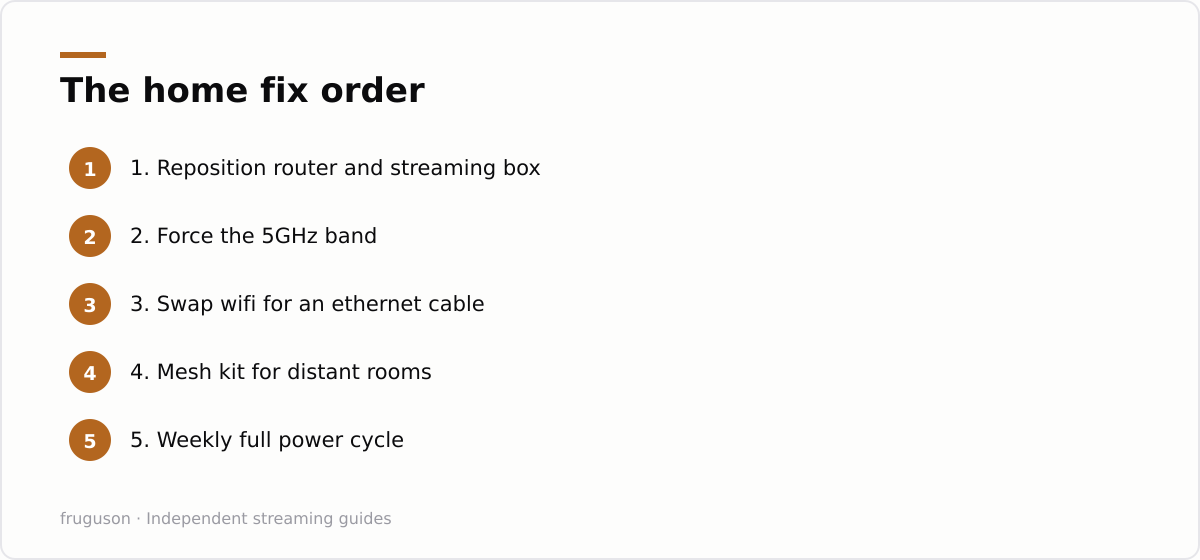
Start with geography. Most routers in UK homes sit wherever the master socket happens to be, which usually means the hallway floor, the cupboard under the stairs, or a shelf directly behind the television. Every wall between router and streaming device costs signal. Metal, mirrors and fish tanks cost even more. Lift the router off the floor, get it into open air, and pull your streaming stick out from behind the TV panel with a short HDMI extender, because the panel itself is a large sheet of shielding. This costs nothing and quietly resolves a surprising share of complaints.
The second free fix is the band. Your router almost certainly broadcasts on 2.4GHz and 5GHz at the same time, often under a single network name. The 2.4GHz band travels further but behaves like a crowded pub, with baby monitors, bluetooth speakers, microwave ovens and every neighbouring house all shouting across it. 5GHz carries far more data with less interference, at the price of shorter range. If your router lets you split the bands into separately named networks, do that, then connect the streaming device to the 5GHz one. For a TV in the same room as the router or the next room over, this single change often ends the stutter for good.
Fixes 3 and 4: run a cable, or mesh the far rooms
Wifi is a convenience, not a requirement. A flat ethernet cable costs very little (roughly £5-15, checked July 2026) and takes radio interference out of the equation completely. Latency settles. Throughput stops swinging. Your neighbour’s new wifi kit stops being your problem. Most smart TVs and plenty of streaming boxes have an ethernet port, and Fire TV Sticks accept a small ethernet adapter. We compare the two connection types properly in our wifi versus ethernet guide, and the short version is blunt: for a box that never moves, the wire wins every time.
Some rooms simply cannot take a cable. For a bedroom two floors from the router, a mesh wifi kit is the honest answer, because a single router forced to shout through three brick walls will never hold a stable stream. Mesh nodes pass the signal along in short, strong hops instead. Powerline adapters are the budget alternative; they work well in some houses and badly in others, depending entirely on the state of the electrical wiring. Our IPTV equipment guide for the UK covers which kits are worth the money at each budget.
Fix 5: restart properly, and put it on a schedule
Everyone says turn it off and on again. Few people do it correctly. Pull the router’s power lead and count sixty seconds. Plug it back in, then leave it alone until every light settles, which can take five minutes on some models. Restart the streaming device separately and fully as well: pressing the power button on a Fire TV remote or similar only drops the device into standby, so unplug it at the socket instead. A box that has sat in standby for three months is running on fumes, dragged down by stale app processes and fragmented memory.
Make this a routine rather than an emergency measure. A weekly power cycle of both router and streaming box keeps everything fresh, lets the router renegotiate its connection and settle on quieter wifi channels, and costs you about two minutes of actual effort. It sounds too simple to matter. It matters.
Fixes 6 and 7: clear the device, then calm the app
Storage comes next. Streaming sticks ship with tiny amounts of it, and once that fills up they start choking on their own cache. On a Fire TV go to Settings, then Applications, then Manage Installed Applications, and clear the cache for your player apps; Google TV and Android boxes offer the same option under App info. Delete anything you never open. While you are in the menus, check for firmware updates on the box, the television and the router, since old firmware is a steady source of playback bugs that no amount of restarting will cure.
Then look inside the app itself. Dropping playback resolution from 4K to 1080p is the oldest slow streaming fix in the book, and it remains a legitimate one, because 1080p needs roughly a quarter of the bandwidth and still looks sharp on most living room screens. Some players also let you raise the buffer size, which trades a slower start for fewer stalls mid-stream. Guides on how to fix stuttering TV usually begin and end at this step, which is a pity, since everything above and below it matters just as much.
Fix 8: the 8pm problem lives in your broadband contract
Evening slowdowns point upstream. If IPTV buffering only appears between roughly 8pm and 10pm, and it hits every app on every device, your street’s cabinet or your provider’s network is congested at peak time and nothing inside your house caused it. Run a speed test near the TV in the early afternoon, then repeat it at nine at night, and keep screenshots of both. A single 4K stream typically wants around 25Mbit/s of steady headroom, and a household full of phones and consoles eats into that quickly.
Ofcom’s broadband speeds guidance at https://www.ofcom.org.uk/phones-and-broadband/broadband-speeds explains the codes of practice that most large providers have signed. Signatories must quote you a guaranteed minimum speed when you sign up, and if measured speeds fall below it and the provider cannot fix the shortfall within thirty days, you gain the right to leave without penalty. That is genuine leverage, so use it. If you are still on an ageing copper line, moving to full fibre at a similar monthly price is the biggest single upgrade a streaming household can make.
When IPTV buffering is the service, not your house
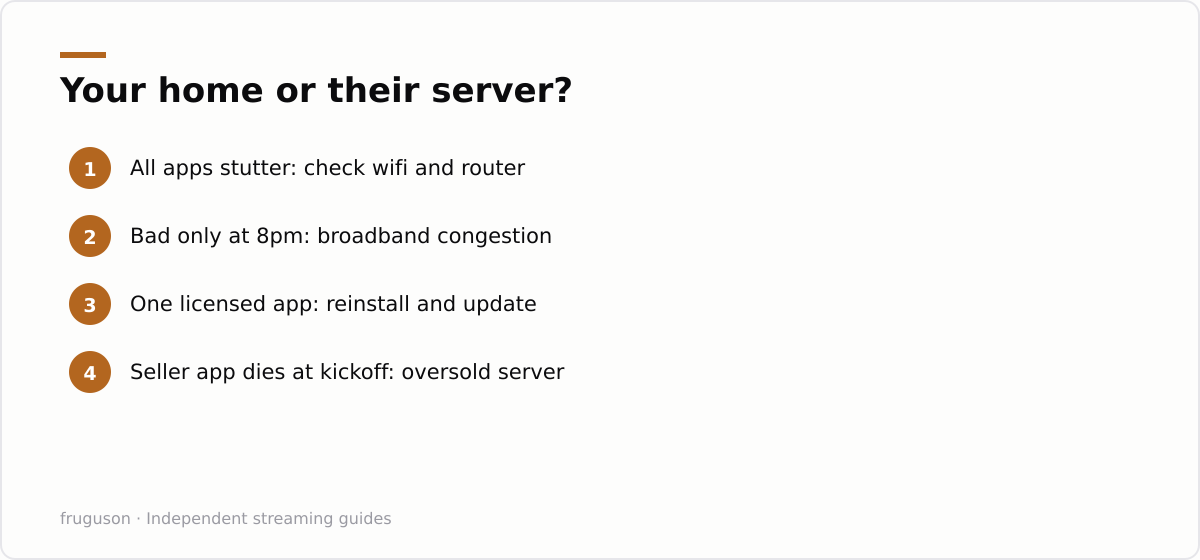
Here is the step nobody selling cheap subscriptions wants you to reach. If you have worked through everything above and the stream keeps buffering, especially at kickoff or just as a pay-per-view event begins, the fault almost certainly sits at the far end of the pipe. Licensed UK services such as BBC iPlayer, ITVX, Sky Stream, Now, Netflix and Prime Video push video through large content delivery networks with capacity planned for peak audiences. Grey-market sellers do not. A £10 a month deal offering ten thousand channels is nearly always a reseller pushing streams through oversold panels, and when the whole customer base piles in for the match, the server folds. That collapse is IPTV buffering you cannot fix, because the buffering is the product. No amount of home networking changes the capacity of an overloaded server in another country.
A quick way to read the symptoms:
| Symptom | Most likely cause |
|---|---|
| Every app stutters on every device | Home wifi or router |
| Fine at 3pm, struggles at 9pm on all apps | Peak-time broadband congestion |
| One licensed app misbehaves, the rest are fine | The app itself, reinstall and update it |
| Speed tests pass but one seller app still dies | The seller’s overloaded server |
| Collapse at kickoff on a cheap subscription | Oversold grey-market infrastructure |
Call the pattern what it is. Those app-and-playlist bundles sold through social media are unlicensed almost without exception, which is why they cost a tenth of the legitimate price. You get no service agreement and no complaints route, Ofcom protections do not apply, and whole channel lists can vanish mid-season when a server is seized. Buffering is simply the visible symptom of a business model that oversells capacity, safe in the knowledge that its customers can hardly demand a refund. Paying for that experience twice, once in money and once in frustration, makes little sense now that licensed services cover most of what those sellers advertise.
The verdict: work the list, then vote with your wallet
Run the fixes in order tonight. Position and band first, a cable if the box sits near the router, then the full restart, the cache and firmware sweep, and finally the app quality settings, with a pair of speed tests to show whether your broadband holds up at peak time. Most homes never need to go past the fourth step. If you reach the end on a licensed service and the picture still falls apart, take your speed screenshots to your provider and quote the Ofcom code of practice, because a documented shortfall puts the burden on them, not you. And if you reach the end on a cheap seller subscription, accept what the process just told you: the kit in your house was never the problem. A legitimate service running proper infrastructure is the only durable answer, and our guide to the best IPTV providers in the UK breaks down which one suits your viewing.
Frequently asked questions
Why does my IPTV only buffer in the evening?
Evening-only buffering usually means peak-time congestion on your broadband line rather than a fault in your home. Run speed tests in the afternoon and again at around 9pm and compare the results. If speeds drop below the guaranteed minimum your provider quoted, Ofcom's code of practice gives you the right to a fix or a penalty-free exit.
Will a VPN stop IPTV buffering?
Almost never, and it often makes playback worse because encryption adds overhead and an extra network hop. A VPN only helps in the rare case where a provider is throttling a specific type of traffic. It does nothing at all when the real cause is weak wifi or an overloaded server at the service's end.
How much internet speed do I need for smooth streaming?
A single HD stream is comfortable on around 5 to 10Mbit/s, while 4K typically wants about 25Mbit/s of steady headroom. Stability matters more than headline speed, so a consistent 40Mbit/s line beats a 300Mbit/s one that collapses at 8pm. Remember that every phone, console and second telly in the house shares the same pipe.
Summarize this post with:
Follow How To Watch Streaming on Google News so you never miss a new guide.



Leave a comment