TV Audio Out of Sync? Streaming Lip Sync Fixes That Work
When streaming voices lag behind the picture, the fix is almost always a setting you already own, from PCM output to the soundbar delay slider.
Contents
- Why TV audio sync drifts in the first place
- Start with the source, not the settings
- PCM versus passthrough: the setting that fixes most cases
- ARC and eARC quirks that reintroduce the gap
- Per-app drift when you stream
- Soundbar delay settings and the lip sync slider
- A quick order to run the fixes in
- What to do next
Voices land a beat after the lips move. You notice it on a news anchor first, then it turns up everywhere. TV audio sync trouble creeps in slowly, and once you clock the gap you cannot unsee it. Most of the time this is not your broadband collapsing. It is a handshake going wrong somewhere between the app, the telly and the speaker under the screen. Getting TV audio sync back is usually about settings you already own. This guide works through the fixes cheapest first, so you rarely need to spend a penny.
Why TV audio sync drifts in the first place
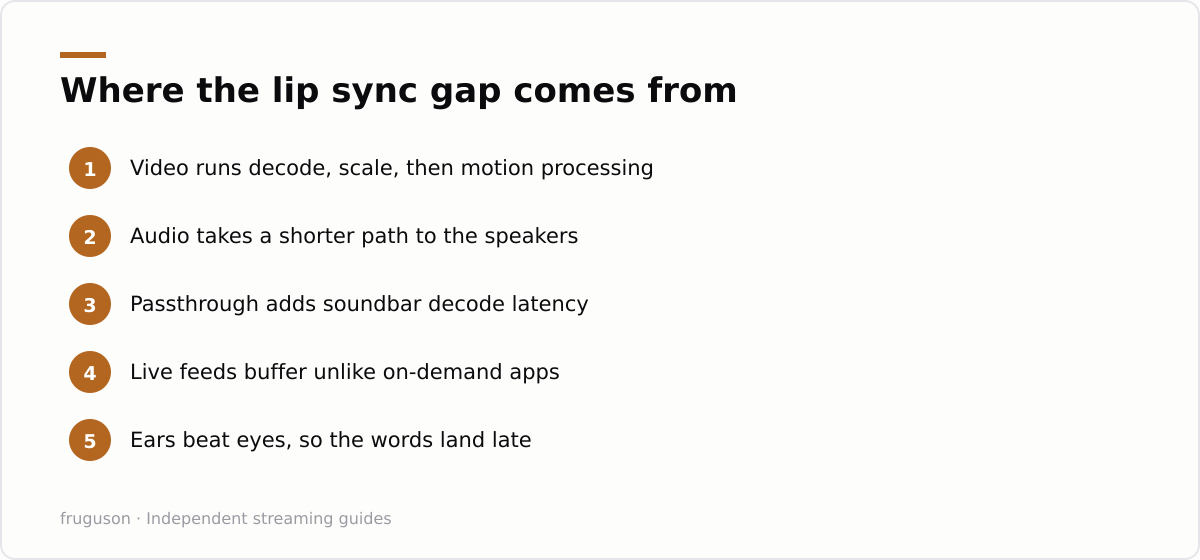
Sound and picture travel separate paths inside a modern set. Video runs through a decoder, then scaling, then motion smoothing, and every step costs a few milliseconds. Audio often takes a shorter route to the speakers. When the two finish at different times, your ears win the race and the words arrive late against the mouth.
Passthrough makes the gap wider. Many televisions send raw Dolby or DTS out over HDMI and let the soundbar handle the decode. That decode adds latency of its own. If the telly does not hold the picture back to match, the offset grows until it becomes obvious on faces.
Content type feeds into it as well. Live broadcast, catch-up and streaming on demand all buffer in slightly different ways, so a set that looks perfect on iPlayer can drift on a live football feed. A firmware update on the telly can shift the numbers overnight, which is why a sync that held for months suddenly slips after the set restarts itself. Gaming or low latency picture modes change the processing too, so turning one on can drag the audio out of line without any warning. None of this means your equipment is faulty. It means the chain has more moving parts than it used to, and one weak link throws the timing off.
Start with the source, not the settings
Before you touch a single menu, work out where the delay lives. Swap to a different app and watch a talking head for ten seconds. If BBC iPlayer looks fine and ITVX lags, the problem is per-app, not your speaker. When every app drifts by the same amount, the fault sits in the audio chain or the panel processing instead.
Check the easy suspects next. Motion smoothing, sometimes labelled as a film or clarity mode, delays the picture to interpolate frames. Turn it off and the audio may suddenly sit early instead of late, which tells you the processing was the culprit. A weak connection can also stutter both streams unevenly, so it is worth a quick line check. You can sanity check your broadband against Ofcom’s broadband speeds research to rule out a slow line before you blame the hardware.
Setting a telly up from scratch and want the audio path clean from day one? Our smart-tv setup walkthrough covers the output settings in order, so you do not inherit a drift you then have to chase around the menus for a week.
PCM versus passthrough: the setting that fixes most cases
Here is the single change that repairs the most complaints. Open the television sound menu and find the digital audio output. It will usually read Bitstream, Auto or Passthrough. Switch it to PCM.
PCM tells the telly to decode the audio itself and send a plain stereo or multichannel signal onward. Decoding happens once, in one box, so the timing stays predictable. Bitstream hands raw data to the soundbar and hopes both devices agree on how long the decode takes, which they frequently do not. This one change fixes more TV audio sync complaints than any other. You lose object based formats like Dolby Atmos when you force PCM, so weigh that up. Give the change a moment to settle, since some sets take a few seconds to renegotiate the output after you switch format. For most living rooms, tight timing beats a format badge nobody can hear working.
When PCM alone does not close the gap, the residual offset is usually small and steady, which is exactly what the A/V sync slider was built to trim.
ARC and eARC quirks that reintroduce the gap
The cable between telly and soundbar matters more than people expect. Standard ARC carries compressed audio and negotiates format on the fly, and that negotiation can drift over a long viewing session. eARC carries far more bandwidth and handles lip sync correction more gracefully, though only when both devices and the cable actually support it.
A few habits cause repeat trouble here. An older High Speed HDMI lead may pass eARC only intermittently, so a proper Ultra High Speed cable is worth the modest outlay. CEC features that auto switch inputs can renegotiate audio mid stream and nudge the timing every time you change source. Should your gear keep slipping after each switch, our equipment guide explains which cable and port combinations avoid the common eARC handshake faults.
One practical test settles most cases. Plug the soundbar into the correct eARC labelled port, not just any HDMI socket. Sets reserve one port for the return channel, and using the wrong one quietly drops you back to basic ARC with its looser timing.
Per-app drift when you stream
Individual apps are the sneaky cause. The audio delay streaming services introduce is rarely a fixed number, because each app buffers and decodes on its own schedule. Netflix might land dead on while a live sport app runs a third of a second behind, all on the same telly with the same speaker underneath.
When the drift is confined to one or two apps, fix it there rather than globally. Some apps expose an audio sync control inside playback settings, tucked behind the subtitles or audio track menu. Force closing and reopening the app clears a buffer that has drifted over hours of viewing. A full app update matters as well, since providers patch timing bugs quietly and an old build can carry a fault a newer one already solved. Signing out and back in occasionally forces a fresh handshake with the provider, which resets a stubborn offset that a plain restart leaves untouched.
Worried about which apps stay in step on shared kit? Our roundup of the best streaming services in the UK for 2026 flags the apps that behave well in a busy living room. Stick to licensed apps here. Sideloaded players are a common home of the worst sync, because they repackage streams through extra layers the official apps never touch.
Soundbar delay settings and the lip sync slider
Now the speaker itself. Almost every bar built in the last few years hides an audio sync or lip sync control, and it is the tool that finishes the job once everything upstream is clean. The lip sync soundbar setting shifts the sound earlier or later in small steps, usually measured in milliseconds or in vague notches from one to ten.
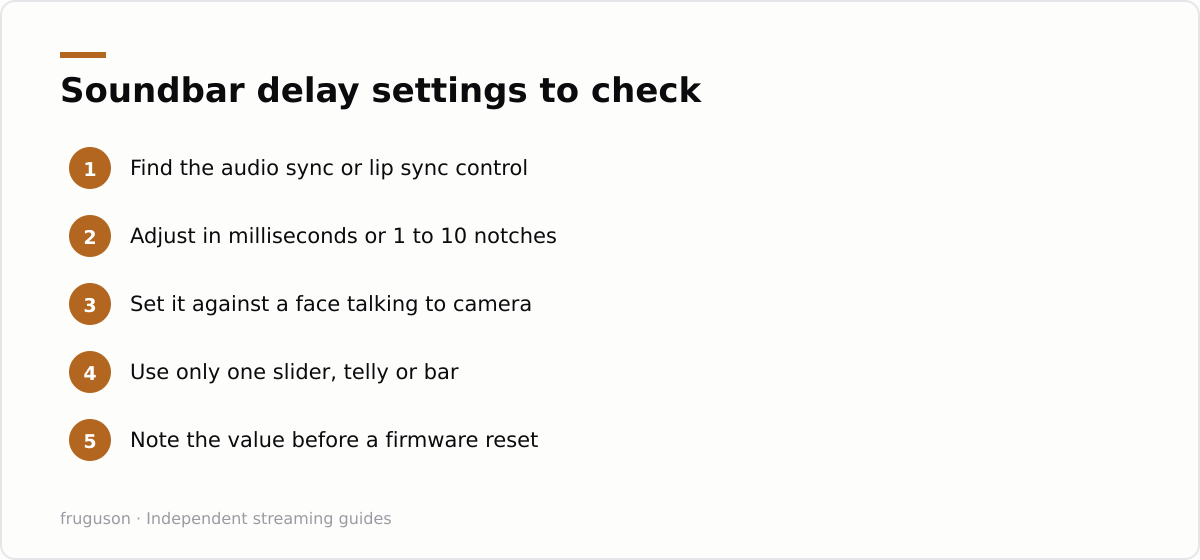
Set it while watching a face talking straight to camera, since that is where a mismatch shows worst. Nudge the delay up until the sound sits fractionally early, then back off one step until it locks. Trust a real presenter over a test tone, because your brain forgives an off tone but never a mouth out of time.
Keep two things in mind. The bar and the telly each carry their own sync control, and fighting them against each other doubles your confusion, so adjust one and leave the other at zero. To fix sound delay TV owners often crank the television slider to its limit when a five step nudge on the bar would have done it cleanly. Whichever device you choose, change it in one place and note the value so you can undo it later.
A quick order to run the fixes in
Run through the likely fixes in this order and stop at the first that matches your symptom:
- Every app drifts by the same amount: switch Bitstream to PCM in the telly audio output menu.
- A small steady offset on all content: use the A/V sync slider on the telly or the bar, never both at once.
- One app lags while the rest are fine: update or restart that app from inside it.
- Drift returns after an input change: move to the eARC port and fit a better cable.
- Sound now leads the picture: reduce the delay a notch on the soundbar lip sync setting.
Read the list top to bottom. Most households never reach the bottom two rows, because PCM and a single slider tweak cover the everyday cases.
What to do next
Pick one change, watch a newsreader, judge the result before moving on. That discipline beats flipping five settings at once and losing track of which one actually helped. Nine times in ten the sequence runs the same way: confirm the source, force PCM, then trim the last few milliseconds on whichever device you prefer to own the slider. Keep a note of the values you land on, because a firmware update can reset them and you will want the numbers to hand. Should a single app stay stubborn after all of that, the trouble is upstream at the provider, and no slider in your living room will cure a stream that left the server already out of step. A five minute pass through this list beats a new soundbar you never needed.
Frequently asked questions
Why does the sound lag behind the picture only on some apps?
Each streaming app buffers and decodes on its own timetable, so one can drift while another stays perfect on the same telly. Update the app, then force close and reopen it to clear a buffer that has slipped over a long session. If the lag stays put, look for an audio sync control inside that app's own playback menu.
Does switching to PCM lose me Dolby Atmos?
Yes, forcing PCM makes the television decode the audio itself, which drops object based formats such as Dolby Atmos down to standard surround or stereo. For most rooms the tighter lip sync is the better trade. If Atmos matters more to you, leave the output on Bitstream and correct the timing with the A/V sync slider instead.
Is my broadband causing the lip sync problem?
Usually not, because a slow line tends to buffer or drop the picture quality rather than shift the audio timing steadily. It is still worth ruling out with a quick speed check against Ofcom's broadband research. A steady offset that survives every app points at the audio chain or the panel processing, not the connection.
Summarize this post with:
Follow How To Watch Streaming on Google News so you never miss a new guide.

Leave a comment