Ethernet vs Wi-Fi for Streaming: We Measured the Difference
Wired beats wireless for a TV that never moves. Here is when Ethernet matters, when good wifi is fine, and how powerline kits gamble on your home wiring.
Contents
Your telly buffers at the worst moment. The match restarts and the film stalls just as everyone settles in. Most of that pain traces back to one choice: how the box connects to your router. The Ethernet vs WiFi streaming debate sounds like nerd sport, yet it decides whether a stationary TV plays cleanly or stutters through the peak evening window. This guide sets out what genuinely changes when you plug in a cable instead of leaning on wireless, where wifi is honestly fine, and why the fix is often cheaper than a new subscription.
The short answer for a TV that never moves
A television that sits in one place all year wants a cable. Wired gives the box a steady path to the router with far less variation from one second to the next. Wireless shares the air with your neighbours, the microwave, the baby monitor and every phone in the house. For a fixed screen, a wired TV connection is the calmer, duller, more reliable option, and dull is exactly what you want while streaming.
None of this means wifi is broken. Modern routers are strong, and a healthy signal handles 4K comfortably. The trouble is consistency. A wireless link can post a fast number on a speed test at nine in the morning and then wobble at eight at night when the whole street piles on. Streaming does not need heroic peak speed. It needs a floor that never drops below the bitrate of the video.
Ethernet vs WiFi streaming: what actually changes
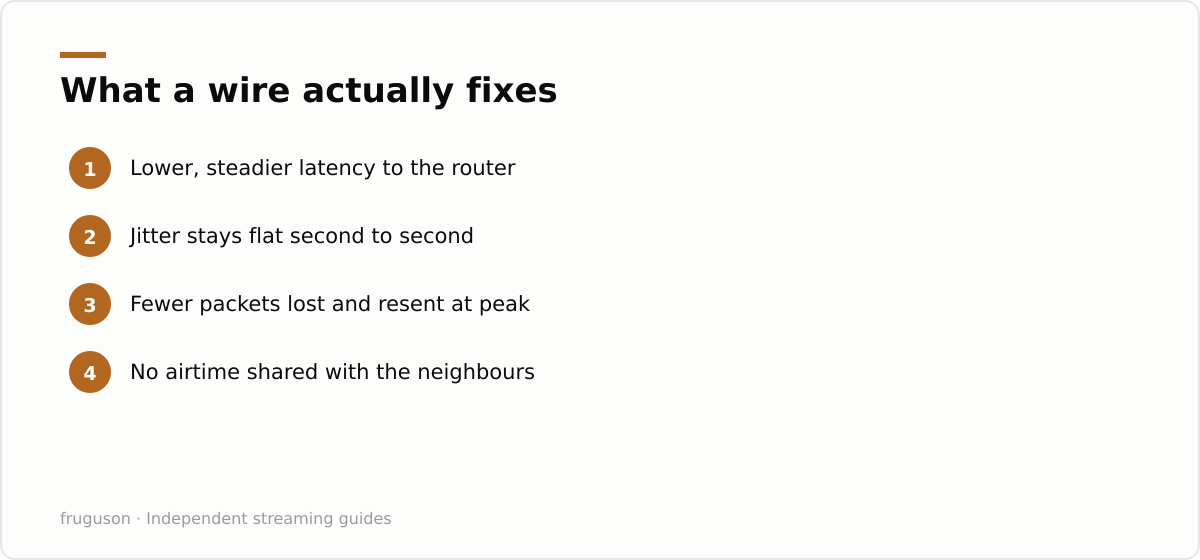
People fixate on megabits, yet picture quality leans on three quieter things: latency, jitter and packet loss. Latency is the delay before data arrives. Jitter is how much that delay jumps around from moment to moment. Packet loss is data that never turns up and has to be sent again. A cable keeps all three small and steady. Open air does not.
Streaming apps hide a lot of this with adaptive bitrate. When the connection dips, the app quietly drops from 4K to 1080p, then lower, to keep the show playing. That is why a shaky wireless link often shows up not as a spinning wheel but as a soft, mushy picture that sharpens a few seconds later. A steady wired feed lets the app hold its highest quality instead of flinching every time the signal sags.
The Ethernet vs WiFi streaming gap is widest exactly when you notice buffering, which is the busy evening window. Ofcom publishes real UK figures on this in its broadband speeds research at https://www.ofcom.org.uk/phones-and-broadband/broadband-speeds, and the pattern will be familiar to anyone who streams after dark. Your headline line speed is one thing. What reaches the TV after passing through walls and shared airtime is another matter entirely.
Wired boxes sidestep the wireless lottery. They will never beat the ceiling of your broadband package, so a slow line stays slow. What they remove is the extra layer of interference sitting between a healthy router and the screen.
How to tell which side your setup needs
You do not need lab gear to judge this at home. Pick a busy evening, start a demanding 4K stream on the TV in question, and watch the first minute closely. Wireless trouble tends to show as the picture softening then recovering, or a wheel appearing right as someone else in the house loads something heavy. Now run the same test with a cable trailed temporarily across the floor, ugly but telling. If the wired run is visibly steadier, you have your answer and a tidy install is worth an afternoon. If both look identical, your wifi is already strong enough and you can leave the box wireless with a clear conscience.
Keep the comparison fair. Test at the same time of night, on the same app, with the same show, because evening congestion is the entire point. A morning test on an empty network flatters wifi and tells you almost nothing about the moment things actually break.
Where wifi genuinely makes sense
Not every screen should be tethered. A tablet you carry between rooms obviously stays wireless. A bedroom TV two floors up, where running a cable means lifting carpet, is a fair wifi case if the signal reaches it well. Renters who cannot drill or trail cable along the skirting live with wireless by necessity, and that is completely fine. The Ethernet vs WiFi streaming choice is not all or nothing across a whole house.
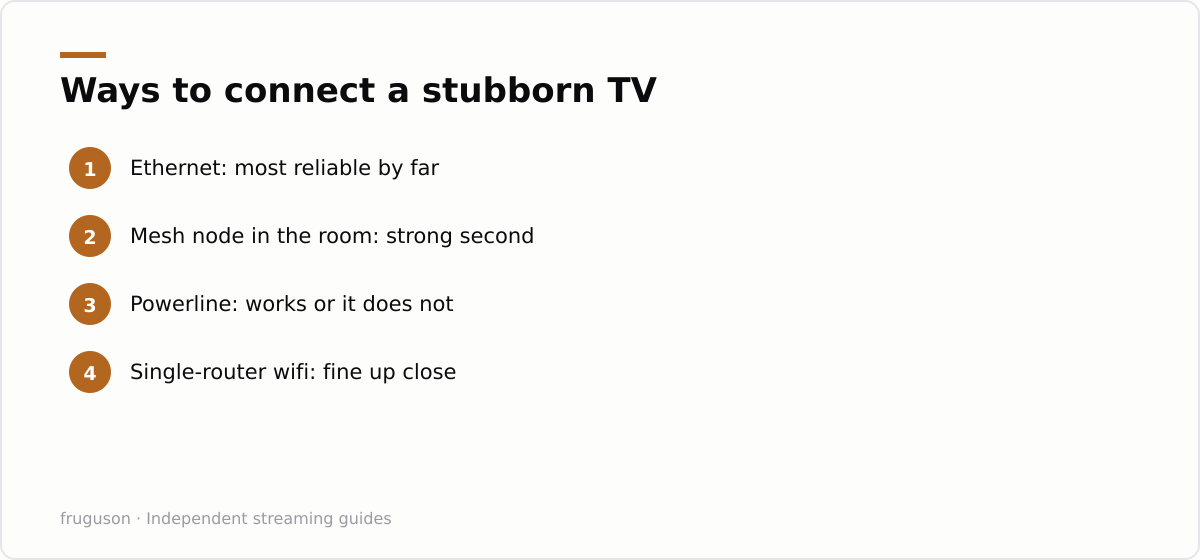
This is where mesh wifi streaming earns its keep. A mesh system places several nodes around the home so the far bedroom talks to a nearby node instead of straining back to one distant router. In homes with thick walls or long floor plans, a good mesh often does more for a stuttering picture than any single premium router. Put a node in the same room as an awkward TV and the picture usually settles down.
One caveat deserves saying plainly. Mesh nodes that link back to the main unit over the air still share that air, so a node fed by its own cable will always beat one that is not. If you can wire even a single node, wire the one nearest your busiest TV.
Two quick wireless wins cost nothing. Put the TV on the 5GHz band where you can, since it is faster and less crowded than 2.4GHz over short hops, and keep the router out in the open rather than shut inside a cabinet. Neither trick beats a cable, but both narrow the gap for a screen that has to stay wireless.
The powerline lottery
When a proper cable is out of the question, powerline kits are the tempting middle path. A powerline adapter TV setup pushes network data through your existing mains wiring: one plug near the router and one plug near the telly, with a short Ethernet cable at each end. When it works, it feels close to magic and costs far less than rewiring a room.
That catch hides in the word lottery. Powerline speed depends on the age and layout of your home’s electrical circuits, and results swing wildly between houses. Two sockets on the same ring main can be brilliant. Two on different circuits, or across an ageing consumer unit, can be dismal. Extension leads and surge protectors between the adapter and the wall drag it down further. Buy from a shop with an easy returns window, test it the same day, and send it back without guilt if the picture keeps stuttering.
A quick comparison
| Connection | Best for | Watch out for |
|---|---|---|
| Ethernet cable | Fixed TVs and boxes near the router | Running cable tidily across a room |
| Mesh wifi | Distant rooms, renters, movable screens | Nodes that backhaul over air still share it |
| Powerline | No cable route but a spare double socket | Old wiring and split circuits killing speed |
| Single-router wifi | Small flats with the TV near the router | Peak-evening congestion and thick walls |
If you are still choosing hardware, our IPTV equipment guide flags which boxes carry a proper Ethernet port, since plenty of cheap streaming sticks are wireless only, and our walkthrough for setting up IPTV on a smart-tv shows where the network settings hide if you are switching a box from wireless to wired. If buffering lingers after you have plugged in, the checklist in our guide to IPTV buffering fixes works through the other usual suspects, from an overloaded app to a router that has been running for months.
What to do this weekend
Start with the screen you watch most after dark. If it sits within cable reach of the router, buy a flat Ethernet cable long enough to run along the skirting and plug it in tonight. Flat cables tuck under carpet edges and behind furniture with almost no fuss. For a set marooned across the house, add a mesh node in that room first, and only reach for powerline if a tidy cable route genuinely does not exist. Licensed UK apps like BBC iPlayer, ITVX, Channel 4 and Now all run better on a stable link, and none of them care whether that link is copper or radio, only that it holds firm. Sort the connection once, and you stop blaming the service for a fault that was living quietly in your hallway.
Frequently asked questions
Is Ethernet really better than wifi for streaming?
For a TV that stays in one spot, yes. A cable holds a steadier connection with less jitter and fewer dropouts during the busy evening hours when wifi tends to wobble. Wireless can match it on paper, but it rarely stays that consistent when the whole house is online.
Do I need Ethernet if my wifi speed test looks fast?
Not always. Speed tests measure a single moment, usually on an idle network, while streaming problems show up when the whole house is online at night. If a demanding 4K stream holds up during peak evening use, your wifi is already strong enough to leave alone.
Are powerline adapters a good alternative to running a cable?
Sometimes. A powerline adapter TV setup can be excellent on modern wiring and poor on old or split circuits, and there is no way to know until you try it in your own home. Buy from a retailer with a clear returns window and test it the same day so you can send it back if the picture stutters.
Summarize this post with:
Follow How To Watch Streaming on Google News so you never miss a new guide.




Leave a comment