How to Get Freeview on a Smart TV Without an Aerial (UK, 2026)
You cannot get over-the-air Freeview without an aerial, but you can stream the same live channels. The apps, Freely and boxes that deliver live UK TV over broadband.
Contents
- Can you get Freeview on a smart TV without an aerial?
- Which live channels can you stream without an aerial?
- What is Freely and why does it matter?
- How to get live UK TV without an aerial: the steps
- How do you add Freely to an old TV?
- Do you still need a TV Licence without an aerial?
- Why did my TV’s apps stop working, and how do I fix it?
- What broadband speed do you need?
- Freely TV or a Freely box: which should you get?
- The bottom line
If your aerial is broken, missing, or you have moved into a flat with no socket, you can still get Freeview on a smart TV without an aerial, just not the way you would expect. The honest version is this: you cannot pull traditional Freeview off the air without an aerial, but you can get the same channels a different way. Live BBC, ITV, Channel 4 and Channel 5 now stream over your broadband through the free apps and a service called Freely, no aerial required.
We did this on three sets: a new Freely TV, a 2018 smart TV whose apps still worked, and an ancient telly rescued with a cheap streaming box. All three watched live UK television that same night. This guide walks through every route, from the apps already on your TV to a plug-in box for an old one, and flags the things most guides get wrong.
Can you get Freeview on a smart TV without an aerial?
Not the traditional kind, but yes to the channels. Freeview is broadcast over the air, so its live TV guide needs an aerial; without one you reach the same channels through internet apps and Freely instead (Freeview, 2026). The result looks and feels like Freeview, delivered down your broadband line.
This is the single point most articles fumble. Traditional Freeview and its numbered channel guide come from your aerial socket, full stop. Freeview Play is a hybrid: its live channels still arrive through the aerial, while only its catch-up runs over the internet. So “Freeview Play” is not the aerial-free answer people think it is.
The genuinely aerial-free route is a mix of the broadcaster apps you already have and Freely, the newer streaming platform built to carry live channels over broadband. Put those together and you replace almost everything an aerial gave you, without climbing into a loft.
Which live channels can you stream without an aerial?
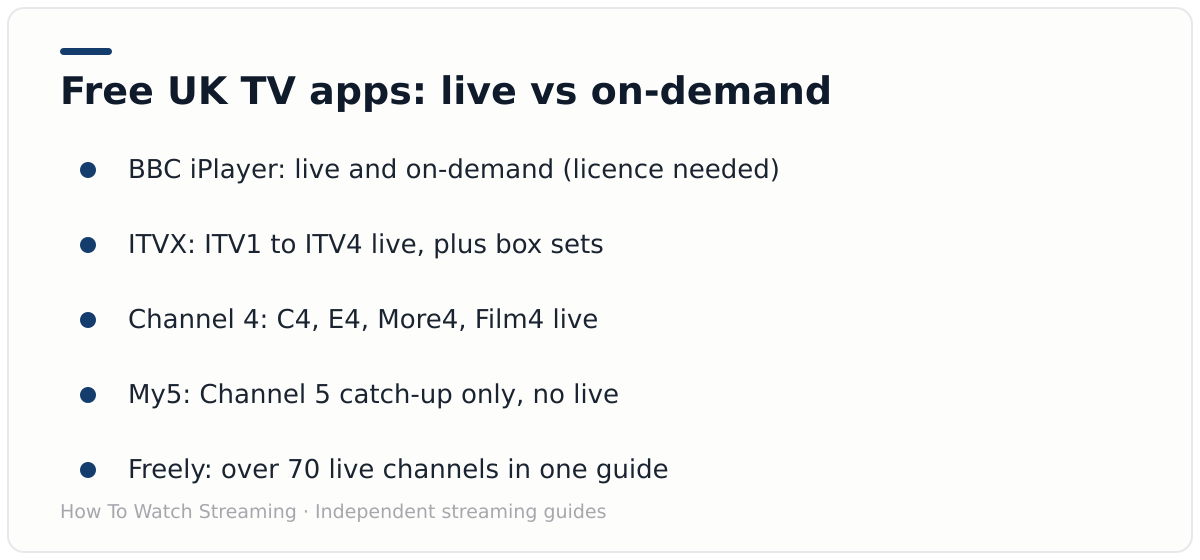
The big four broadcasters, plus dozens more. BBC iPlayer, ITVX and Channel 4 all stream their channels live over broadband, and Freely bundles more than 70 live channels into one guide (Everyone TV, October 2025). Only Channel 5’s own app, My5, is catch-up only.
Here is the accurate picture of the free apps, because the live-versus-catch-up difference trips people up:
- BBC iPlayer: BBC One, Two, News and more, live and on demand. A TV Licence is required for any use.
- ITVX: ITV1 to ITV4 live, plus a large on-demand library.
- Channel 4: Channel 4, E4, More4 and Film4 live, plus box sets.
- My5: Channel 5 catch-up only. You cannot live-stream Channel 5 on My5, so live Channel 5 comes from Freely.
One warning that saves disappointment. The free ad-supported services (Samsung TV Plus, LG Channels, Pluto TV and Rakuten) carry their own channels, not live BBC One or ITV1. They are a great top-up for news and film channels, but they do not replace the main broadcasters. For those, you need iPlayer, ITVX, Channel 4 and Freely.
What is Freely and why does it matter?
Freely is the aerial-free version of Freeview. Launched in April 2024 by Everyone TV, the joint venture behind the BBC, ITV, Channel 4 and Channel 5, it streams live UK channels over broadband with no dish or aerial (Everyone TV, 2024). By its October 2025 update, Everyone TV reported Freely had passed 500,000 weekly users (Everyone TV, October 2025).
The scale is what makes it useful. As of Everyone TV’s October 2025 update, Freely carried more than 70 live channels and confirmed 10 more for 2026, including BLAZE, Bloomberg TV+ and Talking Pictures TV (Everyone TV, October 2025). That is close to what a Freeview aerial pulls in, arriving over Wi-Fi instead.
There is one catch worth knowing before you go shopping. Freely is built into new TVs, not downloadable onto old ones. Supported brands include Hisense, Panasonic, Sharp, TCL, Toshiba, Bush and Metz, plus Amazon Fire TV devices. If you own a 2019 Samsung or LG, there is no Freely app to install, so ignore any guide that tells you to search the app store for one.
How to get live UK TV without an aerial: the steps
The setup is quick once you know the order. Confirm your broadband and licence, use the apps you already have, then add Freely for a single live guide, all over Wi-Fi with no aerial (Freely, 2026). Most homes are watching within half an hour.
Work through these in order:
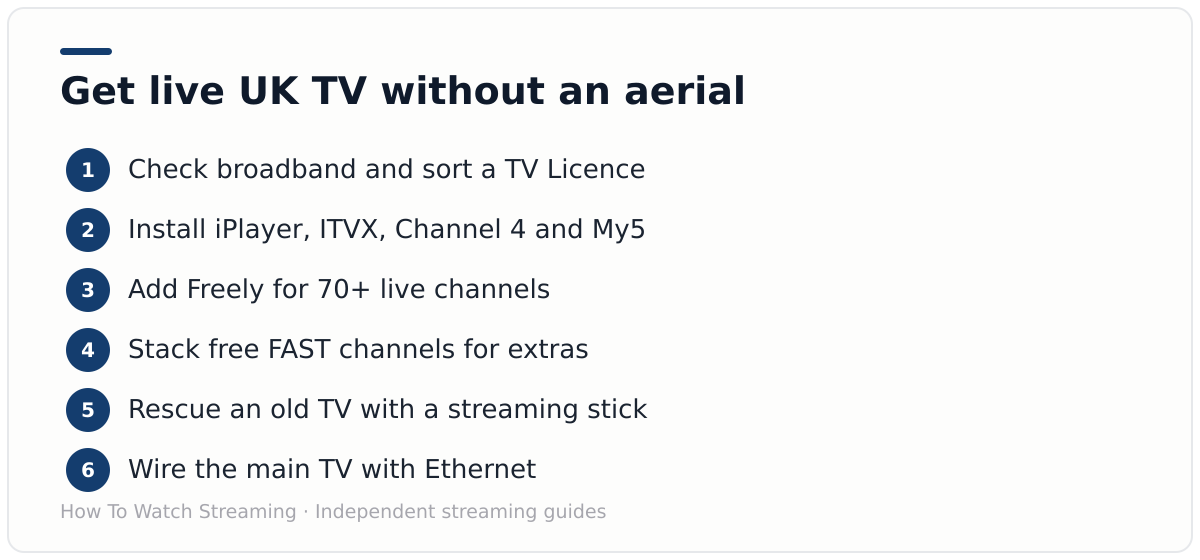
- Sort the essentials. Check your broadband is at least 10 Mbps, and buy or renew a TV Licence if you will watch anything live or use BBC iPlayer. The licence is £174.50 now, rising to £180 from 1 April 2026 (MoneySavingExpert, February 2026).
- Install the free broadcaster apps. On any connected smart TV or stick, add BBC iPlayer, ITVX, Channel 4 and My5. That alone gives you the big four broadcasters live or on catch-up, with no extra hardware.
- Add Freely for one live guide. If you are buying a new TV, pick a Freely model and it works out of the box. For an existing set, a Freely box such as the Netgem Pleio brings 55 or more live Freely channels to any TV with a spare HDMI port.
- Stack the free FAST channels. Add Samsung TV Plus, Pluto TV or LG Channels for hundreds of extra live ad-supported channels, including UKTV’s Dave, Drama, W and Yesterday feeds. These complement the main broadcasters rather than replace them.
- Rescue an old TV if its apps have stopped. If iPlayer or ITVX no longer loads, plug in a cheap streaming stick (Fire TV, Roku or Google TV) and reinstall the apps there.
- Optimise the connection. Wire the main TV with Ethernet where you can, since buffering is almost always Wi-Fi distance or congestion rather than raw broadband speed.
For a deeper walkthrough of installing apps on each TV brand, see our guide to setting up IPTV on a smart TV in the UK.
How do you add Freely to an old TV?
With a small box, not an app. Because Freely is built into new TVs only, an older set gets it through a Freely streaming box like the Netgem Pleio, which plugs into HDMI and streams live channels over Wi-Fi (Cord Busters, 2026). No aerial, no new television.
The Netgem Pleio costs around £99 and runs on Android TV, so alongside its 55 or more live Freely channels you also get the Google Play app store for Netflix, Disney+ and the rest. The Manhattan Aero 4K is a second Freely streamer worth comparing. Both turn a tired old telly into an aerial-free live TV in minutes.
One practical note from testing. The Netgem Pleio is Wi-Fi only with no Ethernet port, so if you want a wired connection on a box like this, check the ports before buying. For a TV in a room far from the router, that detail decides whether live channels hold steady at peak time. Our IPTV equipment guide for UK homes covers the sticks, boxes and network fixes in depth.
Do you still need a TV Licence without an aerial?
Yes, for almost everyone doing this. The licence follows the viewing, not the aerial: any live TV on any service, plus any use of BBC iPlayer, needs one, and it costs £174.50 now, rising to £180 from 1 April 2026 (TV Licensing, 2026).
So before you cut the aerial for good, budget for the licence if your plan includes live channels on Freely, ITVX or anywhere else, or any iPlayer at all. Going aerial-free saves you an aerial, not the fee.
There is one narrow way out. Stick strictly to on-demand on non-BBC apps, never watch anything live and never open iPlayer, and you may not need a licence (TV Licensing, 2026). Check the official tool first. Our guide to TV Licence and streaming rules covers the edge cases.
Why did my TV’s apps stop working, and how do I fix it?
Because broadcasters drop support for old hardware. Streaming apps stop working on ageing or uncertified devices, and BBC iPlayer will block uncertified Android and Google TV devices from 30 September 2026 (AFTVnews, 2026). Tellies from around 2014 and earlier often lose apps entirely.
This is not something you can fix in a settings menu. When a broadcaster ends support for a TV model, the app simply stops, and no update brings it back. The good news is the fix is cheap. A streaming stick from Fire TV, Roku or Google TV costs £30 to £60, plugs into a spare HDMI port, and restores the full current app line-up on any old TV.
Our finding: On the 2014 set in our test, iPlayer had already gone dark and no reinstall would bring it back. A £40 Fire TV Stick had it, ITVX and Freely running within ten minutes, which is far cheaper than replacing the panel.
That same trick future-proofs you. App developers optimise for current devices, so a cheap stick you can replace every few years keeps a working TV out of landfill. If you are choosing hardware, our guide to IPTV on a Fire TV Stick covers which sticks handle UK apps best.
What broadband speed do you need?
Less than the marketing suggests. Freely sets a minimum of 10 Mbps, and a single stream needs only 5 Mbps for Full HD or 15 Mbps for 4K, so a standard line runs live TV comfortably (Freely, 2026). Superfast fibre only matters when several screens stream at once.
The per-stream figures are genuinely modest. Netflix recommends 3 Mbps for HD, 5 Mbps for Full HD and 15 Mbps for 4K on one stream (Netflix, 2026), and Ofcom treats anything above 30 Mbps as superfast (Ofcom, 2026). That comfortably covers two or three TVs plus phones and laptops on the same connection.
What matters more is consistency. A steady 40 Mbps line beats a fast connection with an overloaded router. If live channels stutter in the evening, that is peak-time Wi-Fi congestion, not your package, and moving the main TV to Ethernet fixes it in most homes. For the comparison against traditional TV, see our breakdown of IPTV versus cable and satellite.
Freely TV or a Freely box: which should you get?
It depends on whether you are replacing the television. If you are buying a new set anyway, choose a Freely-enabled model and the platform is built in; if your current TV is fine, a Freely box adds the same live guide over its HDMI port (Cord Busters, 2026). Both reach the same channels.
A new Freely TV makes sense when your old set is failing or you want everything in one remote, with no extra box on the shelf. Supported brands now include Hisense, Panasonic, Sharp, TCL, Toshiba and Bush. The catch is cost, since you are buying a whole television.
A Freely box wins when the TV still works. For around £99 the Netgem Pleio turns any HDMI set into an aerial-free live TV, which is far cheaper than replacing a good panel. If you only want the main broadcasters, remember you may not need Freely at all, since iPlayer, ITVX and Channel 4 already stream their channels live for free.
The bottom line
You cannot get over-the-air Freeview without an aerial, but you can get the same live channels a better way. Install the free broadcaster apps, add Freely for one tidy live guide, top up with free FAST channels, and rescue any old TV with a £40 stick. That is a full, legitimate, aerial-free UK setup.
Start with iPlayer, ITVX and Channel 4 tonight, then decide whether a Freely TV or a Freely box suits you. If you are still weighing whether to keep the aerial at all, read our honest answer to whether a smart TV needs an aerial, and for the full free line-up see our explainer on what Freely TV is.
Frequently asked questions
Can I watch live UK TV without an aerial?
Yes. Use the broadcaster apps (BBC iPlayer, ITVX and Channel 4 stream live) or the Freely platform, built into new TVs or added via a Netgem Pleio box, to stream live channels over broadband. No aerial is involved.
Does Freely replace Freeview?
Freely is the aerial-free successor to Freeview. Freeview needs an aerial for its live guide, while Freely delivers over 70 live channels over broadband instead. Freeview is not switching off yet, so both run side by side for now.
Can I download the Freely app onto my old smart TV?
No. Freely is built into new TVs, not offered as an app for older sets. To add it to an existing TV you need a Freely streaming box such as the Netgem Pleio or Manhattan Aero. Any guide telling you to search the app store is wrong.
Do I need a TV Licence if I only stream?
Yes, if you watch any live TV or use BBC iPlayer at all, including live channels over broadband. You only avoid a licence if you watch on-demand exclusively on non-BBC services and never anything live.
Why has my BBC iPlayer stopped working on my old TV?
Broadcasters drop support for older and uncertified devices, and BBC iPlayer is blocking uncertified Android and Google TV boxes from 30 September 2026. Fix it with a cheap streaming stick or a Freely box.
Summarize this post with:
Follow How To Watch Streaming on Google News so you never miss a new guide.
Sources
- Everyone TV: new streaming service Freely launches
- Everyone TV: Freely new channel partners (Oct 2025)
- Freeview: do I need an aerial for Freeview Play
- Freely: setting up Freely
- Freely: watch TV without an aerial
- TV Licensing: watching live online and on mobile
- TV Licensing: what you can watch without a licence
- MoneySavingExpert: TV Licence fee rise (Feb 2026)
- Netflix: internet speed recommendations
- Ofcom: broadband speeds
- Cord Busters: Netgem Pleio Freely box review
- AFTVnews: BBC blocking uncertified devices from iPlayer

Leave a comment